Merge Models
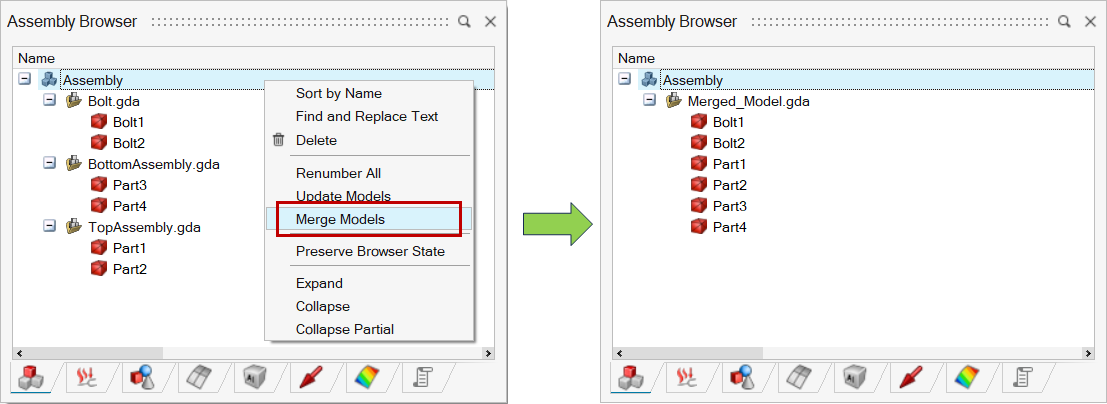
The Merge Model option allows merging two or more models into a single model.
Merging of selected models is also possible by right click on the selected model.
Note:
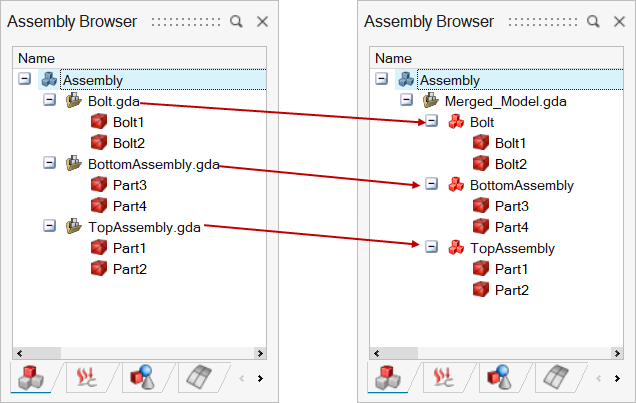
In model merge, each model is retained as a sub-model in the merged model by enabling the toggle "Retain model grouping when merging models" under File > Preferences > Applications > Options.
Example:
Retain model grouping when merging models - OFF
Retain model grouping when merging models - ON
Below we can see that the models get retained as a sub-model in the new model.