
Specifying the Solution Method
Select the RL-GO as the solution method to solve the aircraft.
-
On the Analysis tab, in the
Options group, click the
 Solution Methods icon.
- On the Solution Methods dialog, expand the Face Methods (Triangles) section.
-
Click the Ray Launching Geometrical Optics (RL-GO) field
to make it active and select the whole model in the graphics window.
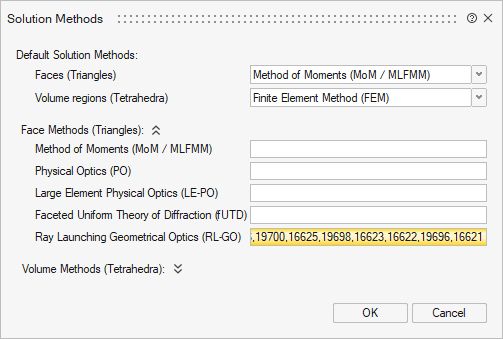
- Click OK to close the Solution Methods dialog.