
Saving the Model
Save the model to a SimLab .slb file.
- On the File menu, click Save As.
- Specify the file name as GS_Antenna_Placement.slb.
- Click Save to close the dialog.
Tip: By default, saving the model will create a new database with an
extension each time.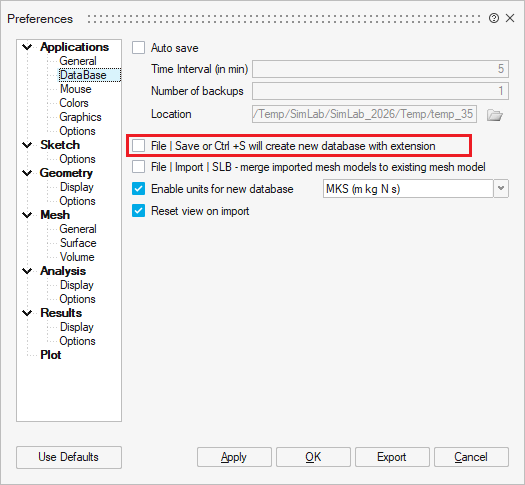
For example: Model.slb, Model.slb1, Model.slb2.
This option can be disabled at .