Adding Edge Refinement to the Window Geometry
Define the average mesh element size of the edges for the front and back windscreens and side windows to ensure they maintain their shape after the geometry is meshed.
Important: This mesh control is applied to geometry edges. As a result, when
using the Surface Mesh tool, the mesh refinement will be applied to the geometry
that is meshed.
However, if the Re-mesh tool is used to remesh an existing mesh, this mesh control will not be applied since it is only relevant to the geometry and not the mesh.
-
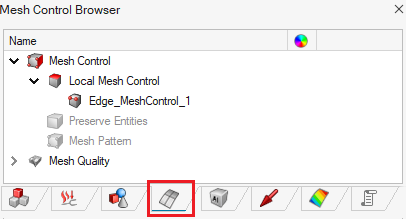
On the Mesh tab, in the Controls
group, click the
 Mesh Controls icon.
-
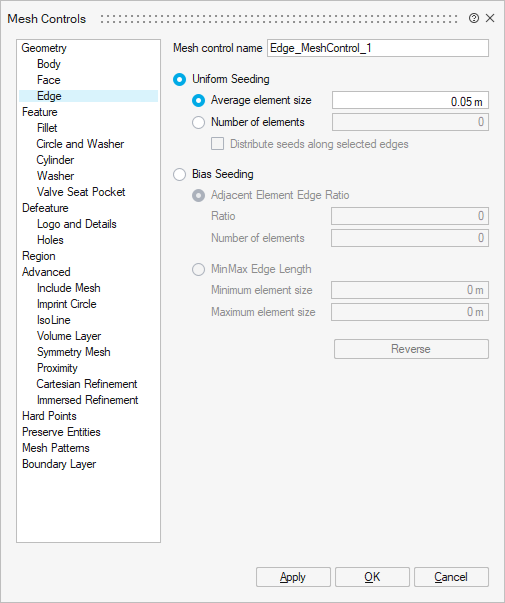
On the Mesh Controls dialog, click and specify an average element size of 0.05 m.
-
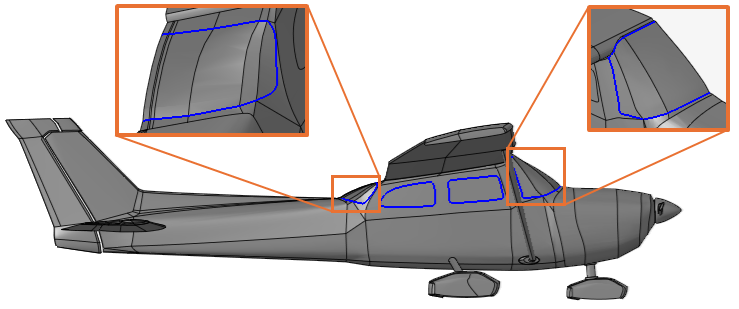
Click on the edges of the windows. The relevant edges should be highlighted in
blue.
- Click OK to define the mesh control and close the dialog.