
Step 2: Import CAD
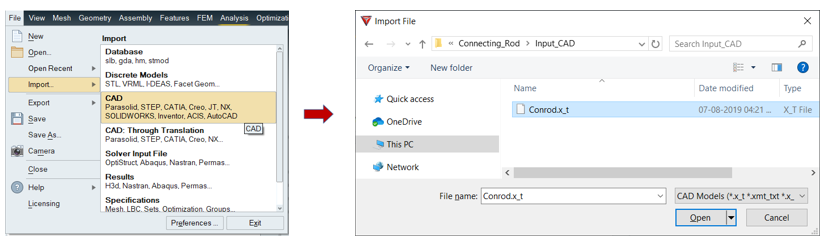
- Go to File > Import > CAD
- Select "Conrod.x_t" from Project > Input_CAD folder and click Open button.
-
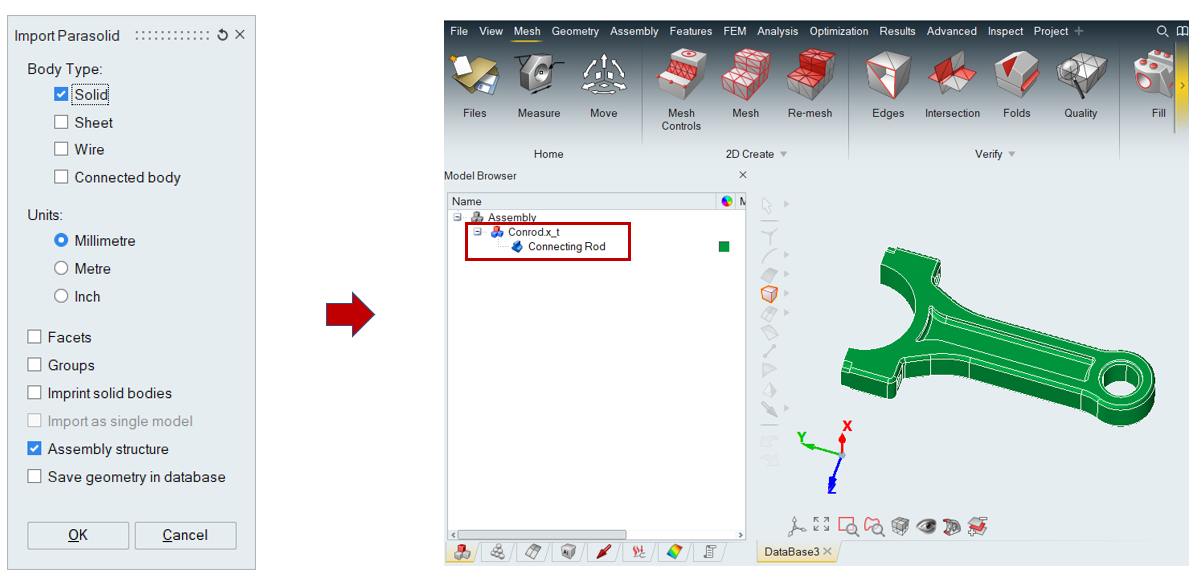
Click Ok to import the Conrod.x_t model.
-
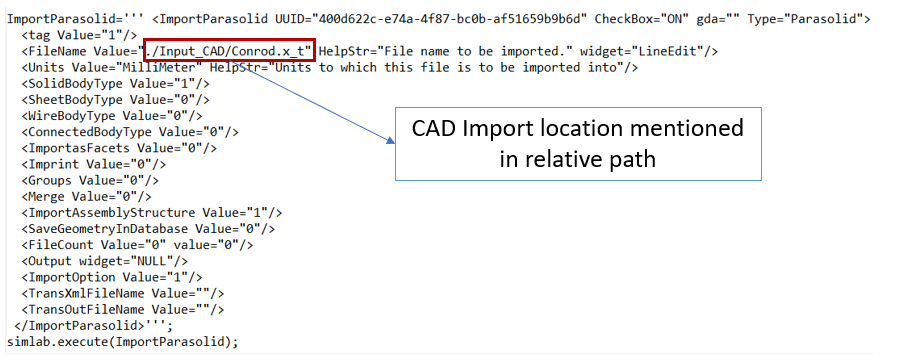
The operation is recorded as follow:
Click Ok to import the Conrod.x_t model.
The operation is recorded as follow: