Step 10: Create Loads and Constraints
Create Constraints
- Go to Analysis > Loads and Constraints > Constraints > Fixed.
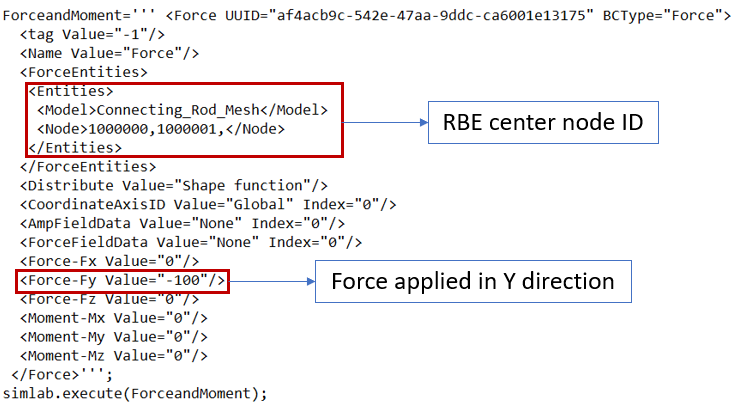
- Select "Small_End" face group from Group browser and Turn ON Displacement X Y Z, then
click OK.
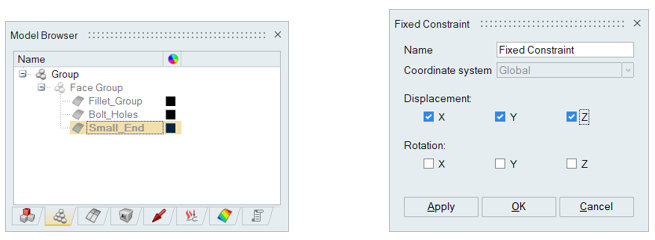
- This will be recorded in script as below.
Create Force
- Go to Analysis > Loads and Constraints > Loads > Force and Moment.
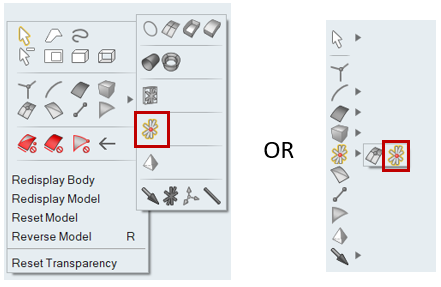
- Select the RBE center nodes by clicking on RBE body using RBE node filter from right
click selection filters options or from vertical tool bar.
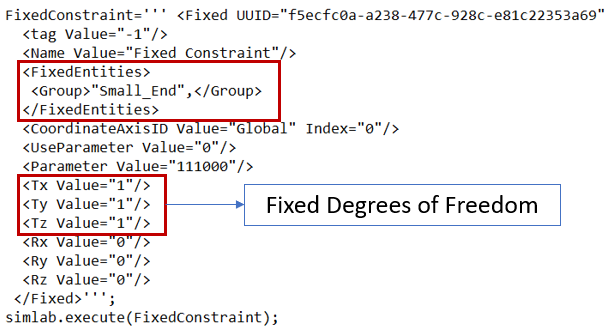
- Define Force load value as mentioned in below picture and click OK.
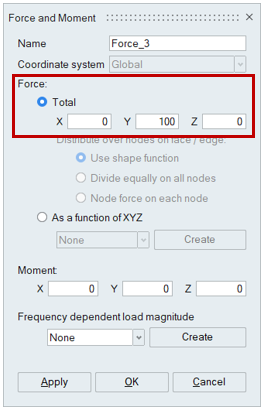
- This will be recorded in script as below.