Circuit Catalog

Introduction
The numerical analysis of electrical devices can be restricted by the complexity of the power supply. By introducing the electrical equations directly into the software of magnetic field computation, the field-circuit coupling allows the treatment of electrical conductors and their supply circuits.
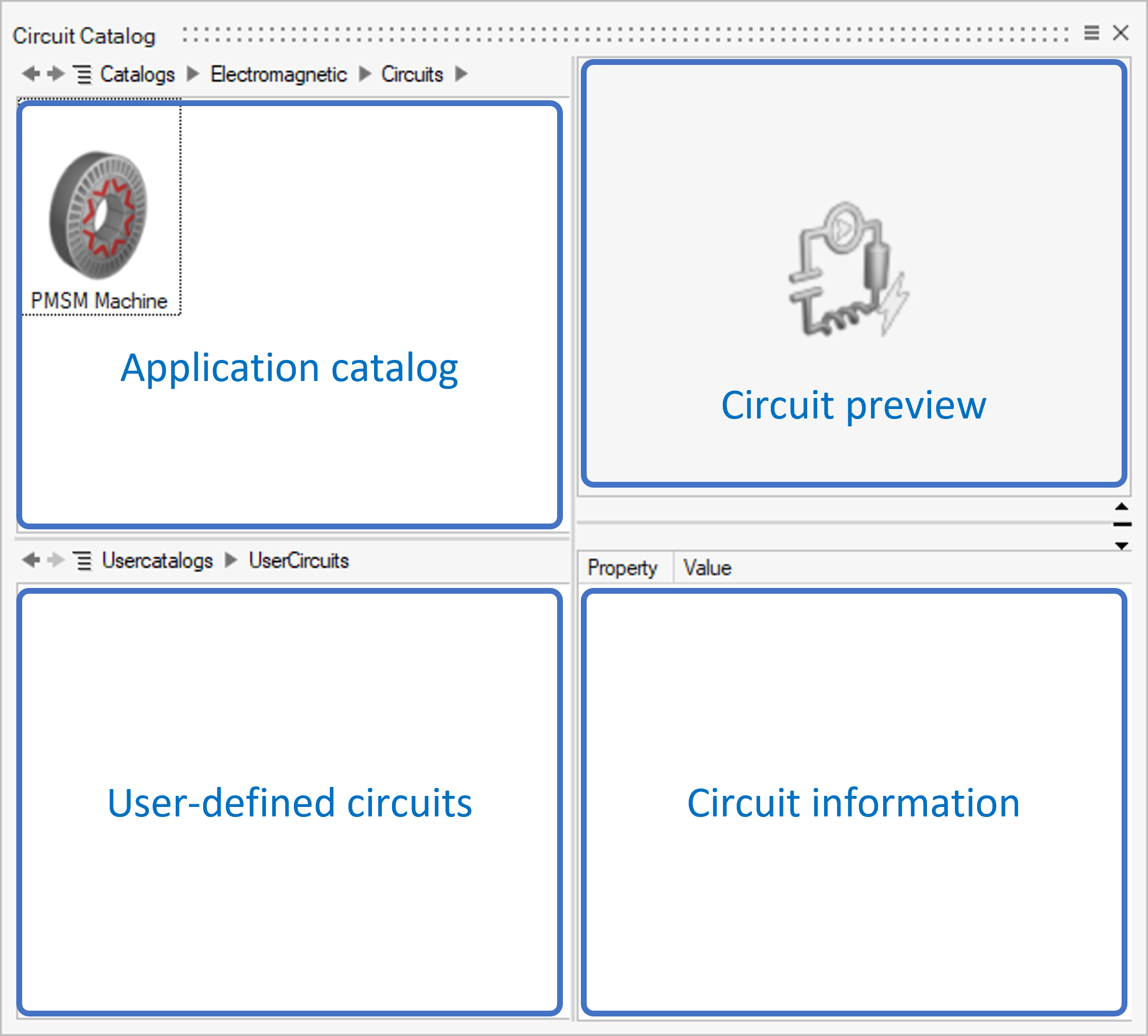
This tool, Circuit Catalog, intends to provide some basic coupling circuits for electrical equipment analysis. Its main interface (and each function) is as follows:Magnetic Transient 2D and 3D solutions support the corresponding 2D and 3D Circuit Catalog.
Use the built-in circuit
The current version of the Circuit Catalog provides basic coupling circuits for 2D and 3D.
2D & 3D Circuit Catalog
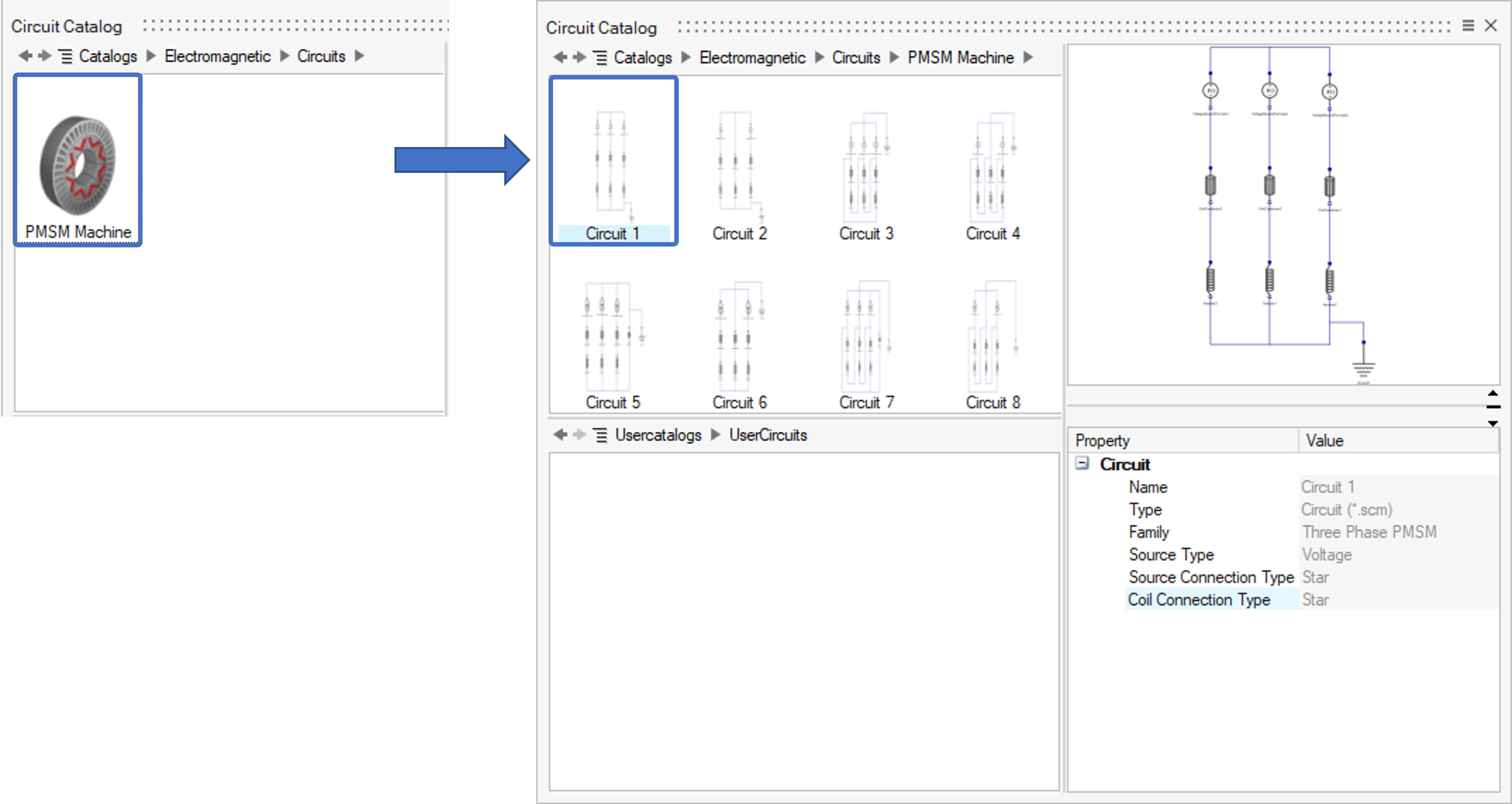
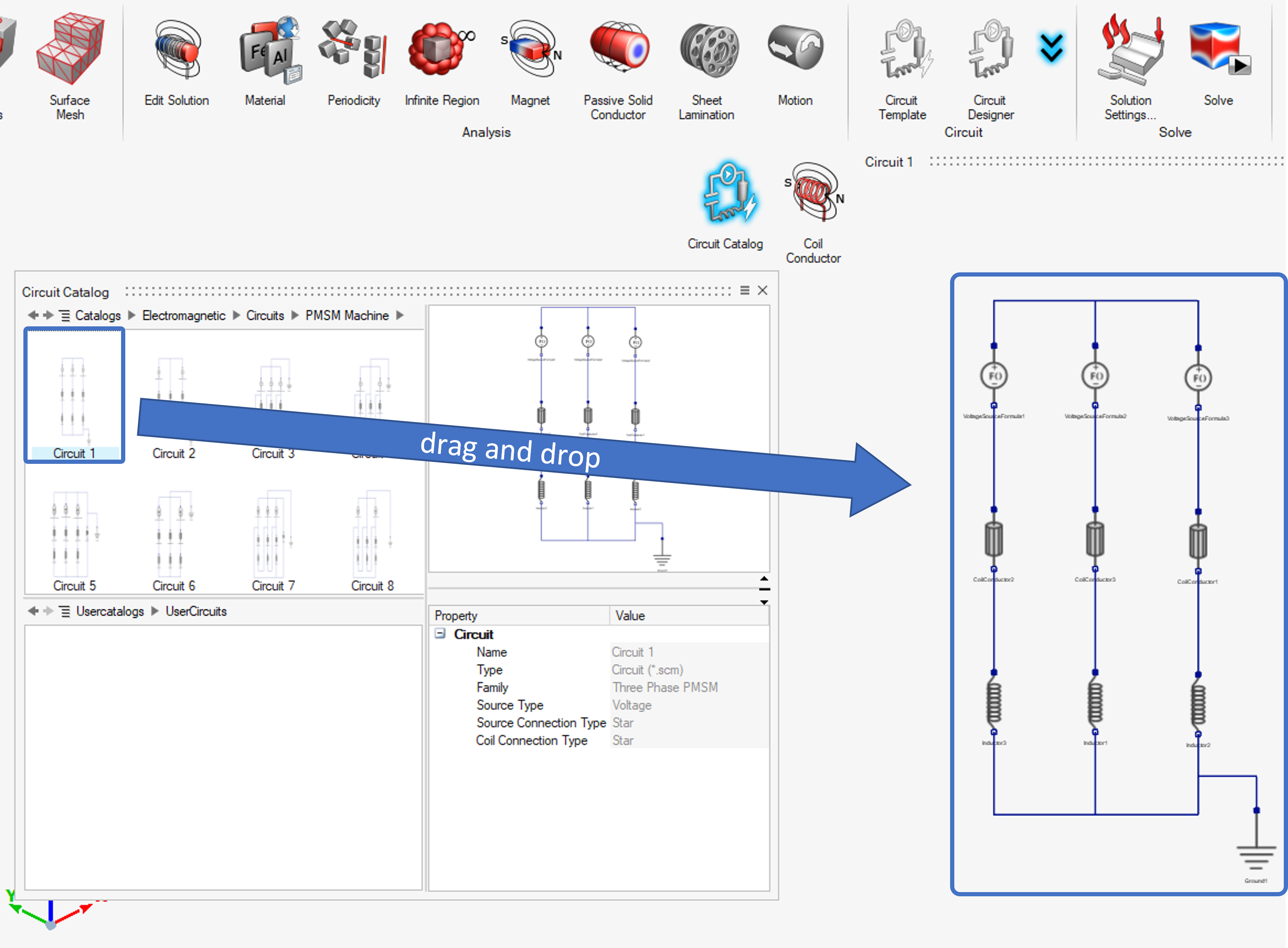
The supply can be voltage or current, with “star” or “delta” connection. The load includes coils, which can be also “star” or “delta” connected. These provided circuits can be added to the solution by dragging and dropping.
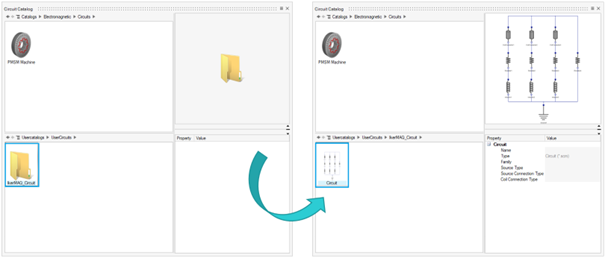
Add a user-defined circuit to the Circuit Catalog
For a coupled circuit designed by the user through the Circuit Designer, it can be added to the Circuit Catalog by right-clicking in the Solution Browser and clicking the Export to Catalog option, as shown below:
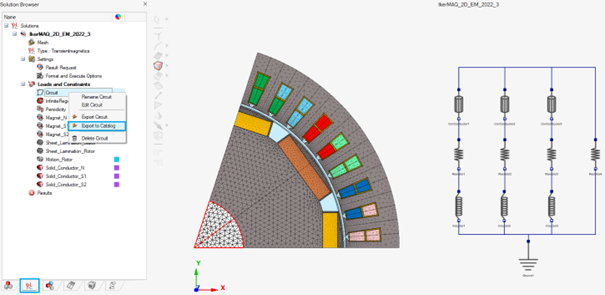
C:\Users\UserName\.altair\SimLab_V2026\simlab\Usercatalogs\UserCircuits\2D/3DUserCircuits
The circuit will be saved and can be re-used in other electromagnetic simulation project.