Seam Weld

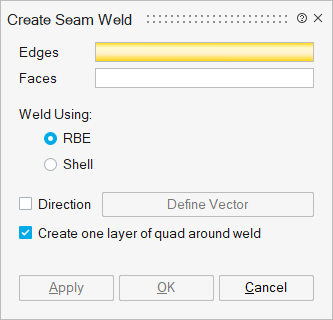
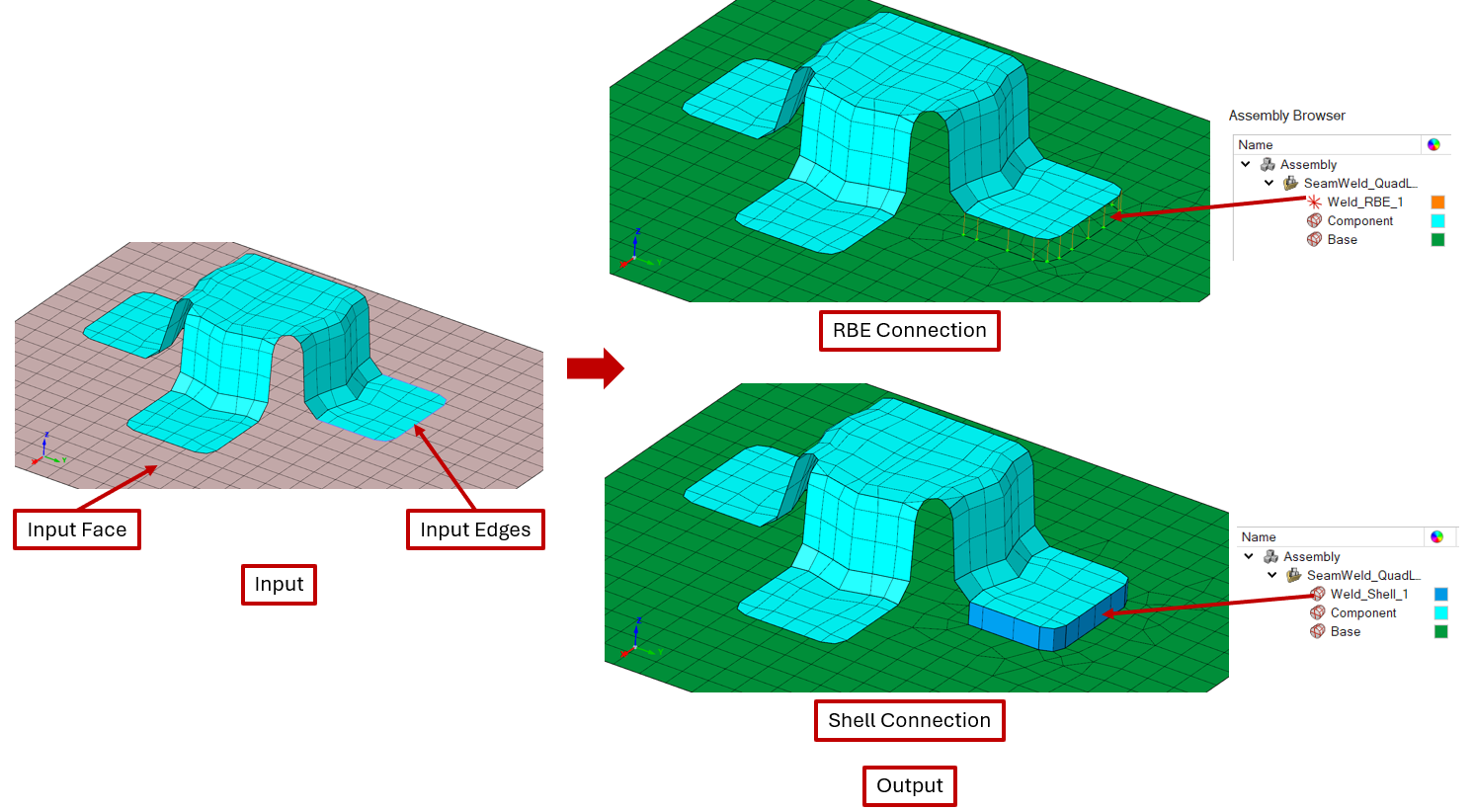
This tool establishes the seam weld connection between selected edges and faces.
Edges
Select single/continuous edges from mesh bodies as input.
Faces
Select faces to which the input edges need to be connected by a seam weld.
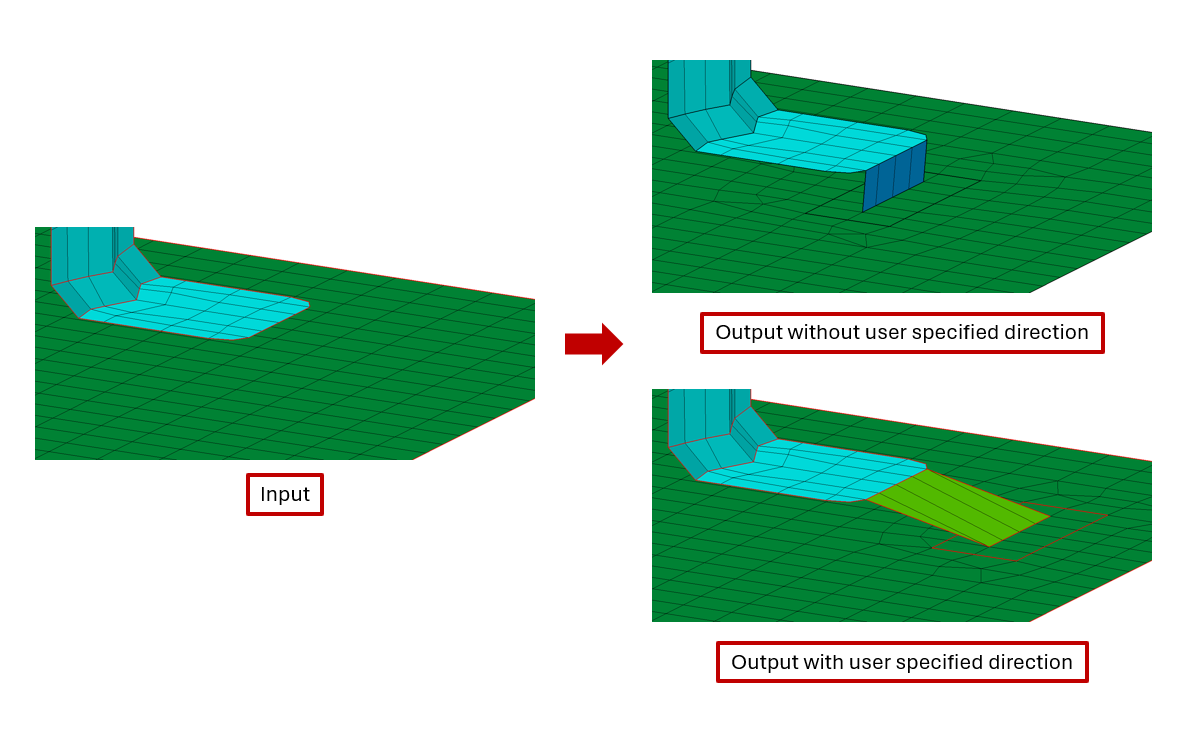
Direction
Enable this toggle to specify the weld direction. By default, the weld connection gets created in the normal direction of the input face.
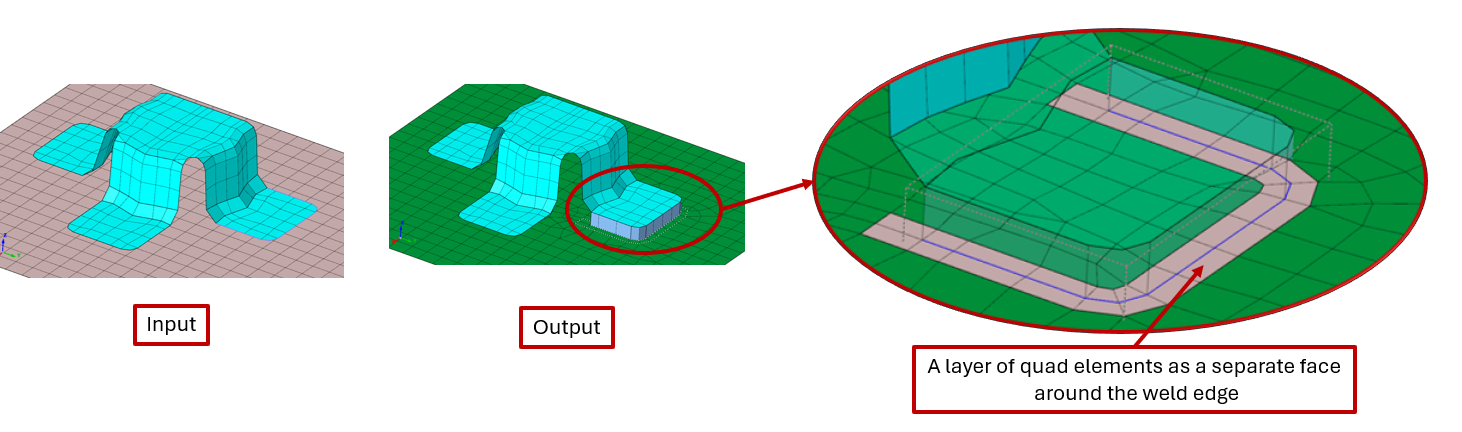
Create one layer of quad around weld
Enable this toggle to generate a single layer of uniform quad elements around the imprinted (weld) edges within the input faces, forming a separate face.
Otherwise, elements around the weld edges in the input faces will be remeshed.
Weld Type
Select the weld body type as RBE body or shell body.
Weld Property
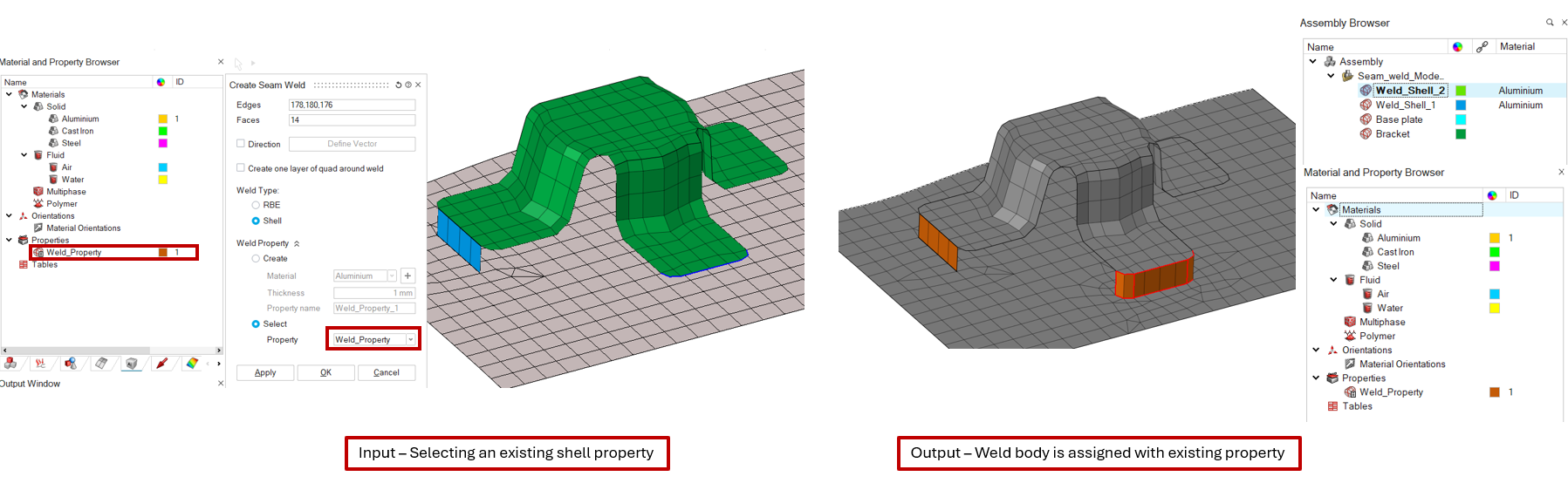
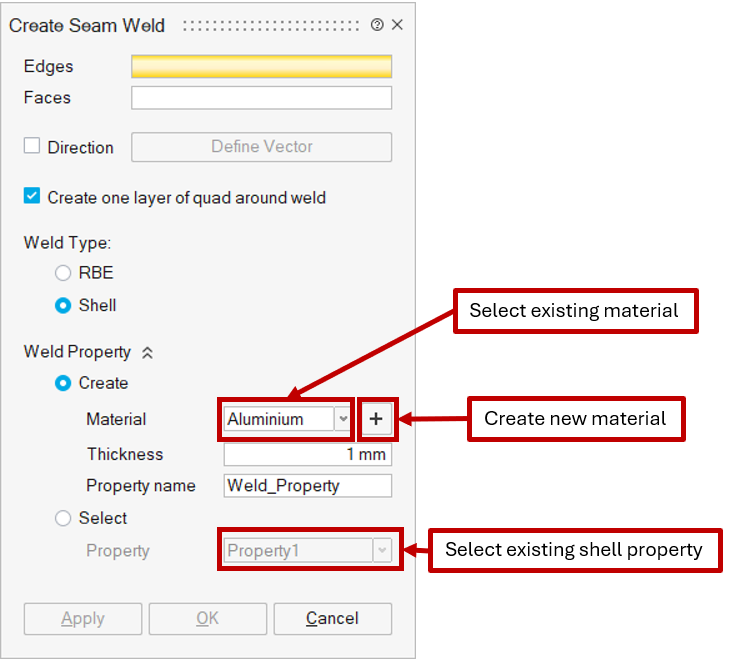
This option is available only for Shell-type connections. The user can either create a new weld property or assign an existing one to the weld body.
- Create
Creates a new shell property using the selected material, specified thickness, and name, and assigns it to the weld body.
Note: The user can choose an existing solid material or define a new one using the Create new Material option, which opens the Create Material dialog.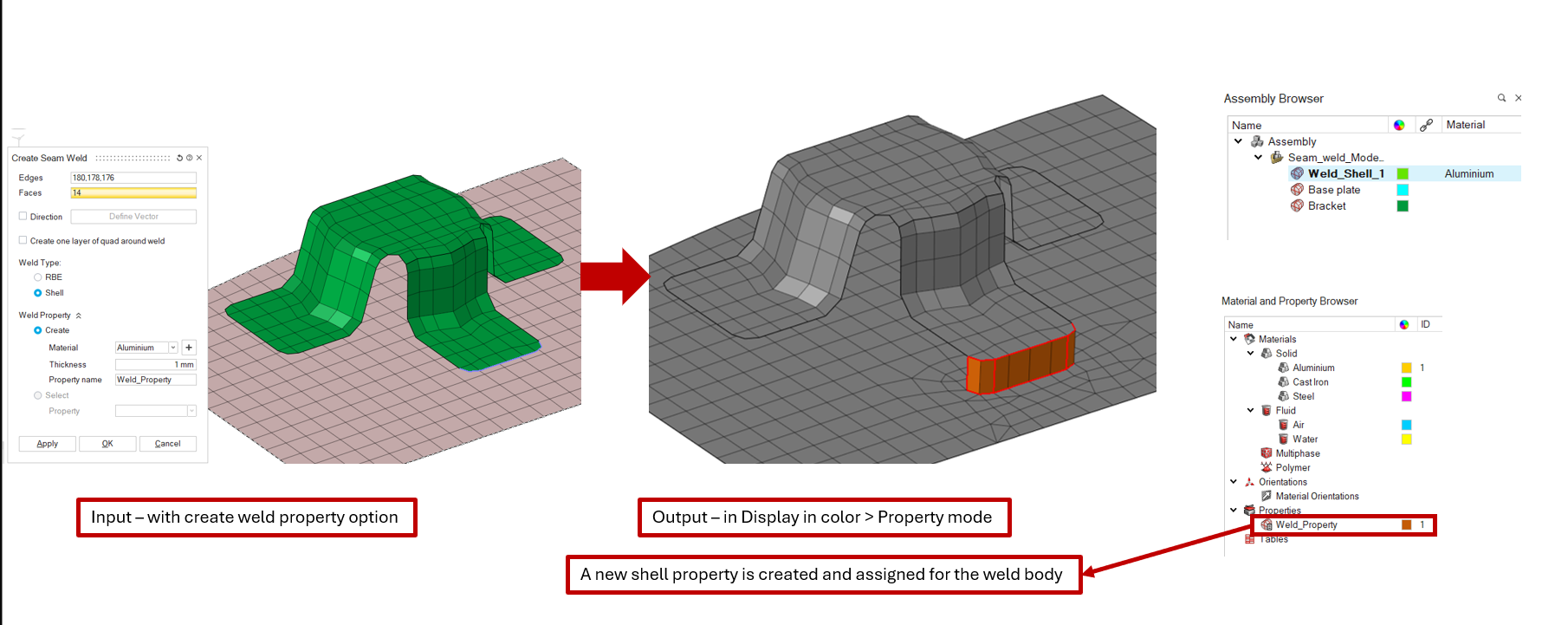
- Select
Assigns an existing shell property, selected by the user, to the weld body.