
Edit Solution

Introduction
After to Edit the solution, all meshed bodies can be assign to the solution.
The bodies to be assigned to the solution:
- should be meshed with surface mesh or volume mesh (limitation to be left)
- should belong to the same .gda model
Note: The 2D Magnetostatic solution is created before, to have
more details about the creation of the 2D Magnetostatic solution, please refer
to Magnetostatic solution.
Steps
- Double click on the Solution in the Solution Browser
- Select all the meshed bodies:
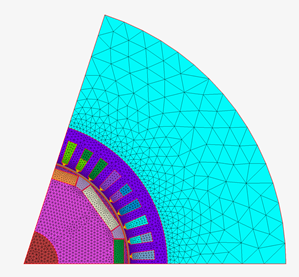
The outlines of all the bodies are displayed in red.
- Click on the OK button
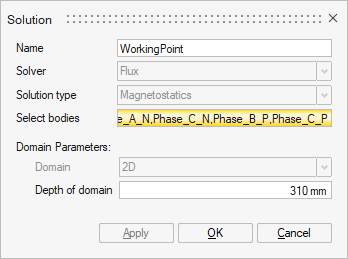
All the bodies are now assigned to the solution.