
Radioss Interface
New Features
- New Radioss 2026 Profile
- A new Radioss profile has been added for 2026.
- New Generic Impact Workflow
- The new Generic Impact tool can be used to define impact points on any type of structural parts, automatically position any type of impactors, and automatically export ready-to-run solver decks. For more details, see the Safety Tools release notes.
- For example, Figure 1 shows multiple impact simulations on a door trim using a spherical
impactor.
Figure 1. 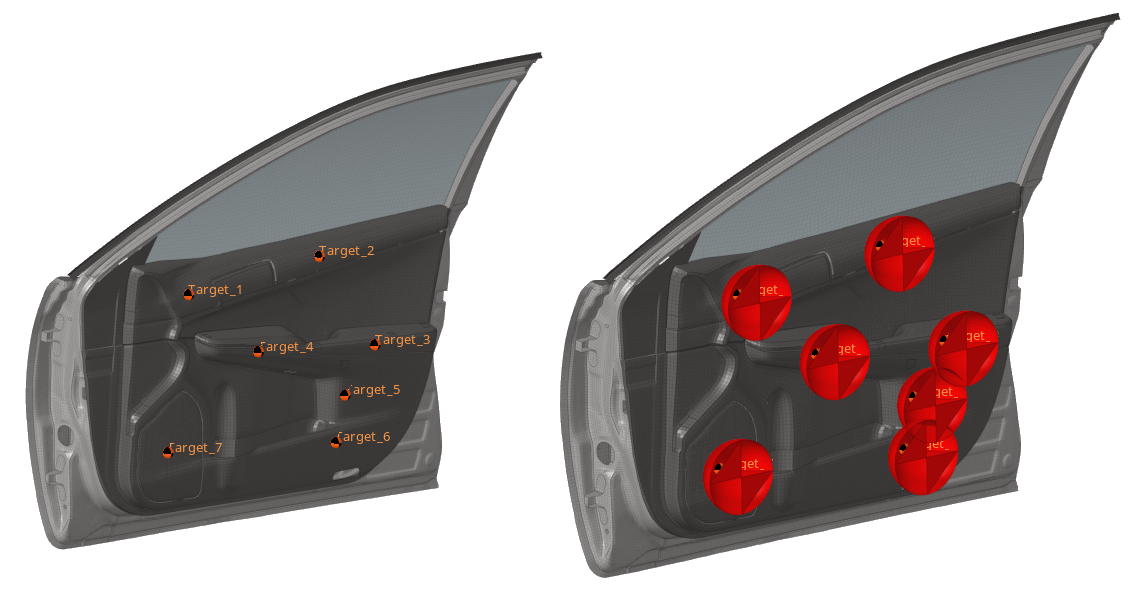
Enhancements
- New Keywords Supported
- The following keywords are now supported: /FAIL/FRACTAL_DAMAGE and /GAUGE/POINT.
- Enhanced Keywords
- The following keywords have been enhanced:
- The Icontrol attribute has been added in the following keywords: /DEF_SOLID, /PROP/TYPE6, /PROP/TYPE14, /PROP/TYPE20, /PROP/TYPE21, and /PROP/TYPE22.
- New Ifail_so values have been added in /FAIL/JOHNSON.
- A new Istrain value has been added in /FAIL/FLD.
- A new Pmin attribute has been added in /MATLAW2.
- A new Ip=26 attribute value has been added in /PROP/TYPE9, /PROP/TYPE10, /PROP/TYPE11, and /PROP/TYPE16.
- RbodyIDs in /PROP/TYPE15 is now a node selector.
- The Main_ID2 attribute has been added in /INTER/SUB.
- The output variable names in /TH/CLUSTER have been corrected.
- New Irem_gap and Irem_i2 attributes have been added in /DEFAULT/INTER/TYPE19.
- A new Inacti value has been added in /INTER/TYPE24.
- New output variables VX,VY, and VZ have been added in /TH/PART and /TH/SUBS.
- The number of mue and alpha attributes have been increased to 10 in the definition in /MAT/LAW42.
- The new Seed attribute has been added in /FAIL/ALTER.
- The Tension attribute has been updated in /MAT/LAW88.
- A new Ikin attribute and Iflag value have been added in /MAT/LAW87.
- Multiple new attributes have been added for compaction mode in /MAT/LAW50.
- /MAT/LAW2 is now selectable in /MAT/LAW51.
- The material selection filter has been updated in /PROP/TYPE11, /PROP/TYPE16, /PROP/TYPE19, and /PLY to allow the selection of all compatible material models.
- Seatbelt Tool
- Creation of /SLIPRING/SHELL is now available from the Seatbelt tool. Right-click the control point and select Slipring 2D from the context menu.
- Creation of a full-meshed slipring has been enhanced using an embedded
simulation for robust and high quality results.
Figure 2. 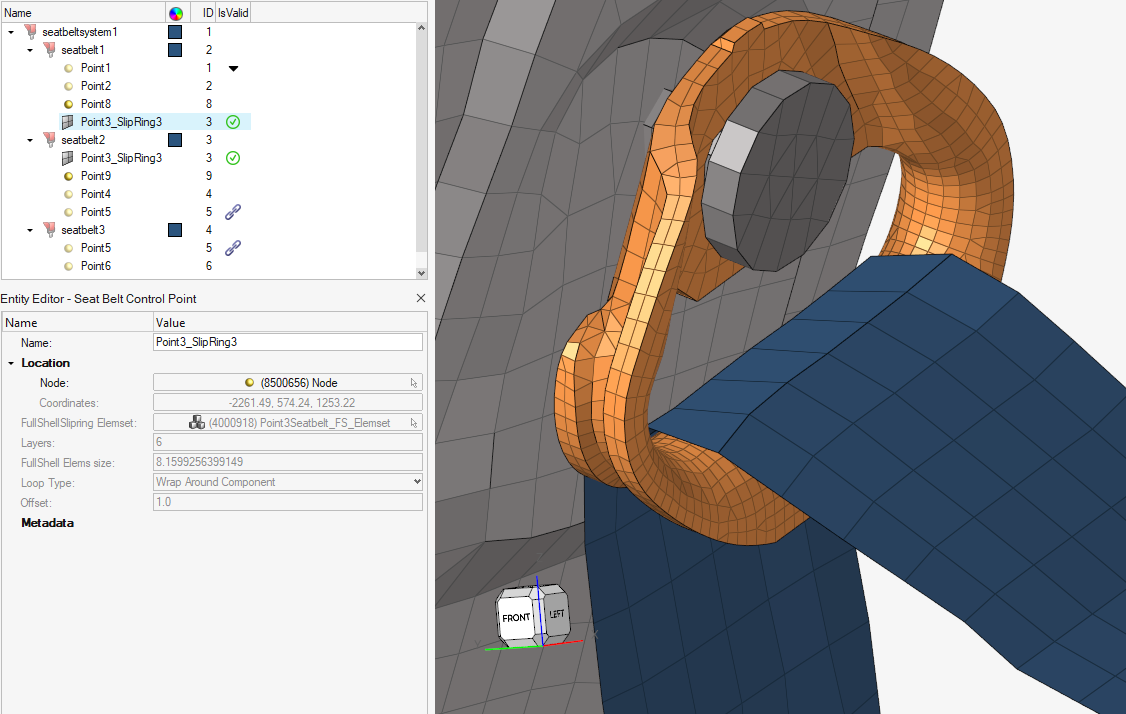
Figure 3. 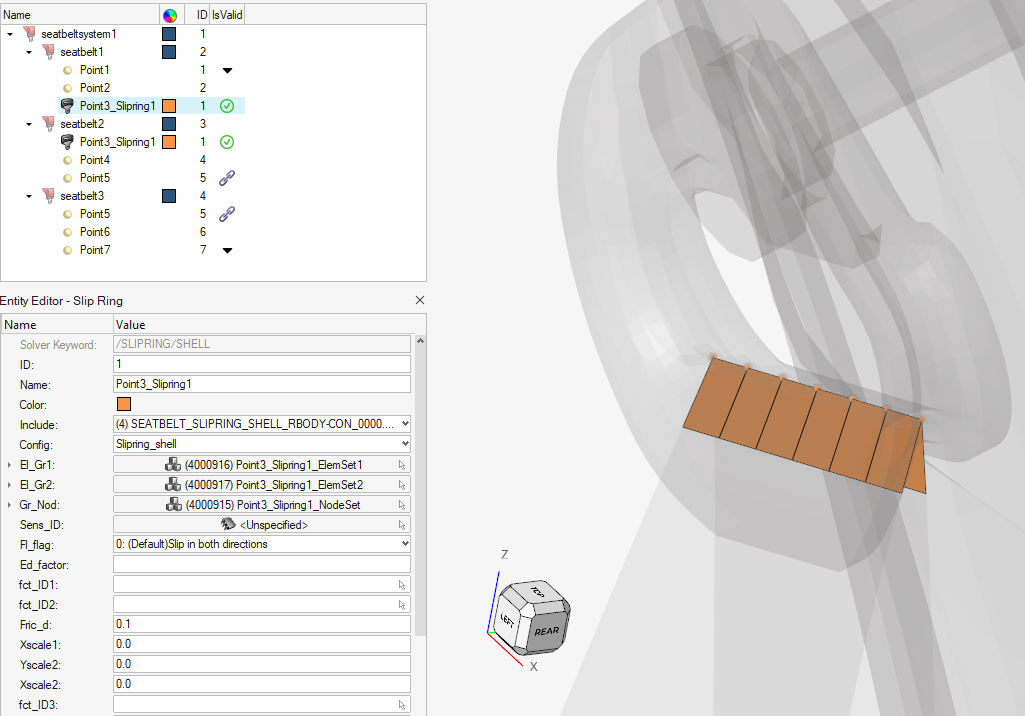
- Airbag Folder Tool
- The following enhancements have been made to the Airbag Folder tool:
- New vertical zig-zag folding has been added.
- New diagonal tuck folding has been added.
- New rolling folding has been added without the usage of a rolling-tool model. Instead, it is driven by user inputs on the tool shape.
- The method to define opening in tuck folding has been improved.
- Z-translation for simple fold and rolling has been added.
- The definition of rigid regions for inflator insertion has been enhanced.
Resolved Issues
- Solvermasses defined on a set of assemblies are now correctly considered in mass/COG/MOI calculation.
- The termination time value generated by the Engine File Assistant has been corrected.
- /FRICTION keywords are no longer detected as unused.
- String length to define the stress file name in /STATE/STR_FILE has been corrected to a maximum of 100 characters.
- At the end of the Bus Rollover workflow, the curve defining the gravity load is now correctly assigned to the /GRAV keyword.