Model Build
New Features
- Features Support in Part Representations
- Features are now stored directly in part representations.
- HyperMesh Part Metadata Support on Solver Deck Import/Export
- Part metadata can now be optionally imported and exported with solver
decks.
Figure 1. 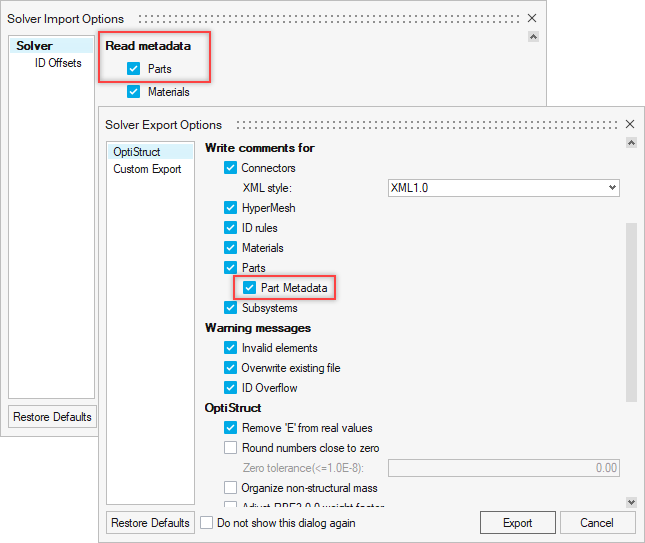
- Representation Overlay
- The Representation Overlay feature can be used to superimpose a second representation as an overlay onto a current (session’s) representation and inspect their differences.
- Subsystem Configuration Table View
- A new view has been added that provides a clear overview of included and excluded subsystems within a configuration. This makes the creation and the management of configurations easier.
- Seamless Data Management - Save to PDM
- Seamless Data Management – Save to PDM is now supported for subsystems, making it easier to manage and organize complex assemblies.
Enhancements
- PDM Live
- Support has been added for query pagination, enabling efficient handling of large query results.
- Parts
- The Delete part contents option has been reintroduced when deleting parts.
- Composite Entities in Part Representations
- A warning has been introduced when shared laminates across parts are
detected.
Figure 2. 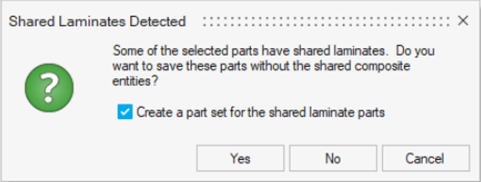
- Subsystems
- Subsystem instancing has been improved with the introduction of the Instance Sync and Instance Break options.
- Library
- Curves and failure criteria are now saved along with material to the local material library.
- Property and Component ID Logic
- In models where the PDM PID is not assigned, the component and property IDs auto-generated during creation of representations are now assigned a value of Part ID x 10. This allows for more independent ID assignment and avoids most cases of ID clashes that can occur with multi-thickness parts.
- Model Update
- Reports, tables, and naming conventions have been improved to provide clearer information and facilitate easier interpretation of results.
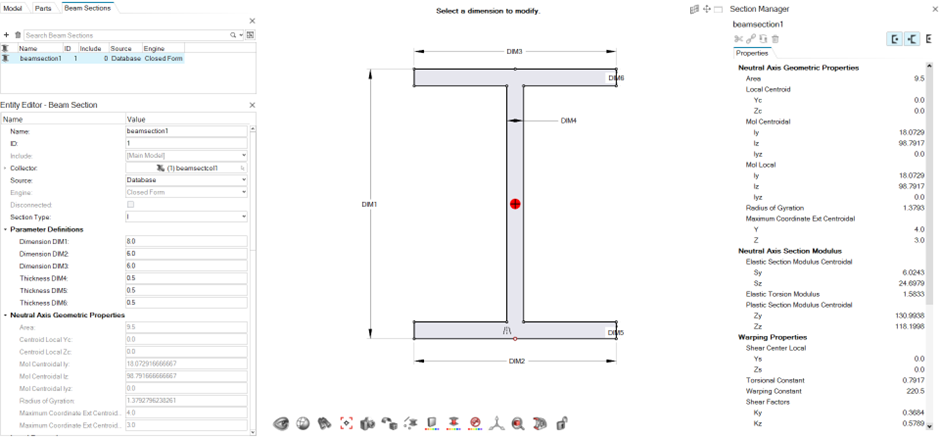
- Section Manager
- HyperBeam has been fully replaced by Section Manager. The benefit of
using Section Manager is the direct access to the actual model and the
ability to see section updates in real time.
Figure 3. 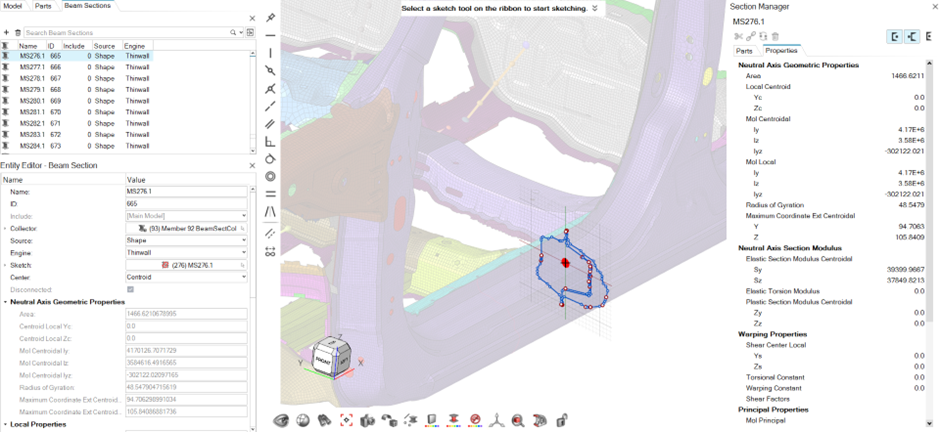
- Section Manager now supports all section types. All sections are now
sketch based and sketches are automatically absorbed if read in from an
external source.
Figure 4.