
Browsers
Enhancements
- Numeric Precision in User Interface Widgets
- The Precision value preference for decimal display is now applied to the
coordinate editor in the Entity Editor as well as to all micro
dialogs.
Figure 1. 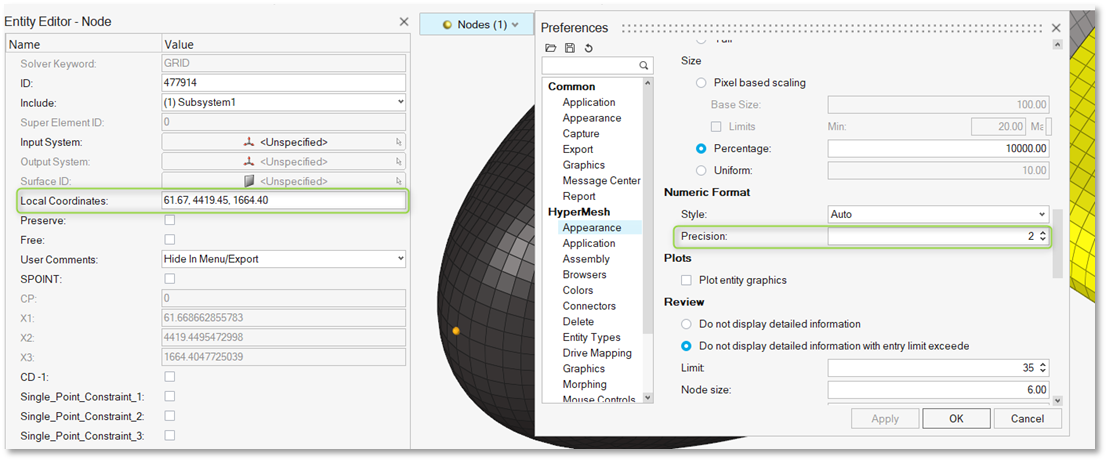
- Inactive editor: Decimal values are shown according to the precision
setting defined in Preferences.
Figure 2. 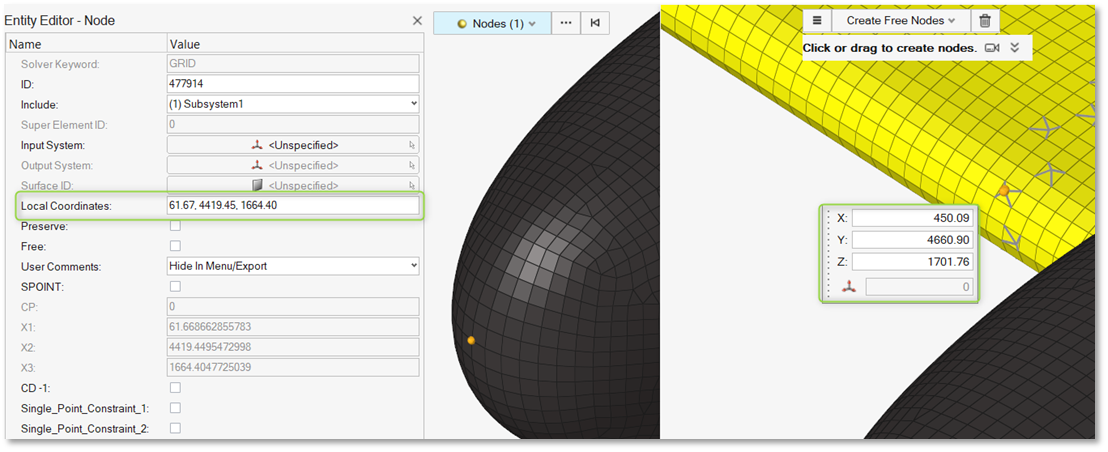
- Active editor: Decimal values are displayed with up to 15 digits of
precision.
Figure 3. 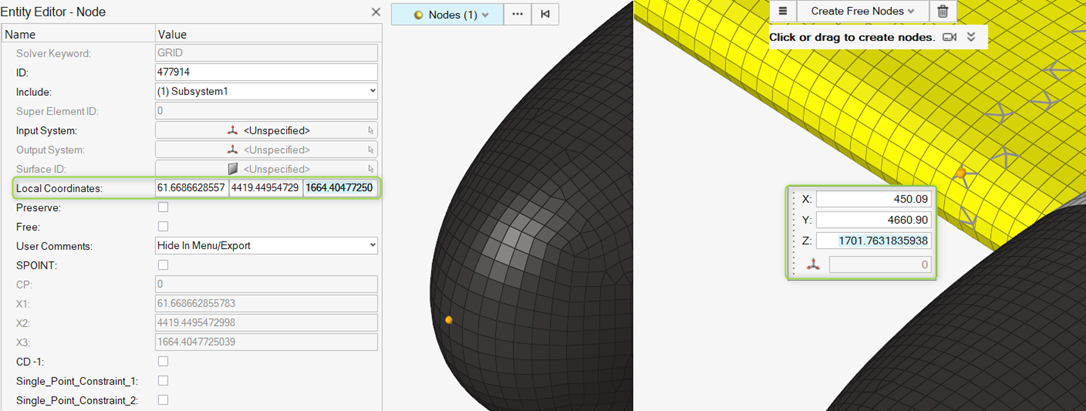
- Enhanced Performance
- In the Model Browser, accessing the context menu on the Loads folder is
now over 70% faster, even with extremely large models containing up to 5
million entities.
Figure 4. 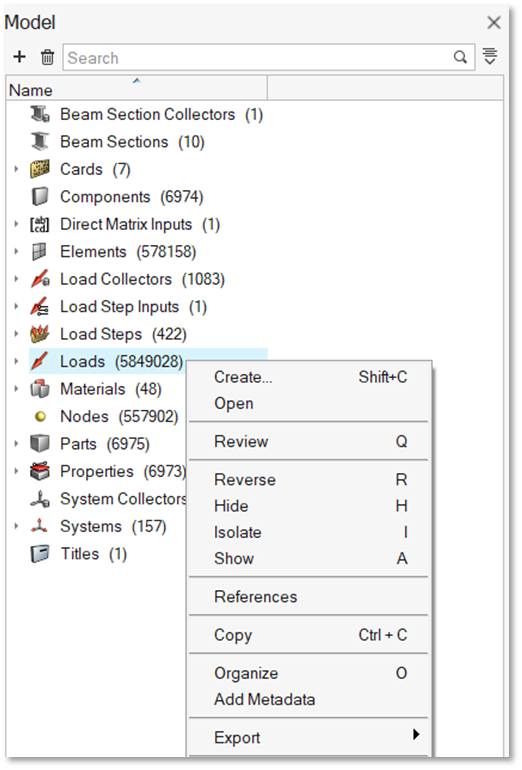
Resolved Issues
- Decimal values were previously truncated in the Entity Editor's Coordinates editor and all micro dialogs.
- Selecting Include References caused a segmentation error.
- The Set type was not displayed correctly in the Type column of the Set Browser.
- Node references to local coordinate systems were not updated correctly in the Reference Browser when references were set for additional nodes.
- Changing the response type for optimization responses incorrectly moved entities to the Ungrouped category.
- Selecting all loads while in review mode caused performance issues.
- Deleting assemblies from the Model Browser triggered an application error.
- Updating the Thickness attribute for properties via attribute columns caused performance degradation.
- The Entity Editor became inaccessible after using Element Organization to New Component.
- The Auto Color feature was recoloring unselected components due to uncleared marks.