
Model Verification
New Features
- Manufacturing Check
- The Manufacturing Check option has been added to the Verification
Browser. Manufacturing Check detects the following issues on sheet metal
CAD parts:
- Nut bolt seating surface
- Stud seating surface
- Electrode interference
- Spot weld surface area
- Spot weld pitch
- Spot gun interference
- Arc weld torch interference
- Fillet radius
- Trim line radius
- Hole pitch
- Hole size
- Hole size of nut bolt
- Corner radius of oblong designed hole
- Distance trim line hole end
- Part interference
Figure 1. Nut bolt seating surface 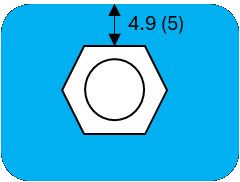
Figure 2. Stud seating surface 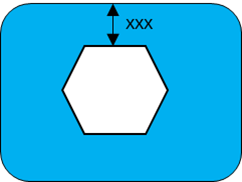
Figure 3. Electrode interference check 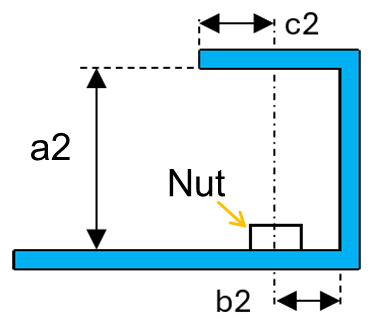
Figure 4. Spot weld surface area 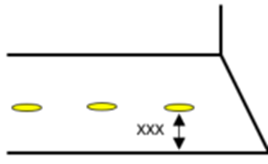
Figure 5. Spot weld pitch 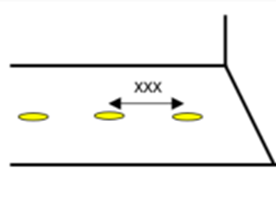
Figure 6. Spot gun interference 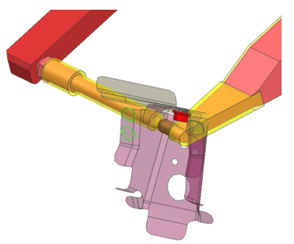
Figure 7. Arc weld torch interference 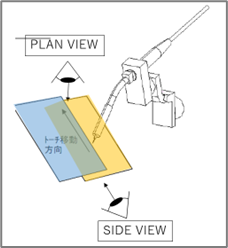
Figure 8. Fillet radius 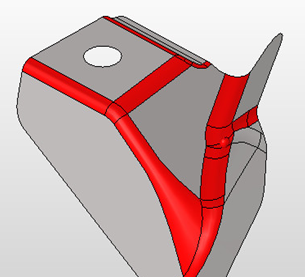
Figure 9. Trim line radius 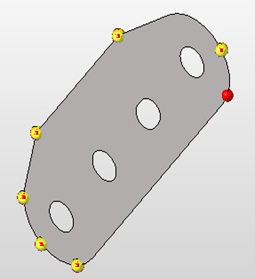
Figure 10. Hole pitch 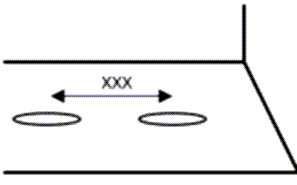
Figure 11. Hole size 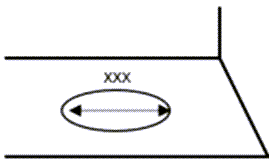
Figure 12. Hole size of nut bolt 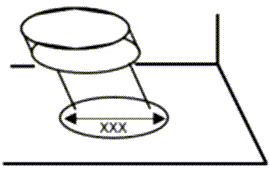
Figure 13. Corner radius of oblong designed hole 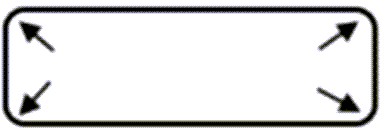
Figure 14. Distance trim line hole end 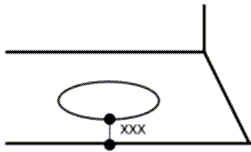
Figure 15. Part interference 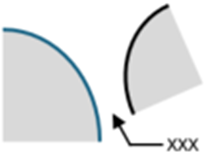
Enhancements
- Support for 3DXML data in all functions.
- You can now read material, thickness, and weight from 3DXML data.
- "Import ANSA comments" can be controlled from a configuration.
- Select "ON/OFF all" simultaneously checks items in the configuration file (spot weld, connection, and manufacturing checks).
- Material ID or Name is now displayed in the Comparison Excel report.
- Assembly image slides for 0-30, 30-90, and 90-100% are added to see all the partial, unmatched assembly images.
- Partial Meshing Patch Area% is now configurable with a configuration file.
- The Comparison "AI-approach" option is improved to find the closest part first, followed by the surrounding parts.
- The Model Build function extracts a connector from stud and NUT CAD data, similar to bolt.
- The MBLD Match function aggregates a 3D solid from a base surface if it is in a single part.
Resolved Issues
- Comparison for multiple variant parts points to the same source in the comparison.
- Comparison Report button: Click opens an old PowerPoint report.
- Comparison in partial mesh: Free edges were seen in the partial mesh output.
- Comparison in partial mesh: Session occasionally becomes unresponsive during a partial mesh.
- Python file: Error appears in a network installation.
- User profile: Sets the correct profile for comparison for the selected FE input file.