
Modal Results Table
Introduction
The Modal Results Table option is used to display all computed normal modes and their corresponding natural frequencies in a tabular form. This option is supported for Normal Mode solutions, and Normal Mode loadcases.
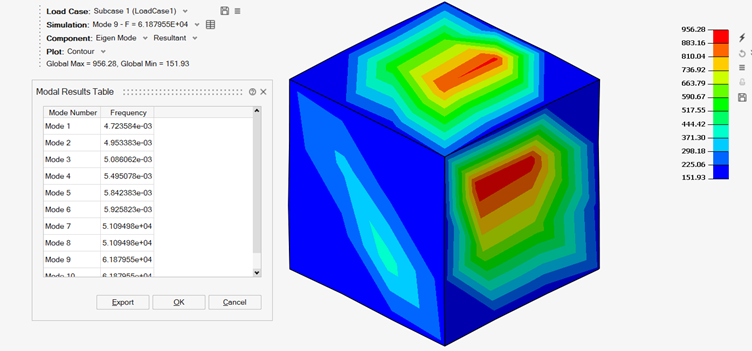
Options to Display the Modal Results Table
Results Panel > Modal Results Table Icon
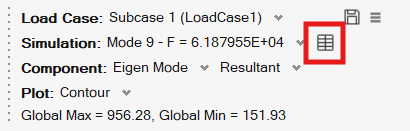
The icon is available on the Results Panel whenever the displayed results correspond to a Normal Mode solution or a Normal Mode loadcase.
Solution Browser > Results > Right Click > Modal Results Table
You can also access the Modal Results Table by right-clicking on Results in the Solution Browser:
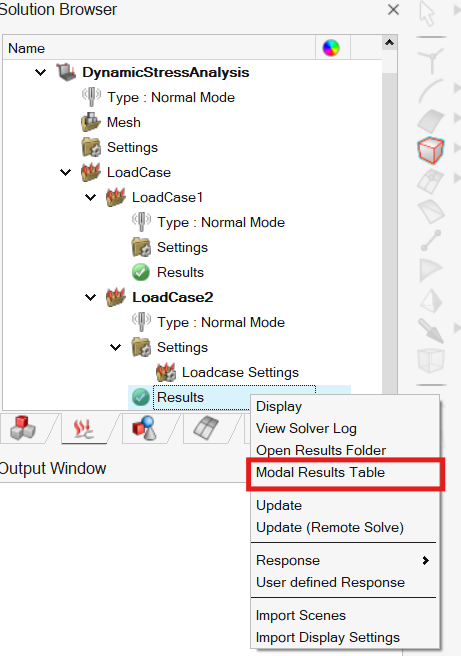
Table Functionality
Graphics Update
Selecting a row in the table automatically updates the graphical display to show the eigenvector (mode shape) associated with the selected mode.
Export
The table content can be exported in CSV format using the Export option.