
Format and Execute Options

The Format and Execute Options allow the user to set the options which will be taken by Flux solver (in batch) to solve the current solution.
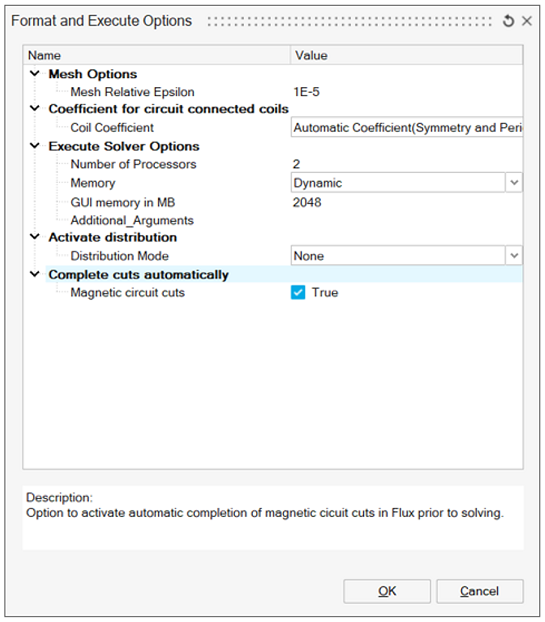
Mesh options
Mesh Relative Epsilon allows to define the limit to consider two nodes as superimposed or not.
- Default (default mode)
The Mesh Relative Epsilon is computed automatically based on the solution bodies mesh.
- User defined
The Mesh Relative Epsilon is set by the user. When enabling User defined mode, the default value is 1e-5.
Note: The Mesh absolute Epsilon is computed by multiplying the Mesh Relative Epsilon (1e-5 by default) by the diagonal of the bounding box of the solution bodies.The distance between two nodes is compared to the Mesh absolute Epsilon value: if it is lower then the nodes are considered as superimposed.
Execute Solver Options
- Number of Processors used to parallelize the solving process
- Memory used by Flux solver. By default, the memory is set to Dynamic memory allocation. It is possible to switch to a user defined memory (static memory) and specify the amount of memory to allocate
- GUI memory defined statically by a given memory amount
- Additional_Arguments is an advanced option to add additional arguments information like system memory, PEEC memory and so on. Input should be space separator. Example: -fluxncores 4 -memsizn3_mb 6000 -memsizc3_mb 200
Activate distribution
- Number of concurrent Flux defines the number of Flux that will be running at the same time during a distributed computation
- Multithreading cores defines the number of cores used by each secondary Flux