
Magnet - 3D Solutions
Introduction
The Magnet is available for:
- Magnetostatic solutions (MS3D and MSIM)
- Transient Magnetic solution (MT3D)
The Magnet allows you:
- to define the magnetic orientation of a permanent magnet
- to compute or not the Magnet losses for the Transient Magnetic solutions only
- to take into account the Demagnetization for the
Transient Magnetic solutions onlyNote: In order to take into account the Demagnetization, the permanent magnet material must be non-linear.
Dialog Box
| 3D Magnetostatic solutions (MS3D and MSIM) | 3D Transient Magnetic solution (MT3D) |
|---|---|
 |
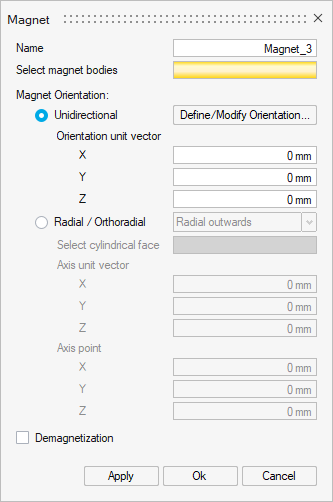 |
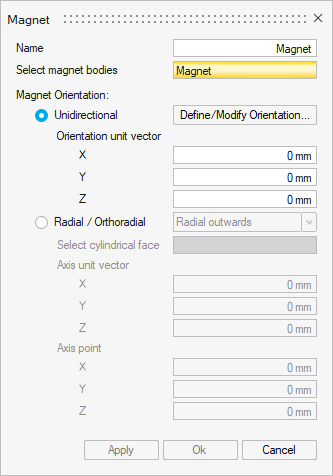
- Select magnet bodies: Select one or several bodies to define as a magnet.
-
Magnet Orientation: two choices
-
Unidirectional: along a vector to define by clicking on Define/Modify Orientation
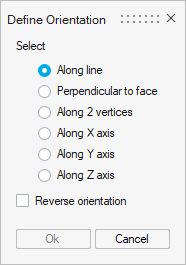
The result of the vector are displayed in these three fields X, Y and Z.
Note: It is possible to define these coordinates by editing and modifying each coordinate. -
Radial / Orthoradial: Magnetic direction of the selected body either diverge/converge from the given point
4 types:
- Radial outwards
- Radial inwards
- Orthoradial clockwise
- Orthoradial anticlockwise
For each type, it needs to select the cylindrical face to apply the magnet orientation.
After selecting the face, the result of the Axis unit vector and the Axis point are computed and displayed.
Note: It is possible to define these coordinates (for the Axis unit vector and the Axis point) by editing and modifying each coordinate.
Orientation type Illustration Unidirectional 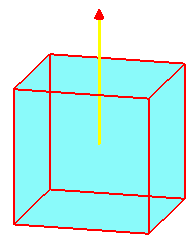
Radial 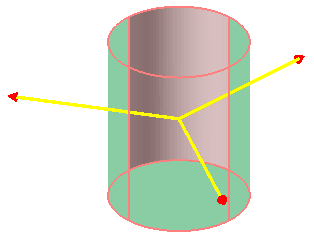
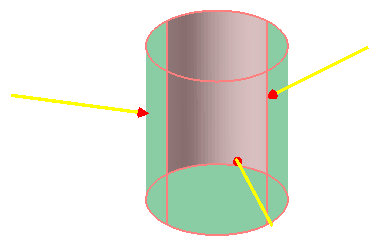
outwards inwards Orthoradial 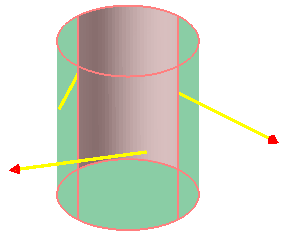
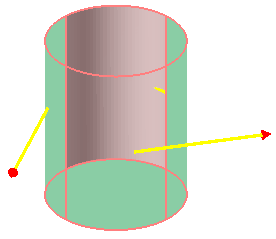
clockwise anticlockwise -
-
Check the Magnet losses checkbox to take it into account (or do not check the checkbox to disable the Magnet losses computation)
Note: The Magnet losses checkbox is not checked by default in 3D because the solving performance is impacted by the eddy currents computation.Note: The Magnet losses option is only available in Transient Magnetic solutions. -
Check the Demagnetization checkbox to take it into account (or do not check the checkbox to ignore the demagnetization)
Note: By default the Demagnetization checkbox is not checked.Note: The Demagnetization option is only available in Transient Magnetic solutions.
Theoretical information about demagnetization
A magnet can be demagnetized when there is an important magnetic field placed upon it. This effect is normally studied by looking at the second and the third quadrant of the hysteresis curve of the magnetic material.
When the magnetic field increases, we follow the B(H) curve of the magnet, however when we go back we will not follow the magnetic curve, but a recoil curve.
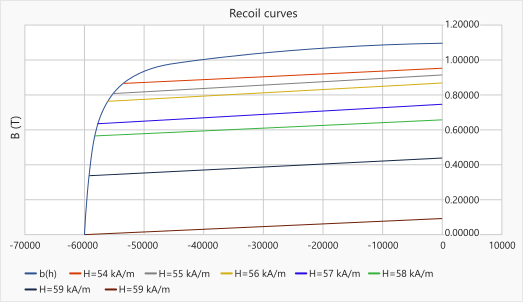
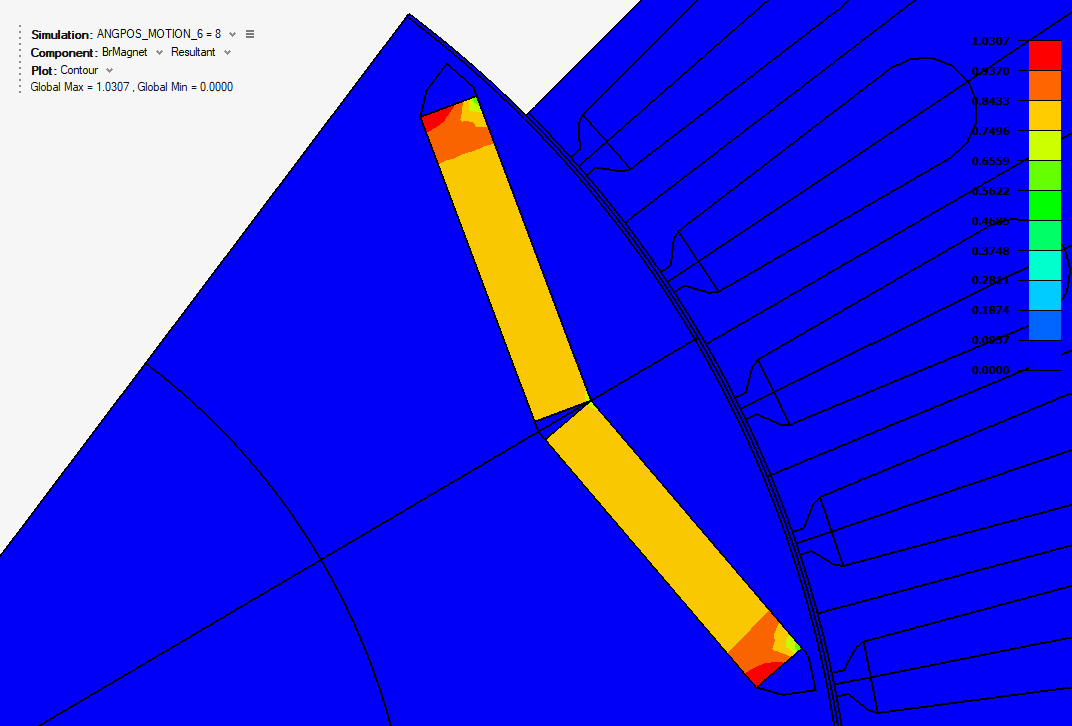
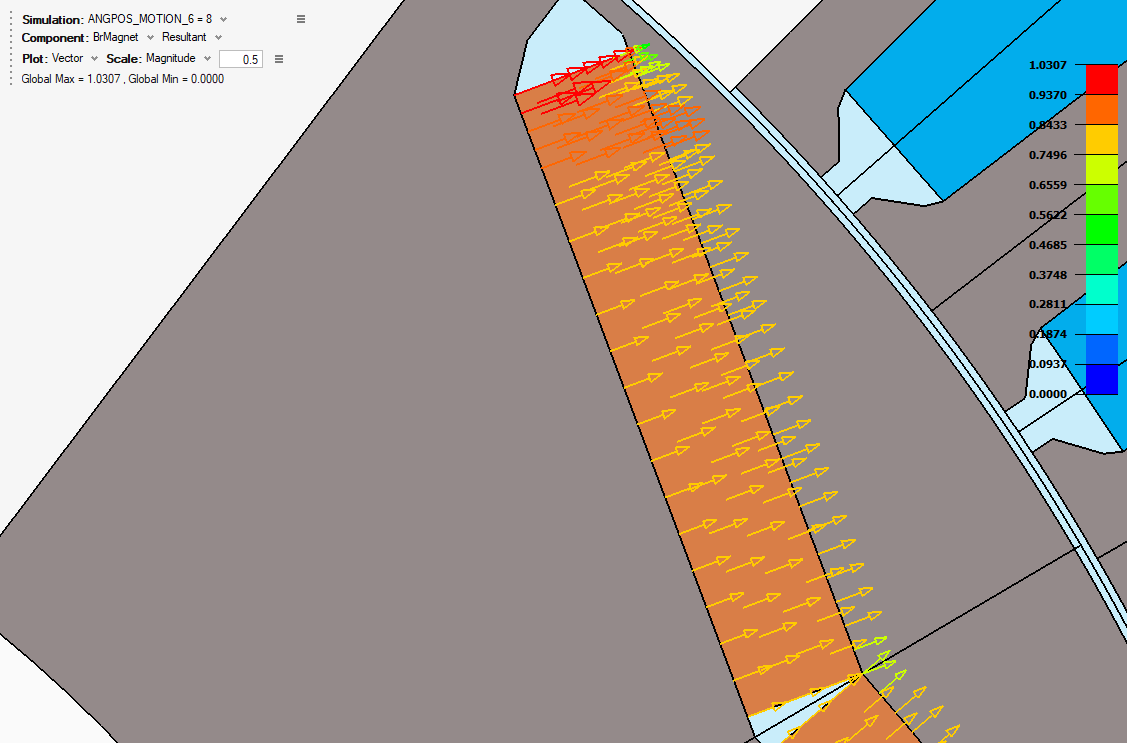
The vector quantity BrMagnet available, has the advantage of containing the explicit direction and orientation of the remanent field.
Here is an example of the postprocessing of the vector quantity of the demagnetization (BrMagnet) in the magnet part:
| module of vector quantity BrMagnet | vector quantity BrMagnet (direction and orientation of the remanent field) |
|---|---|
 |
 |
Display Magnet preview
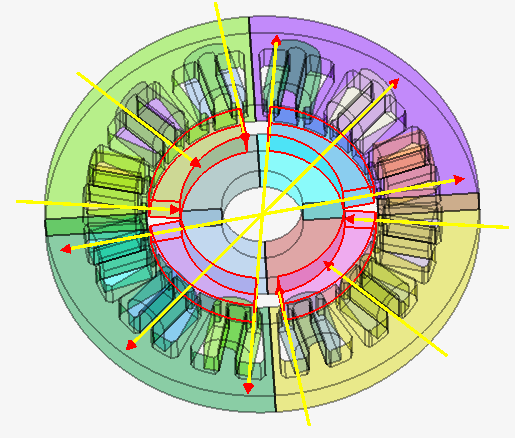
Adding to the preview visualisation during Magnet creation and edition, the command Display Preview allows to display Magnet previews at any time.
For that, right-click on the Magnet entities and click on Display Preview command.
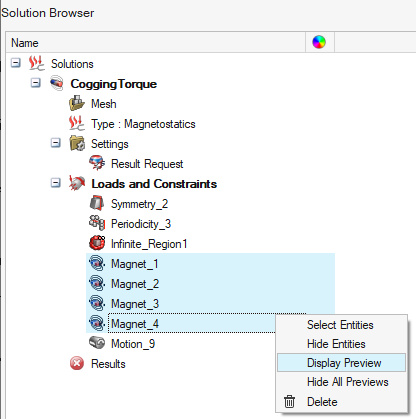
→ All the selected Magnet entities previews become visible on the graphic:
The command Hide All Previews in the same contextual menu allows to hide the preview and reset the graphical view.