
Introduction of 2D AC Magnetic
Presentation
The AC Magnetic solution allows the study of devices in the harmonic state (sinusoidal steady state) for a given frequency.
The complex image of Maxwell's equations considers all physical quantities are sinusoidally time-varying for a given frequency. The magnetic field is connected with the presence of the time varying electric currents, compulsory sinusoidal. (Magnet type regions are forbidden).
This application takes into account the currents induced in the conducting regions (eddy currents). It also considers the skin effects and the proximity effects in the conducting regions.
The results obtained with AC Magnetic solution are:
- the same as for a Magnetostatic solution
- the induced currents and the power losses by Joule effect in eddy current regions
Use
The AC Magnetic solution can be used to model devices in different domains such as: induction heating, electromagnetic compatibility in general and electromagnetic screening in particular (e.g. transformers tanks), rotating machines in steady state...
The AC Magnetic solution can be of the field-circuit coupling type, for the study of rotating machines, of transformers, etc. in steady state, when the numerical model must take into account the electric circuits associated to the device.
Workflow
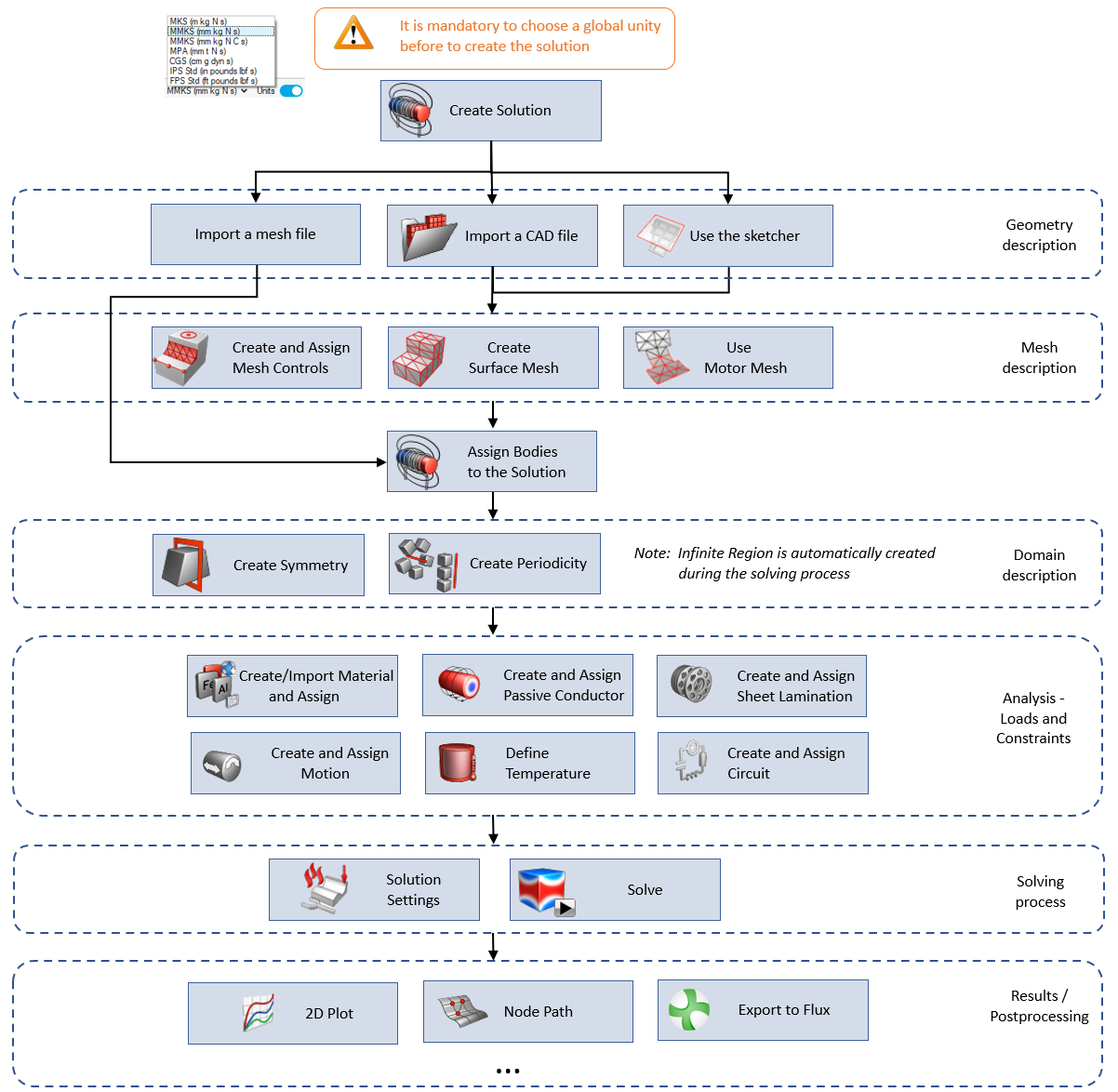
A graphic view of the 2D AC Magnetic workflow with functionalities possibles is presented below.
All functions are available in the different ribbon bars Geometry, Mesh, Analysis, ...
The content of each ribbon is adapted depending on the active solution.
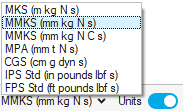
A unit system is selected by default (MMKS (mm Kg N C s)). If not, to define the global unit system:
- Activate

- Choose the unit system
For more details on Unit System, please refer to the main page Unit System.
Correspondence between Flux and SimLab for 2D AC Magnetic
| Categories | SimLab | Flux |
|---|---|---|
| Geometry | Vertex | Point |
| Edge | Line | |
| Face | Face | |
| Coordinate | Coordinate systems | |
| Sketch variables | Geometric parameters | |
| Move | Transformation | |
| Domain | Infinite Region (automatic) | Infinite Box |
| Symmetry | Symmetry | |
| Periodicity | Periodicity | |
| Mesh | Mesh Controls | Aided Mesh |
| Mesh point, line | ||
| Relaxation line, face | ||
| Physics | Material | Material |
| Not implemented | Point Region | |
| Not implemented | Line Region | |
| Loads and Constraints | Face Region | |
| Motion | Mechanical set | |
| Passive Conductor Loads and Constraints | Circuit component - Solid conductor | |
| Circuit Designer | Circuit editor | |
| Sheet Lamination Loads and Constraints | Laminated non conducting region | |
| Solution settings | Solution scenario |
Main 2D AC Magnetic Limitations / Advice
- It is mandatory to define a unit system before defining a 2D AC Magnetic solution.
- Physical parametric calculations are possible using the new parameter manager.
-
All FLUX models of materials are not available in SIMLAB.
Note: For more details, consult the dedicated page for the 2D AC Magnetic solution: Material (for MAC2D solution). -
It is possible to Export and open in Flux at any time, as long as the bodies are meshed and assigned to the solution.
Use the right click on the Solution to open the contextual menu, and click on Export and open in Flux.
→ The SimLab Database *.slb is converted into a project *.FLU.
→ This project *.FLU is created in the selected working directory and Flux is automatically launched and this project *.FLU is opened.
→ Then you can use this project in Flux.
Note: This conversion can be useful to use physical Flux models that are not yet implemented in SimLab (material model, non meshed coil, magnetic cut, …).