
Radiation
Radiation mode
This panel allows describing the parameters defining the radiation phenomenon existing in the machine.
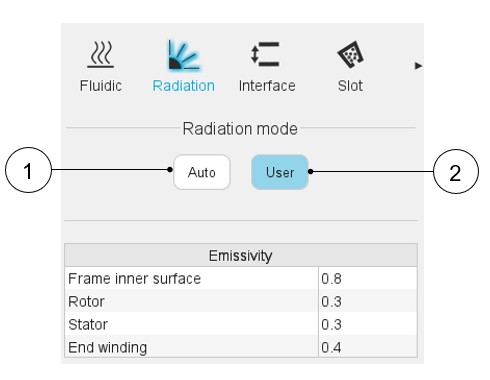
Two ways are proposed to define the radiation: an automatic and a user one.
 |
|
|---|---|
| 1 | Auto mode: This mode allows to set the internal emissivity automatically by an internal process. |
| 2 | User mode: This mode allows to set the internal emissivities manually. |
User mode
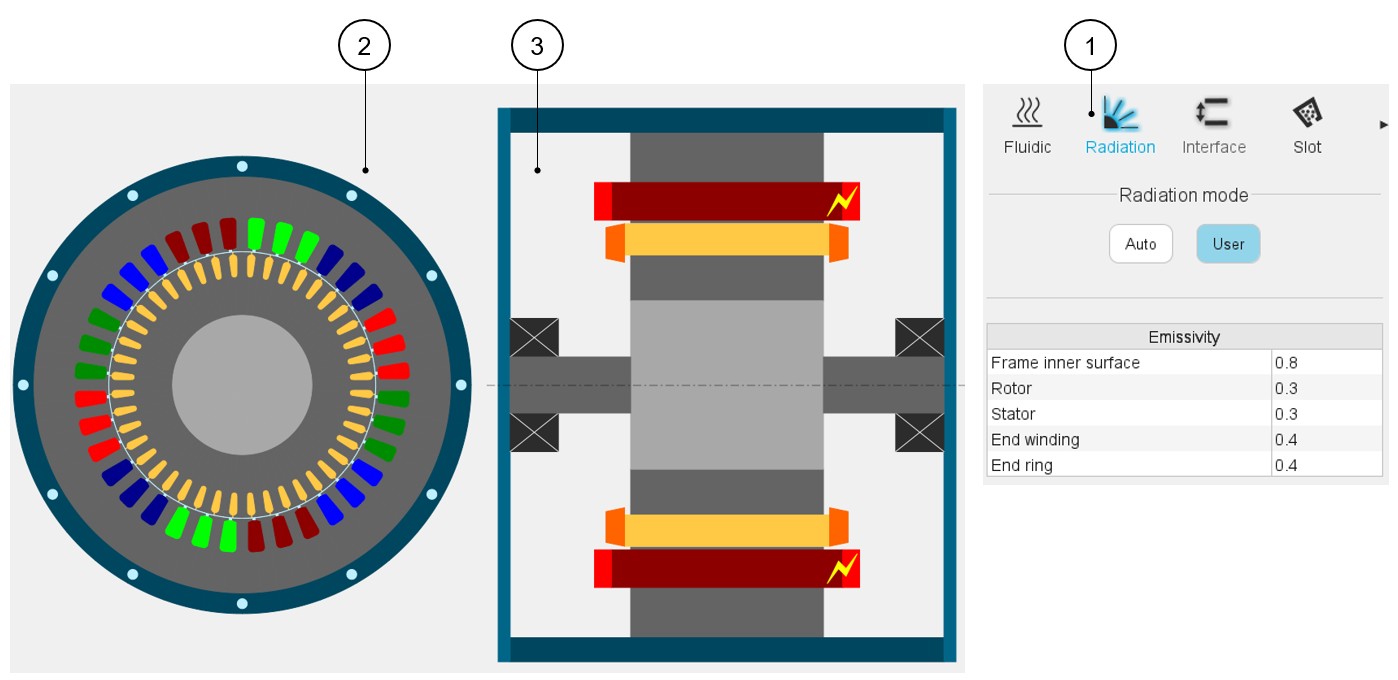
Mainly, two radiation phenomena exist in the machine:
- From the end windings, rotor and stator ends to the frame and the end caps.
- Between the rotor and the stator, in the airgap.
 |
|
|---|---|
| 1 | User inputs for the radiation definition |
| 2 | Radial view of the motor, where specific exchange areas can be highlighted depending on the selected input. |
| 3 | Axial view of the motor, where specific exchange areas can be highlighted depending on the selected input. |
Input related to the radiation corresponding to the selected radiation mode. In user
mode, the following emissivities must be set:
- The frame inner surface emissivity, with a default value of 0.8
- The rotor and stator emissivity, with a default value of 0.3.
These emissivities are used for the radiation occurring in the airgap, and from the rotor end and stator end to each end space.
- The end winding emissivity, with a default value of 0.4.
This emissivity is applied to non-potted end-windings only. The assumption is made that the potted end-windings do not radiate any power.
- The field end winding emissivity, with a default value of 0.4 (only for SM-WFISP machines).
- The rotor end ring emissivity (only for IMSQ and SM-WFISP machines), with a default value of 0.4.