
Pole
Overview
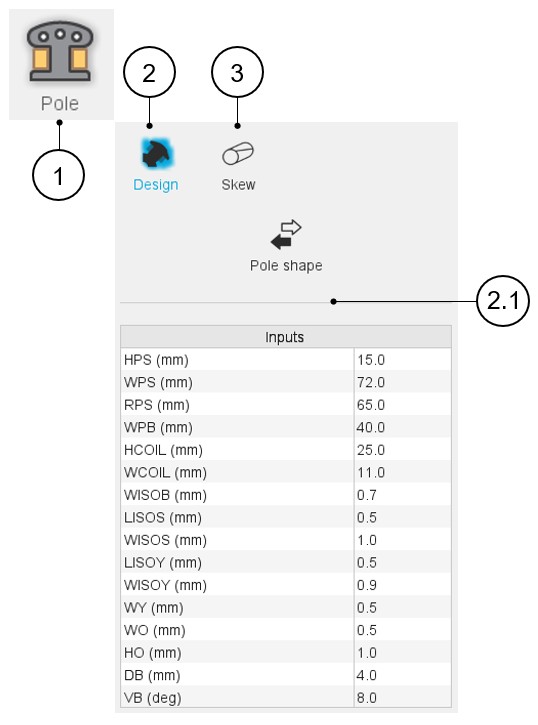
In Motor Factory – Design area, the environment “Pole” allows the design of the shape and dimensions of the machine’s inner salient poles.
For the inner salient pole (Inner Rotor machine), two sections are available: Design and Skew.
 |
|
|---|---|
| 1 | Selection of the Pole panel (Click on the icon Pole) Several sections allow defining all characteristics that deal with Pole: Design, and Skew. |
| 2 | Access to the section dedicated to the design of the slot. Note: By default, the section Design is
selected. |
| 2.1 | Selection of the shape and settings of the user inputs dedicated to the design of the pole. |
| 3 | The Skew tab gives the tools to define the pole skew topology. |