
Materials
Overview
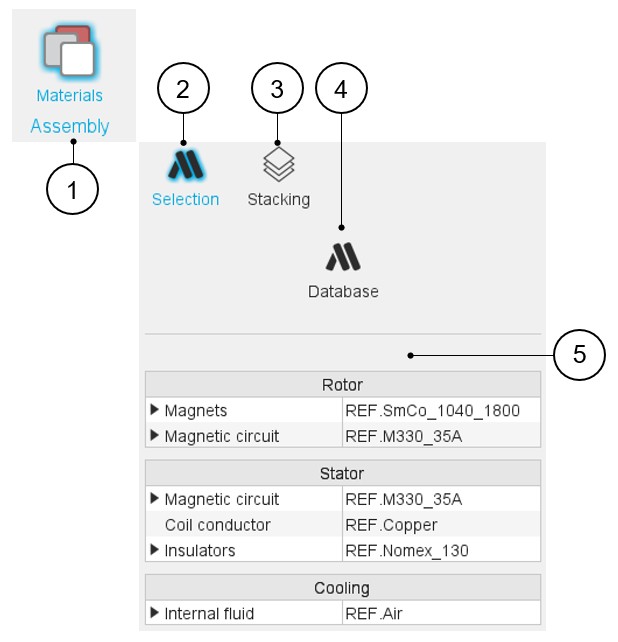
In the Motor Factory – Design area, the environment “Assembly - Materials” allows to assign materials to the different regions that make up the considered machine.
The user inputs, the cross section and the datasheet can be selected and displayed.
Two sections are available: Selection and Stacking:
- It is possible to open the application Materials directly from this area for managing the material database.
- Either standard or user materials can be selected and assigned to the machine design.
 |
|
|---|---|
| 1 | Selection of the Materials panel (Click on the icon
Materials). Several sections allow defining all characteristics that deal with the Materials: Selection and Stacking. |
| 2 | Section “Selection”, where it is possible to select the materials needed to build the machine. |
| 3 | Section Stacking, where it is possible to define the stacking factor to be considered for the stator and the rotor. |
| 4 | Direct access to open the material manager. It allows seeing and managing the properties of materials. |
| 5 | Area to assign materials to machine regions (frame, shaft, bearings). |