
Screw Mesh

Description
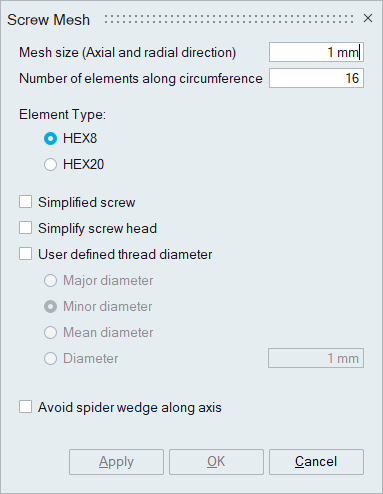
Screws can be HEX meshed automatically using this tool. Input can be FEM or CAD bodies.
Simplify screw
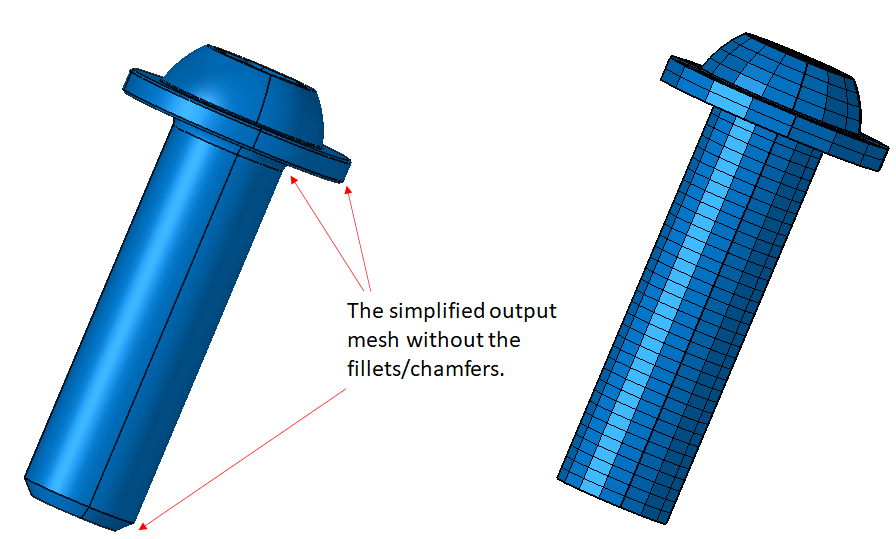
Turn this toggle ON to get a simplified output mesh for the screw. Slots in the screw head and all the fillets/chamfers get removed.
Example
Simplify screw head
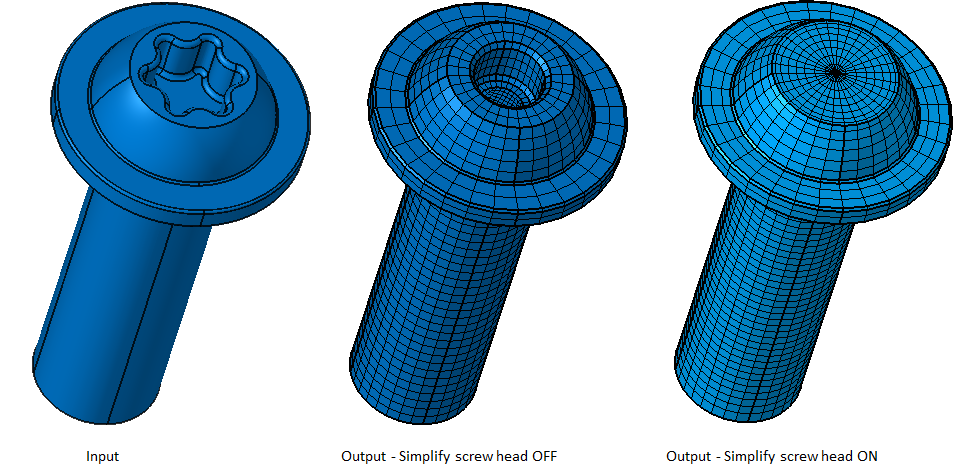
Turn this toggle ON to simplify the screw head.
Example
User defined shank diameter
The diameter of the shank portion of the bolt or screw can be defined and controlled using this option.
Example
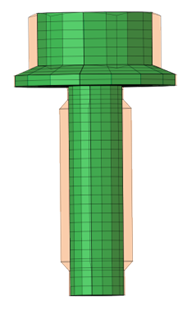
User defined thread diameter
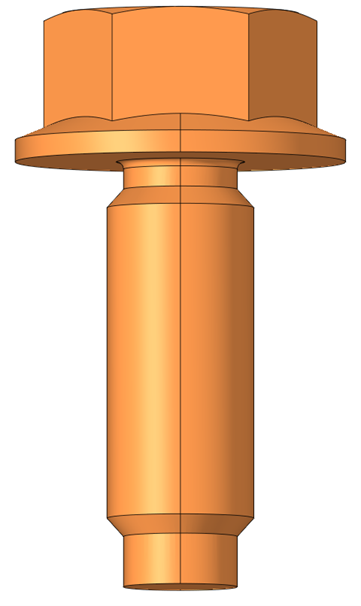
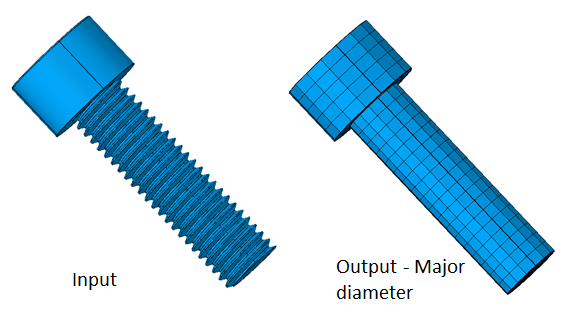
The screw threads are simplified to cylindrical surfaces using the thread root radius. The thread diameter can be customized using this option.
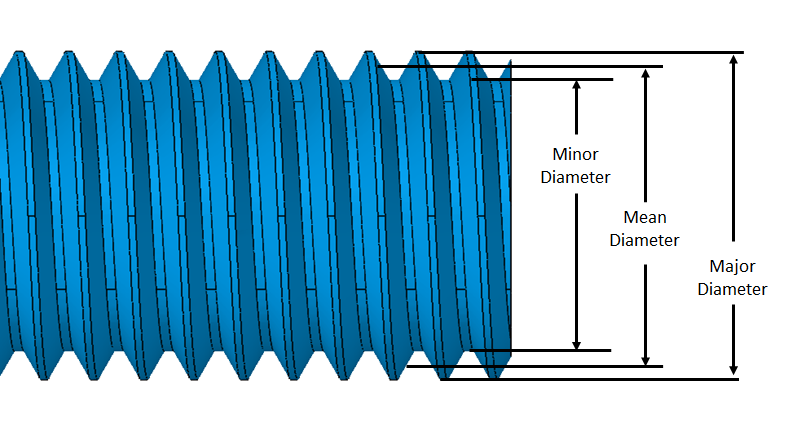
Example: Threaded screw
Avoid spider wedge along axis
The output mesh can contain hex and wedge elements. Turn this toggle ON to avoid wedge elements along the axis of revolution.
Create section face
The pretension section can be created at a specified distance from the bolt or screw head. Pretension definitions can then be applied by specifying the pretension force and adjustment length.
Example
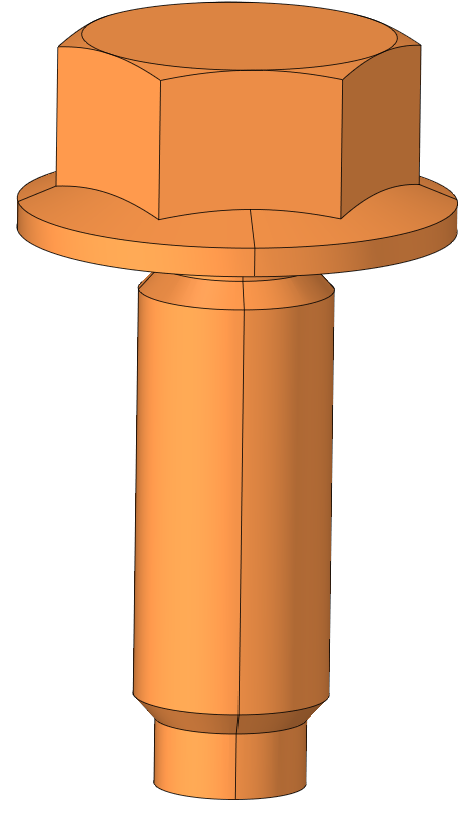
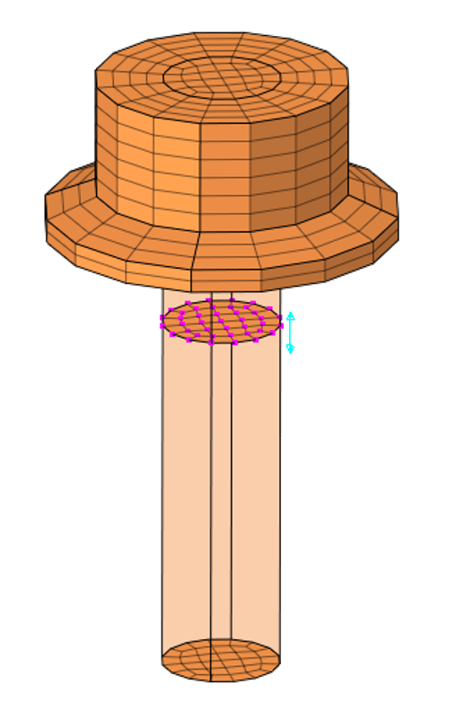
- For the FE body input, the output mesh gets updated to the input body itself.
- For the CAD input,
- If the CAD model meshed for the first time, output mesh gets created in a new model.
- The subsequent meshing of the CAD model,
- If input CAD bodies do not have equivalent mesh in the existing FE model, the output mesh gets created in this FE model.
- If there exists an equivalent mesh, it posts the
following message. Based on the user's selection,
mesh output will be created in a new model or get
replaced in the existing model.
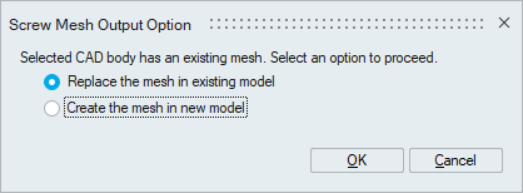
- For more details, please refer to Mesh output options for CAD body.
- Pretension definition options are not supported for solution approach.