Create QFN

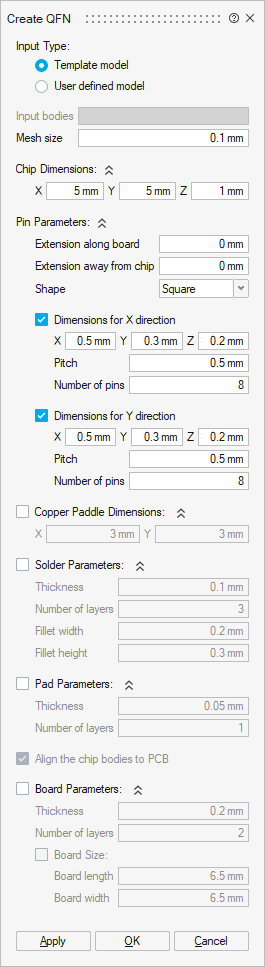
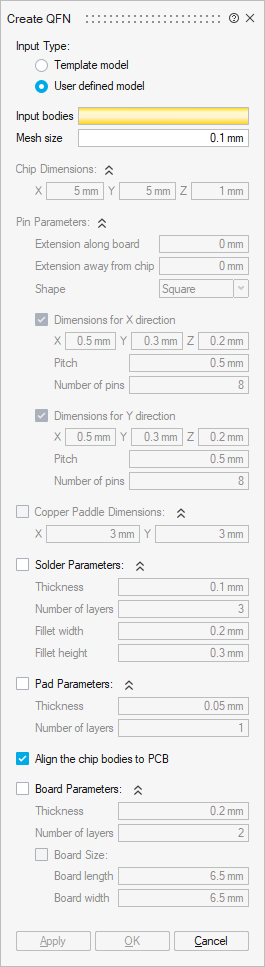
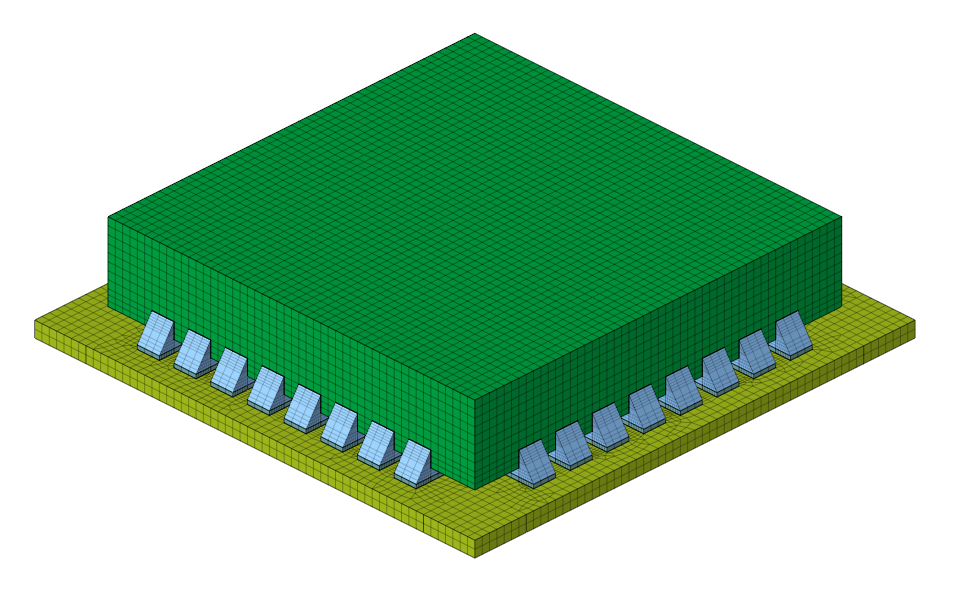
This tool enables easy creation of Quad Flat Non-Leaded (QFN) with its associated components, such as solder, pad, and board bodies. It supports both CAD and mesh bodies as input.
Input bodies
Select the chip and pin bodies as input.
Mesh size
It specifies the average size of elements for newly created mesh bodies.
Chip dimensions
It defines the dimension for the chip body in the global XYZ direction.
Pin parameters
It defines the dimension for the pin body in the global XYZ direction.
Copper paddle dimensions
It defines the dimension for the copper paddle body in the global XYZ direction.
Solder parameters
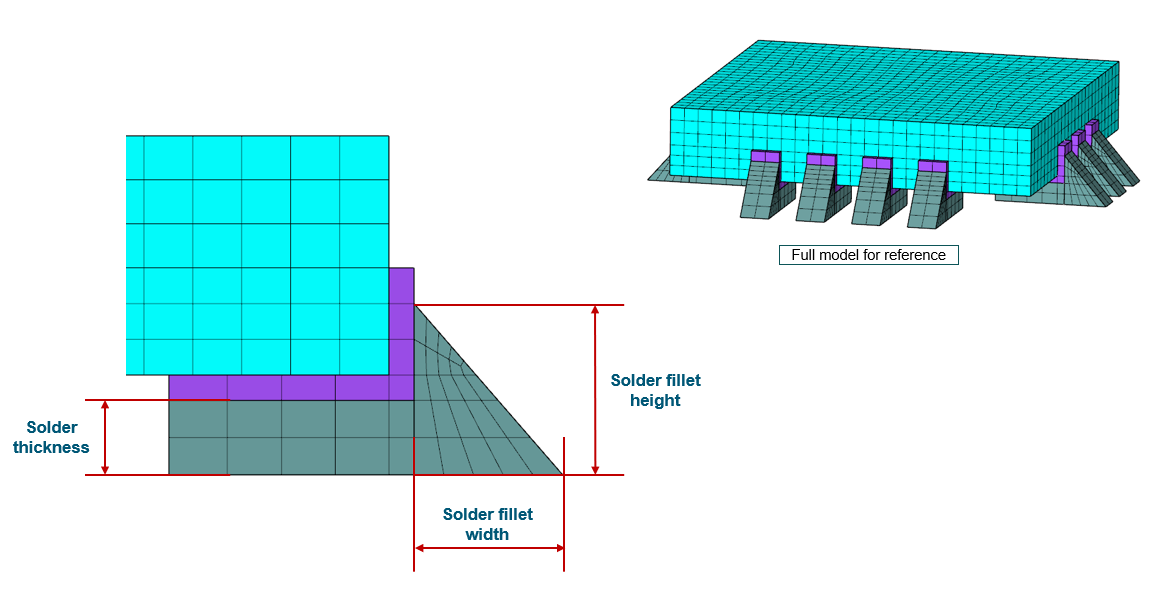
It defines the parameters for the creation of the solder body for both the template and user-defined models.
Align the chip bodies to PCB
Turn on this toggle to move the selected bodies (chip and pin) and the newly created solder and pad bodies away from the board by the specified gap distance. It is only applicable for the user-defined model option.
Pad parameters
It defines the parameters for the creation of the pad body for both the template and user-defined models.
Board parameters
It defines the parameters for the creation of the board body for both the template and user-defined models.
Example