
Seatbelt Deformer
The Belt Deformer workflow is designed to deform the belt performing a quick embedded simulation, when the belt crosses parts that cannot be selected as wrap around components.
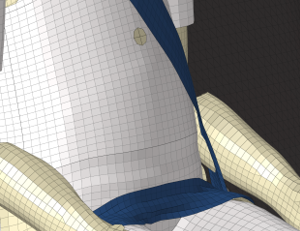
-
From the Safety ribbon, click the arrow next to the
Seat Belt tool, and select Belt
Deformer from the menu.
Figure 2. 
-
Using the guide bar, make your selections.
- Hamburger menu options:
Contact thickness: Defines the contact gap to be considered during the simulation, between seatbelt and move/fixed components.
Simulation time: End time in “ms” used for the simulation.
- Guide bar selections:
Seatbelt: Select the seatbelt to deform.
Move: Select the components crossed by the seatbelt, and which will be used to deform the belt.
Fixed: Select components that will be fixed during the simulation, and which are important to be considered in contact with the selected seatbelt.
Moving Direction: Using the vector tool, define the vector in which the selected move components need to be translated to remove the initial intersection with the belt. The calculated position without intersection with the seatbelt will define the starting position of the move components during the simulation.
Once the deformation process is completed, a dialog opens and the seatbelt nodes are automatically updated with the simulation results.Figure 3. 
Below is an example for the use case mentioned above.Figure 4. 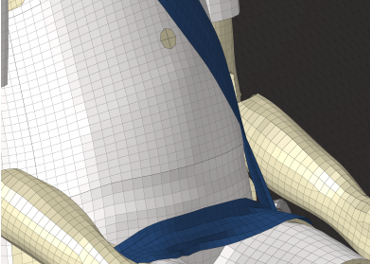
- Hamburger menu options: