
Since version 2026, Flux 3D and Flux PEEC are no longer available.
Please use SimLab to create a new 3D project or to import an existing Flux 3D project.
Please use SimLab to create a new PEEC project (not possible to import an existing Flux PEEC project).
/!\ Documentation updates are in progress – some mentions of 3D may still appear.
Mapped mesh generator
Definition
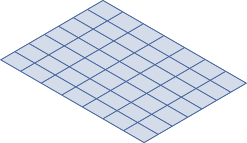
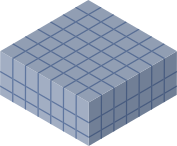
A mapped mesh generator (MAPPED) creates the following elements:
| face elements | volume elements |
|---|---|
 |
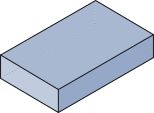 |
| Rectangle, Quadrangle | Parallelepiped, Hexahedron |
Limitation of use
The use of the mapped mesh generator is limited to domains of simple geometric shapes, such as:
- a face constructed starting from four lines or a face that can be assimilated to a rectangle (see § Structuring faces for mapped mesh )
- a volume constructed starting from six faces of four lines each
Mesh adjustment
The mapped mesh of a face is possible if the opposite edges have the same number of nodes .
The mapped mesh of a volume is possible if the 4 opposite lines along the 3 directions have the same number of nodes.
To comply with these rules, the mesh adjustment will thus be made preferentially with mesh lines.
Reference line
If lines with the same direction have not the same mesh (the same number of nodes), the software will ensure the coherence of the mesh by imposing the mesh information from a reference line onto this group of lines.
The reference line is chosen by Flux, according to the following rules:
- If there is no line with a mesh line, the line with the smallest reference number becomes the reference line.
- The only line with a mesh line will become the reference line.
- The line with the smallest reference number and with an arithmetic mesh line will become the reference line.
- The line with the smallest reference number and with a non-arithmetic mesh line will become the reference line.