
Since version 2026, Flux 3D and Flux PEEC are no longer available.
Please use SimLab to create a new 3D project or to import an existing Flux 3D project.
Please use SimLab to create a new PEEC project (not possible to import an existing Flux PEEC project).
/!\ Documentation updates are in progress – some mentions of 3D may still appear.
Steps for LS iron losses computation on point
This section describes the steps to carry out LS iron losses computation on point:
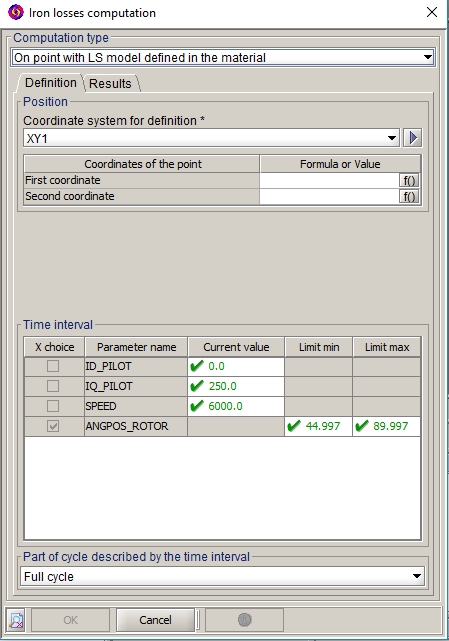
- Choose On point with LS model defined in the material as Computation type
- Enter the coordinates of the computation point belonging to a laminated region
- Choose:
- the fixed value for geometric and I/O parameters
- the time interval values to obtain a time period
- and select in the Part of cycle described by the time interval drop-down menu what the time interval represents: the various possibilities for this option are summarized in the table of the page: Steps for iron losses computation on regions