
Export
Export materials databases
It is possible to export the materials databases from the user material database and share it with the other users.
Here is the way below to export materials.
 |
|
|---|---|
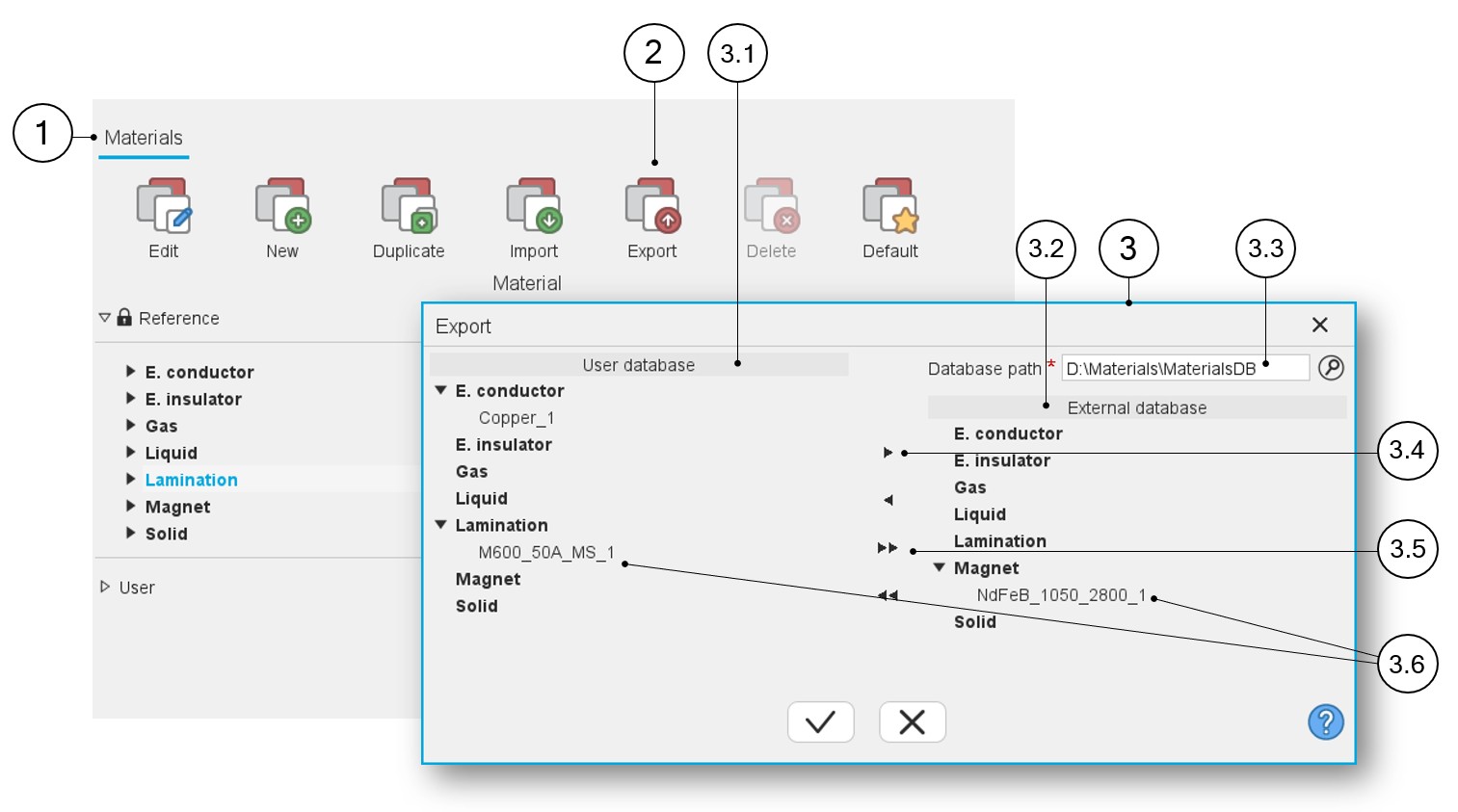
| 1 | The application “Materials” is opened. |
| 2 | Export is the button to open the dialog box for exporting materials. |
| 3 | Dialog box for importing materials from each material family.
Note: Only materials from the user
material database can be exported. |
| 3.1 | User materials database from which materials are to be exported are stored. |
| 3.2 | External materials database to which materials must be exported. |
| 3.3 | Select the path to which the materials must be exported. Note: This selection is mandatory to continue
the process of exporting. |
| 3.4 | Choose to import the materials one by one. |
| 3.5 | Choose to import all the materials at the same time. |
| 3.6 | Displaying of the materials that are chosen for import (before and after exporting). |