
Rename
Rename a material
All the materials stored in the “User material database” can be renamed. The name of materials stored in the reference material database cannot be renamed. If needed, they can be duplicated as illustrated in the previous section.
 |
|
|---|---|
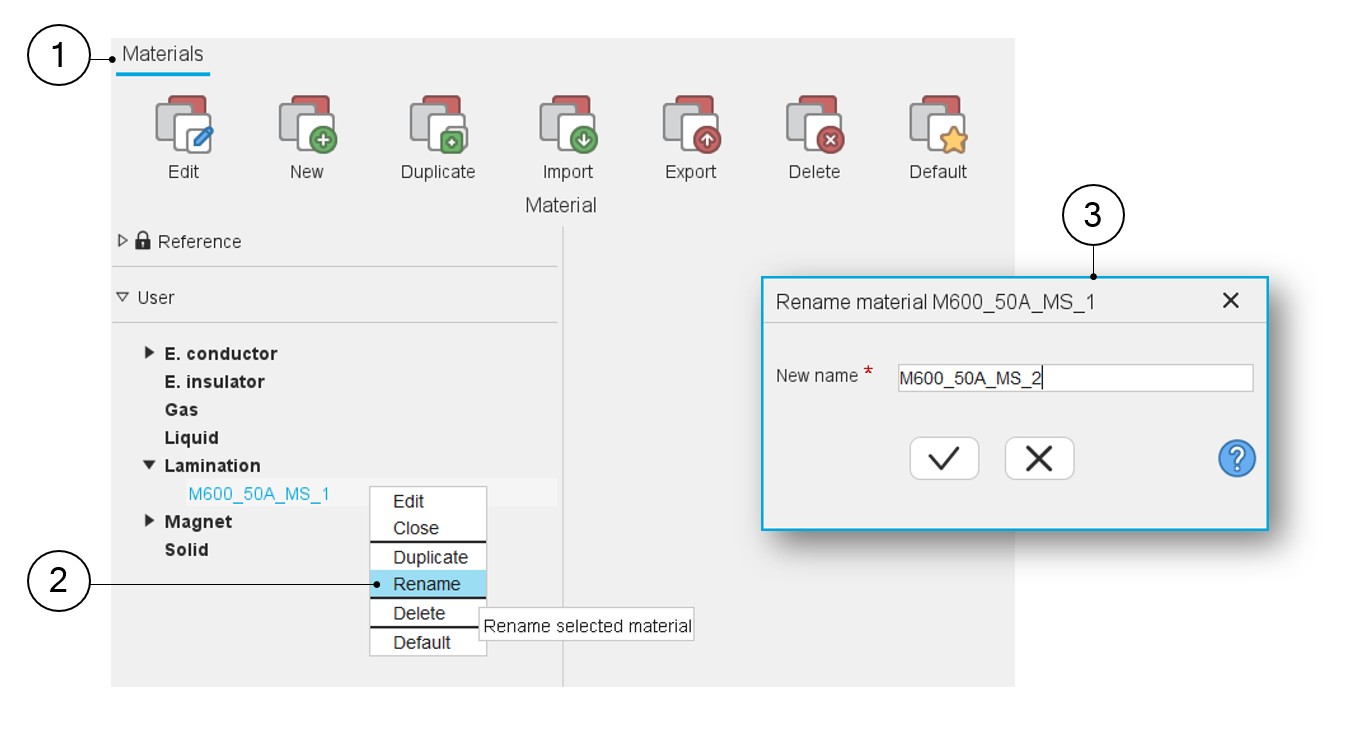
| 1 | The application “Materials” is opened. |
| 2 | Right click on the material to be renamed. A drop-down menu appears with functions such as Edit, Close, Duplicate, Rename, Delete and Default. Select Rename. |
| 3 |
When Rename is selected, the dialog box is opened to allow renaming of the selected material. Give a new name to the selected materials. Note: A default new name is proposed. One must
choose a name that is not already used in Materials.
|