
Default
How to set library as a favorite?
Setting a library as a favorite allows opening this library first, from the Design area of Motor Factory when changing the topology of part (Slot, magnet, bar, saliency, pole)
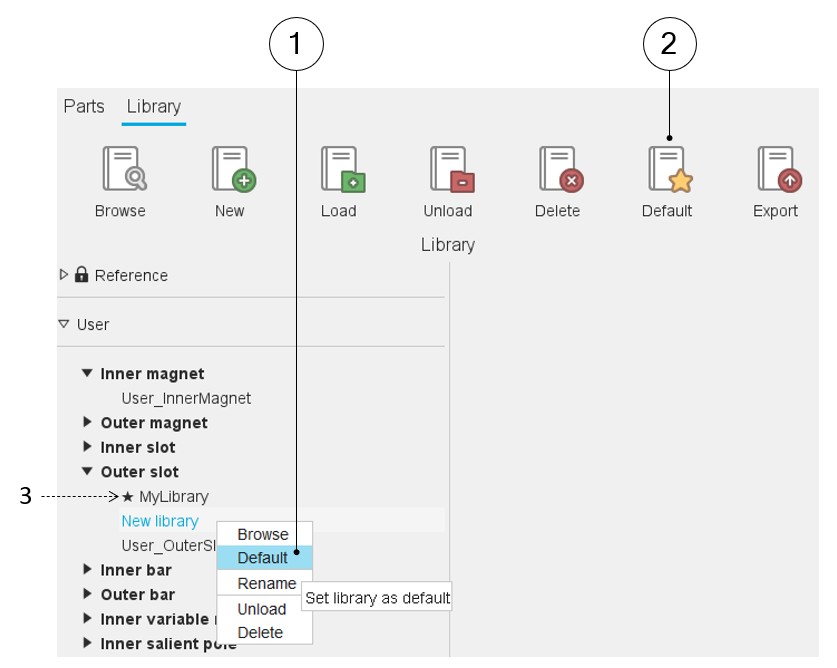
How to set a library as a favorite is illustrated below.
 |
|
|---|---|
| 1 | Right Click on the library to be set as favorite. A drop-down menu appears with functions such as Browse, Default, Rename, Unload and Delete. Select Default. |
| 2 | After having selected a library, clicking on the icon “Default” on the top part of the “Library” area sets the selected library as a favorite. This action has the same behavior as the previous one. |
| 3 | In front of the default libraries, a star is displayed. |
Note: A default library can be defined for each type of library
(inner and outer magnet, inner or outer slot, inner and outer bar, etc.).