
SS-T: 4026 Modal Prestressed Linked to Multi-loadcase Analysis
Tutorial Level: Intermediate
- Prerequisites
- Some features used in this tutorial are only available in the SimSolid Advanced version. Switch to Advanced to complete this tutorial.
- Purpose
- SimSolid performs meshless
structural analysis that works on full featured parts and assemblies, is
tolerant of geometric imperfections, and runs in seconds to minutes. In this
tutorial, you will do the following:
- Learn how to link an existing multi-loadcase analysis to a new modal prestressed analysis.
- Run the analysis to see how different prestress conditions affect modal frequencies.
- Learn how to review results by toggling between load cases and using the Frequency diagram plot.
- Model Description
- The following model files are needed for this tutorial:
- Modal_prestressed_Multi_loadcase.ssp
The model (.ssp) file has the following specifications:- Material is set to Steel for all parts
- A multi-loadcases 1 analysis is already defined in the project, containing multiple subcases that will provide the prestress conditions.
Figure 1. 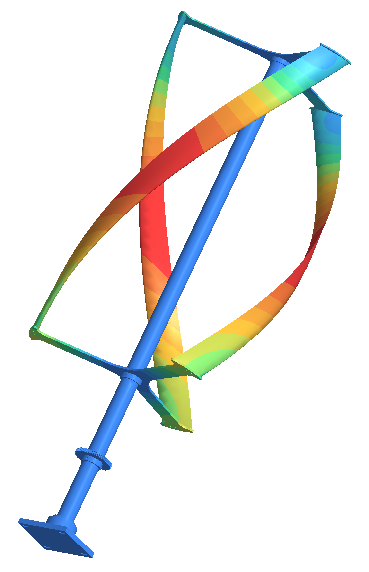
Open Project
- Start a new SimSolid session.
-
In the main window toolbar, click Open Project
 .
.
- In the Open project file dialog, choose Modal_prestressed_Multi_loadcase.ssp
- Click OK.
Review Multi-Loadcases Workbench
- In the Project Tree, select the existing multi-loadcases analysis (named Multi-Loadcases 1.)
- Optional: Expand this item to review the different subcases already set up. These represent the different prestress conditions you will apply to the modal analysis.
Create Modal Prestressed Subcase
-
In the main menu toolbar,
select
 Modal > Modal
prestressed.
The Modal prestressed setup window will appear.
Modal > Modal
prestressed.
The Modal prestressed setup window will appear. -
In the setup window, select Multi-Loadcases
1.
This is the key step that links the modal analysis to the multiple prestress conditions.
Figure 2. 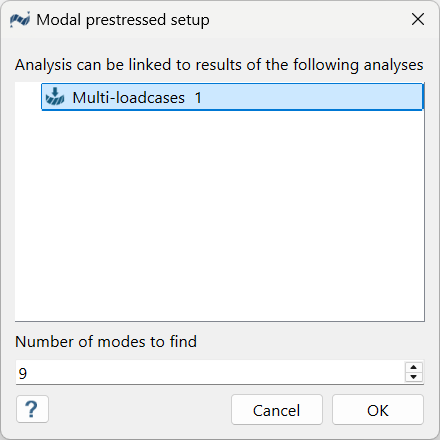
- In the Number of modes window, specify the number of modes as 9.
-
Click
OK.
The new modal analysis, Modal 1, linked to Multi-Loadcases 1, appears in the Project Tree and the Analysis Workbench.
Run Linked Analysis
- In the Project Tree, ensure the new Modal 1, linked to Multi-Loadcases 1 subcase is selected.
-
Click
 Solve.
SimSolid runs the modal prestressed analysis for all linked subcases. When finished, a Results branch appears in the Project Tree under the Modal 1 analysis.
Solve.
SimSolid runs the modal prestressed analysis for all linked subcases. When finished, a Results branch appears in the Project Tree under the Modal 1 analysis.
Review Results
Select the main Modal 1, linked to Multi-Loadcases
subcase from the Project Tree and do either of the
following.
-
Toggle between load cases.
- In the Analysis Workbench, click
 Result plot > Displacement magnitude.
 - In the Frequency [Hz] dialog, use the
Load case dropdown to toggle between
load cases.As you select different load cases, observe how the frequency for that specific mode (shown in the results legend) changes based on the different prestress conditions.
Figure 3. 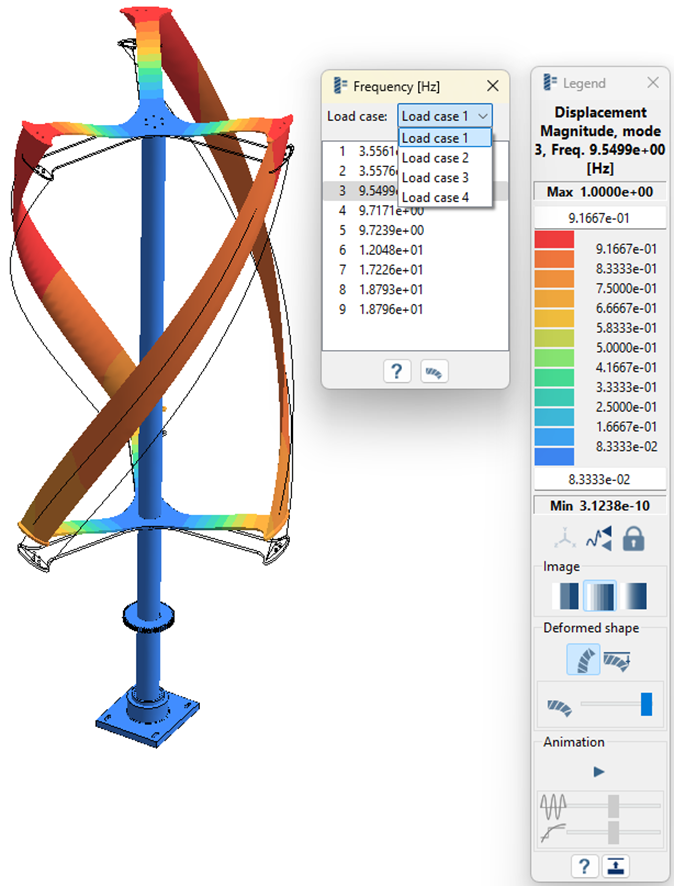
- In the Analysis Workbench, click
-
Plot a frequency diagram.
- In the Analysis Workbench, click
 Diagrams > Frequency diagram.
Figure 4. 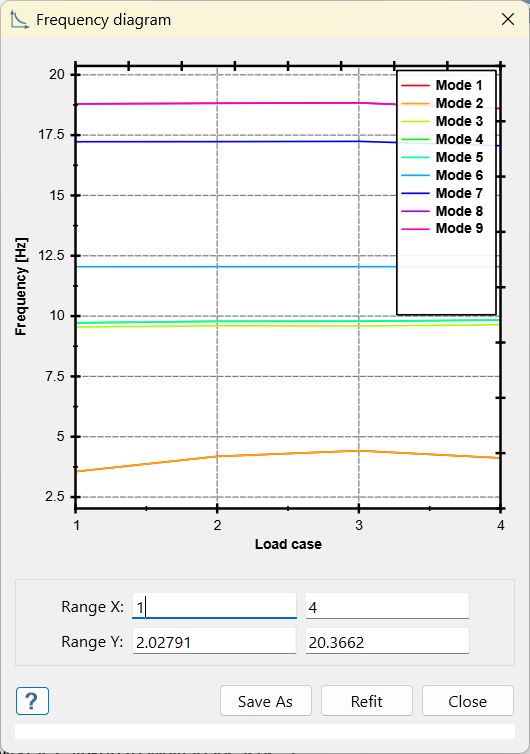
- In the Analysis Workbench, click