
Component Definition

Description
This tool is used to review the components present in the imported ECAD file and download the corresponding detailed component model from Component Search Engine database.
Specify the email address registered on the Component Search Engine.
To register, click on the "Create account" link in the dialog box.
The download limit per day is 25. If the limit is reached, you will be posted with an error message like the daily limit completed. In such a case, you can email and request an increase to the per-day limit to "info@samacsys.com".
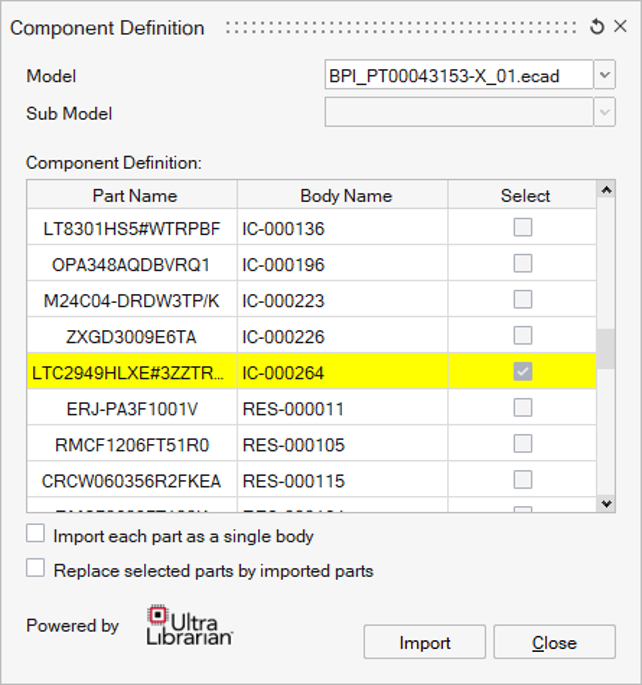
The Component Definition table is sorted by "Part Name".
Select the components for which the detailed models are to be imported, either from the dialog itself or the graphics area or the model browser and click on “Import”. SimLab fetches the corresponding model from the online database, imports into the current session and positions it appropriately on the PCB model.
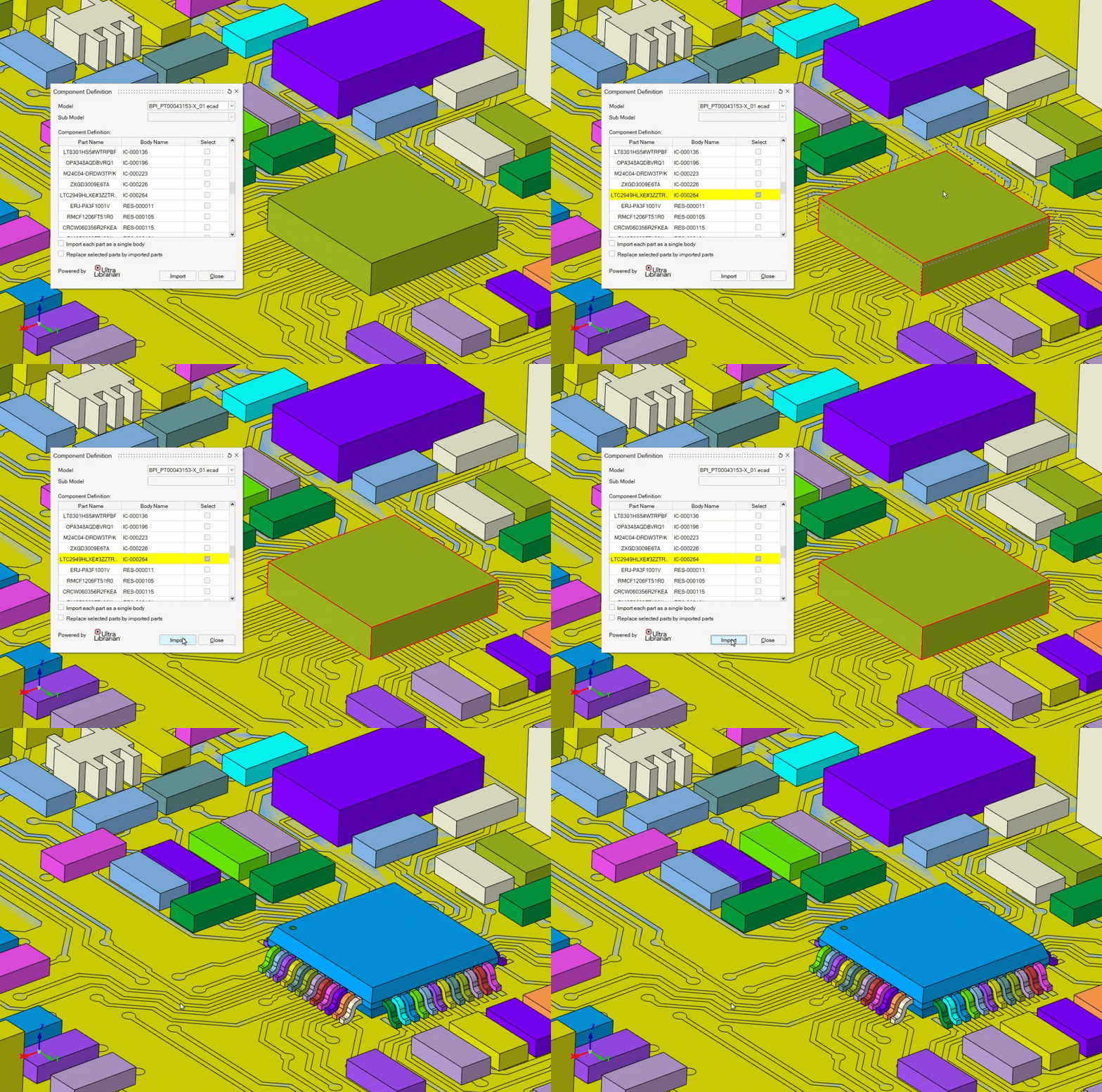
Import options
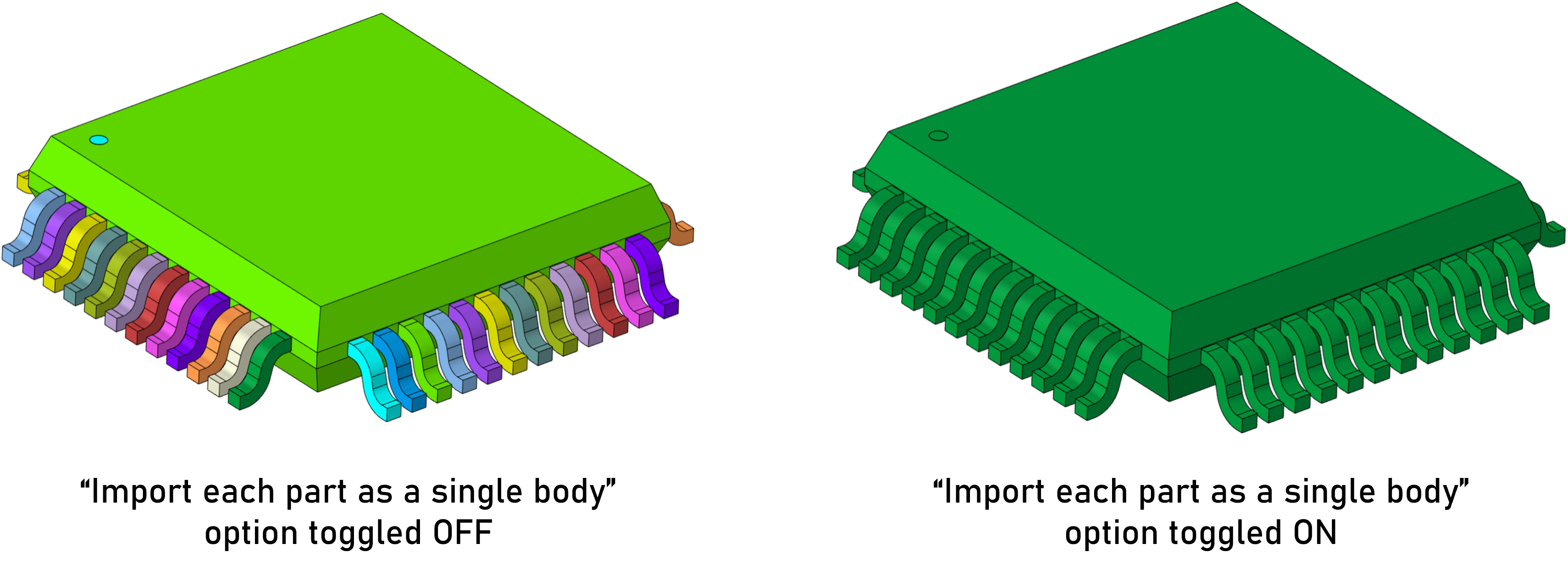
- The imported detailed model consists of different parts, by toggling ON the
“Import each part as a single body” option, all the parts are combined and
imported as a single part.
- When a detailed model is imported into SimLab, the existing simplified model will be hidden. If the “Replace selected parts by imported parts” option is turned ON, the existing simplified model will be deleted at the time of detailed model import.
In the case of a merged ECAD model (where two or more ECAD models are combined and categorized as sub-models), the list displays the component bodies from each sub-model group separately. This facilitates the user in examining component definition for each ECAD sub-model.