
Predict Results
Use the predict tool to generate a model prediction.
Verify, a PhysicsAI model has been set to Active in the Model Browser. An active model will be used in the prediction.
- Drag-and-drop an FE model file into the new database window.
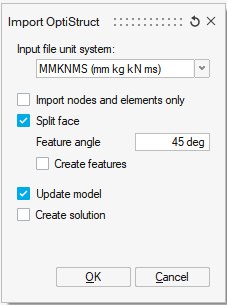
- In the Load File dialog, define the options for the model and click
OK.
 Note:
Note:To maintain performance, the license for PhysicsAI is drawn when a model is loaded as active. To release the license, the model should be released.
- In the Import Options dialog, click Import.
The model opens in the modeling window.
Note:If the model was trained on specific components, import the full assembly, isolate the trained components, select them, and then run Predict. Only the selected components will be evaluated.
- From the PhysicsAI ribbon, select the Predict tool.
 The prediction result will be loaded into the same database.Tip:
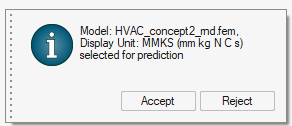
Information panel: The panel shows the active model and the unit system. The unit system is taken from the current display units; change it if needed. If the database is opened with units disabled and a raw solver deck is used, you can accept and proceed.
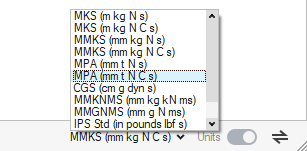
Displayed Unit System