
Create Group
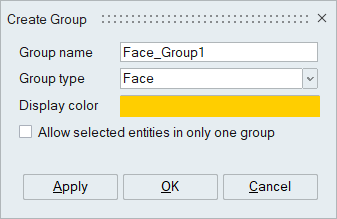
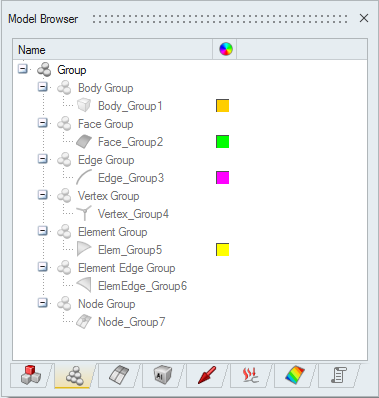
Entities of unique type like body, face, edge, vertex, element, element edge and node can be grouped together by giving a name. This will be listed under Groups Tab in Model Browser. Only the body, face, edge and vertex groups can be created for CAD bodies. Entities like surface, edge and points which are published in Catia part will be imported into SimLab as face-group, edge-group and node-group respectively.
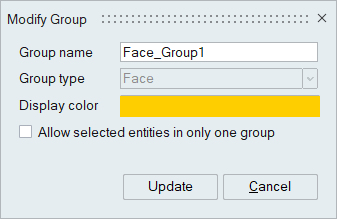
Groups can be modified by double click in the browser. In modify mode, Update button allows to add or remove the entities from the group.
These groups can be used to apply mesh control, loads and boundary conditions. Applying mesh control, loads and boundary conditions using groups will take all the entities belonging to that group into account. While capturing the process, the group name will be written out in changing design and SimLab parameters.
Behaviour of Associated Objects on Group Modification
When a group is modified, emptied, or deleted, and it is referenced by any Loads, Boundary Conditions, or Mesh Controls, the system automatically updates these objects to maintain data consistency with the group definition.
- When the contents of a group change, all dependent objects (Loads, Boundary Conditions, Mesh Controls) are automatically updated to reflect the revised group data.
- If a group is deleted, all associated objects entities are cleared automatically to eliminate invalid references.
A warning message is displayed if the solution contains results associated with any Loads or Boundary Conditions that reference the modified group. This message informs the user that those results will be removed.
The option "Allow selected entities in only one group" will identify whether the entities selected to create new group already belongs to any other group. If so, it will prompt the user either to overwrite or not. Selecting overwrite will remove those entities from other group and add it to the new group, otherwise it will ignore those entities and create the new group.Body, face, edge and vertex groups can be transferred from CAD to FEM/FEM to FEM bodies based on its CAD ID. Similarly node groups can be transferred using it IDs. Boolean operation can also be performed between groups of unique entity.