Since version 2026, Flux 3D and Flux PEEC are no longer available.
Please use SimLab to create a new 3D project or to import an existing Flux 3D project.
Please use SimLab to create a new PEEC project (not possible to import an existing Flux PEEC project).
/!\ Documentation updates are in progress – some mentions of 3D may still appear.
Orientation of mesh lines
Orientation of mesh line
If a mesh line with nodes distributed in a geometric progression is used, it is possible to reverse the orientation of the geometric progression on the line, if the strong density of nodes is not correctly placed.

Orient mesh line
To orient the mesh line of geometric type:
| Step | Action |
|---|---|
| 1 | Activate the command (see next block) |
| → | The dialog box Orient mesh line … is open. |
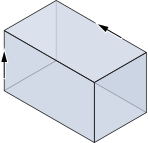
| → | The lines are displayed with arrows that indicate the direction of the
geometric progression.
|
| 2 |
Fill out the dialog box:
|
| → | The orientation of the geometric progression on the line is reversed. |
Activate the command
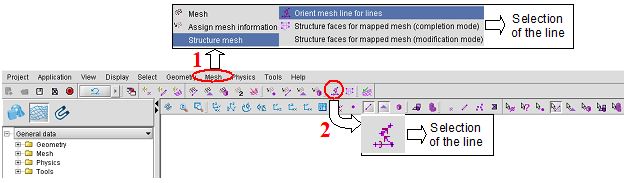
To activate the Orient mesh line for lines command, which requires data selection, choose one of the methods presented in the figure below: