End-ring
Overview
In the Motor Factory – Design area, the environment “End-ring” allows to design the cross-section shape and the dimensions of the squirrel cage end-rings on both sides of the machine.
For both inner rotor machines and outer rotor machines, a section scrolling bar allows choosing the section in which user inputs are defined.
Scrolling selection bar where the Design, Impedance, X-Factor and Operating conditions sections can be selected.
 |
|
|---|---|
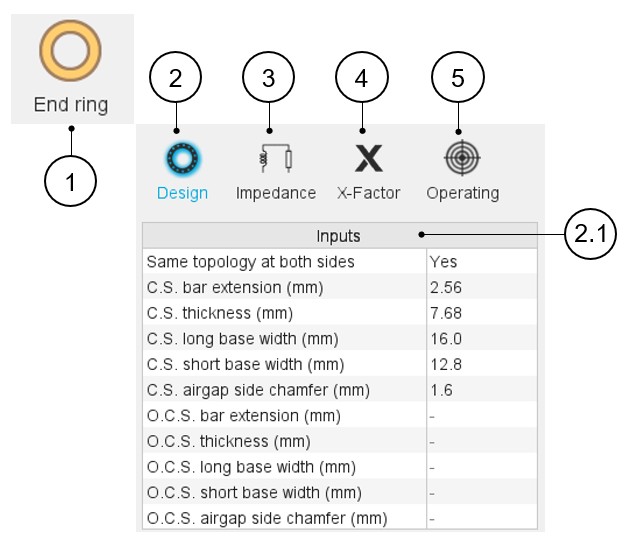
| 1 | Selection of the End-ring panel (Click on the icon
End-ring) Several sections allow defining all characteristics that deal with the end-ring: Design, Impedance, X-Factor and Operating. |
| 2 | Access to the section dedicated to the design of the
end-rings. Note: By default, the section
Design is selected. |
| 2.1 | Selection of the shape and settings of the user inputs dedicated to the design of the end-rings. |
| 3 | Impedance tab gives the tools to compute the inter-bar impedance of the squirrel cage. |
| 4 | X-Factor tab gives access to the user coefficients (calibration factors = X-factors) that allows to tune the inter-bar end-ring resistances and inductances. |
| 5 | Operating tab to define a working point for evaluating the characteristics of the inter-bar end-ring impedances. |
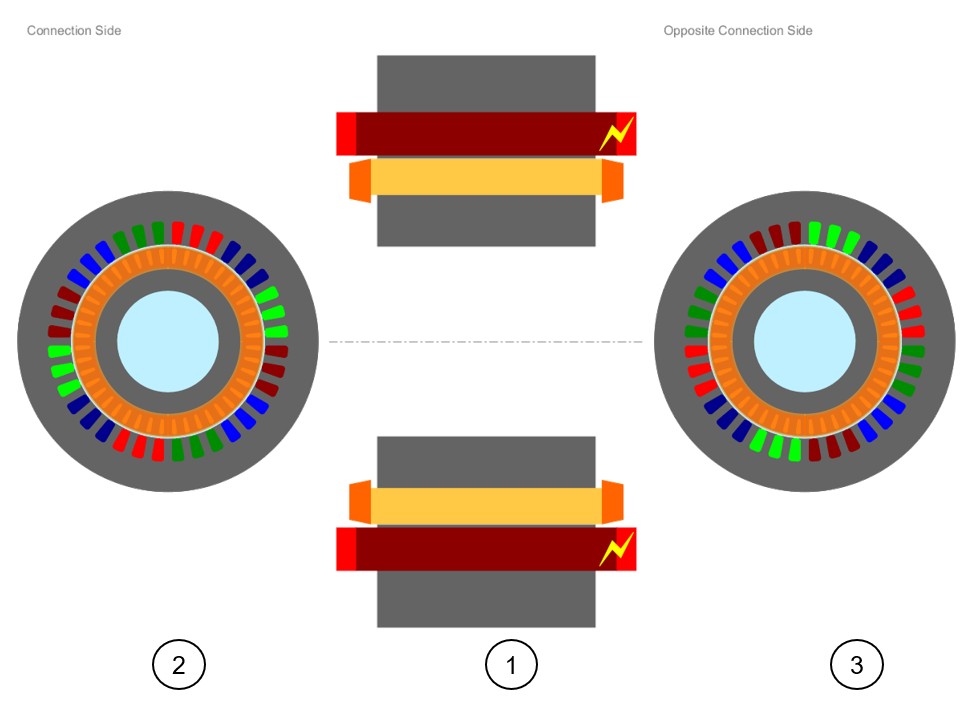
Note: Since the topologies of the end-ring can be different on
both sides of the machine, both corresponding views are displayed (see illustration
below).