
Boolean

Description
This tool is used to perform various boolean operations like union, subtraction on meshed bodies and Parasolid bodies.
- CAD (Parasolid)
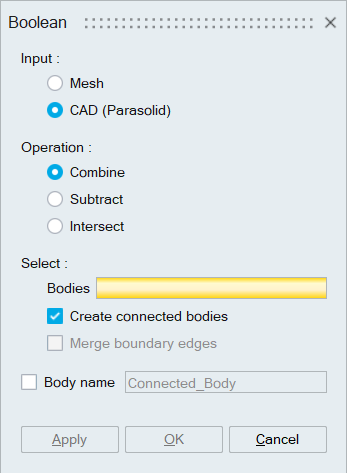
- Combine
Combine operation does union of all selected bodies into a single body with single volume without internal face.
Example 1: For non-penetrating bodies
Example 2: For penetrating bodies
Options:
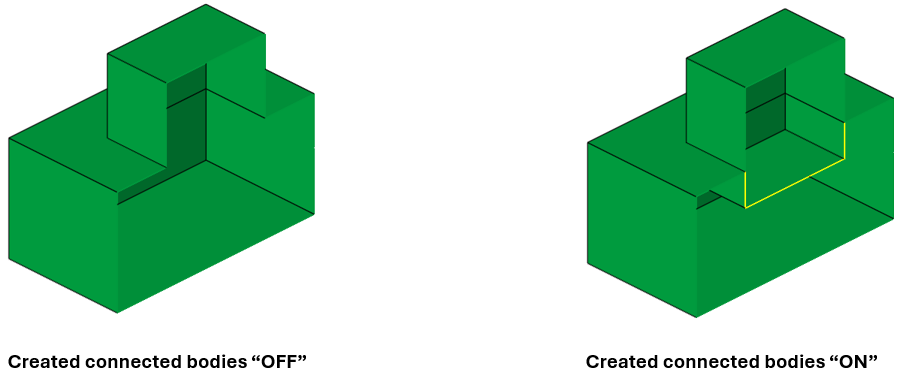
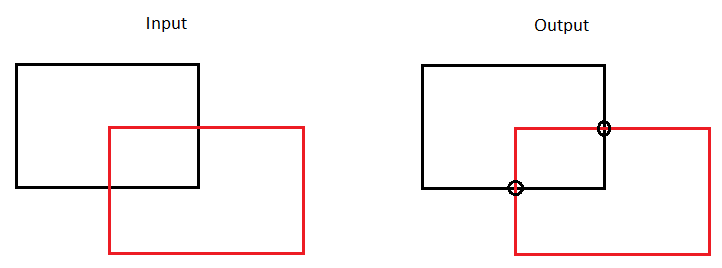
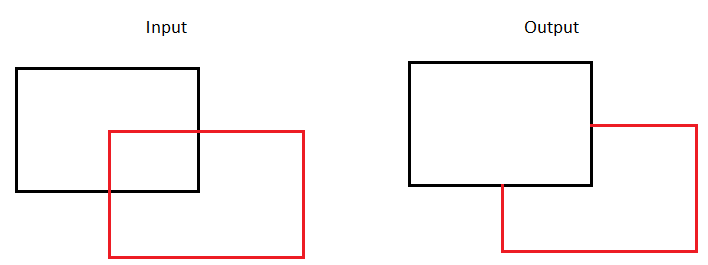
- Create Connected Body:
Enable this option to create a single body that contains multiple volumes separated by internal faces.
Example:
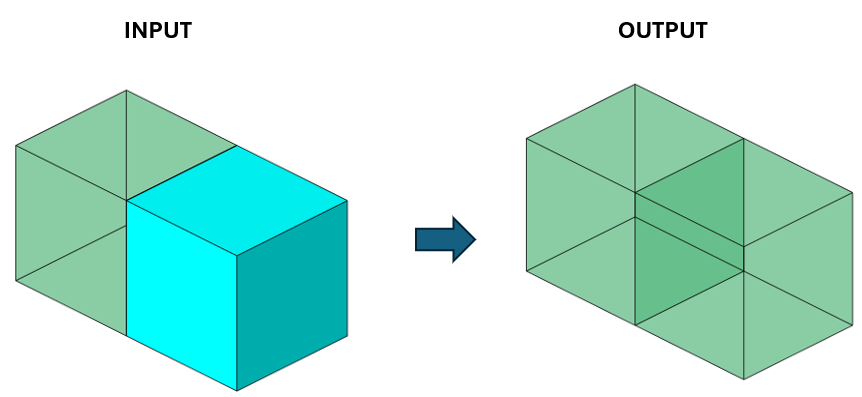
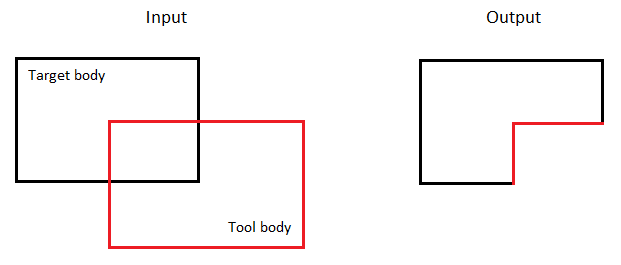
For the penetrating bodies, the intersection will be removed based on the input
- Two bodies as input (Target body – Tool body): The first body selected is considered as target, and the second body is treated as the tool. Material is removed from the target body at the intersecting region to form a single connected body.
- More than two bodies as input: When
multiple bodies are selected, the target and tool
bodies are determined based on their size. The
larger body is treated as the target, and material
from its intersecting regions is removed to form a
single connected
body.
Example:
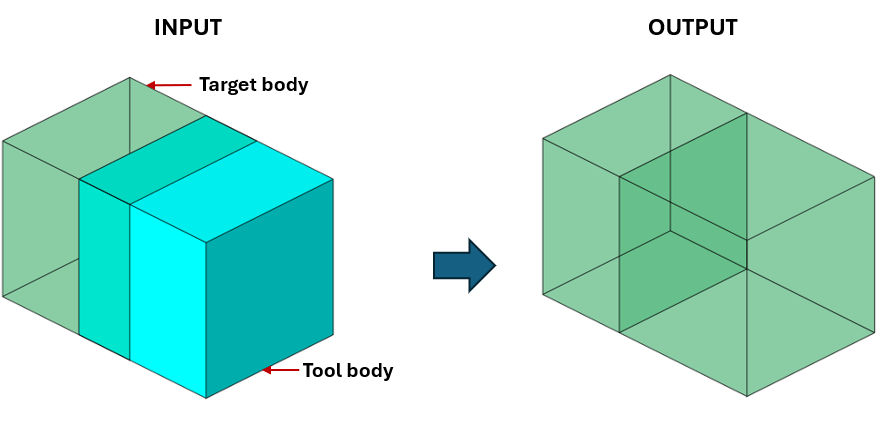
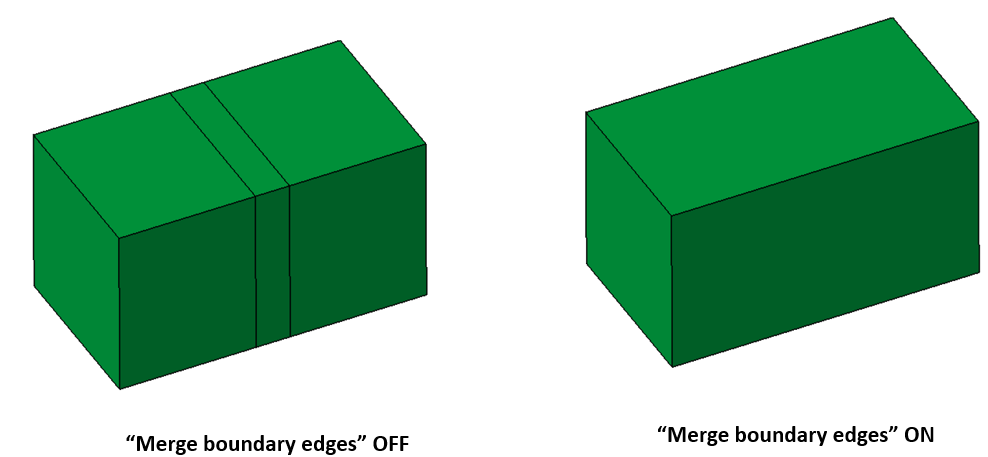
- Merge Redundant Entities:
After Boolean combine, bodies may contain some redundant edges or vertices. Enabling this option will automatically remove such redundant edges and vertices.
Example:
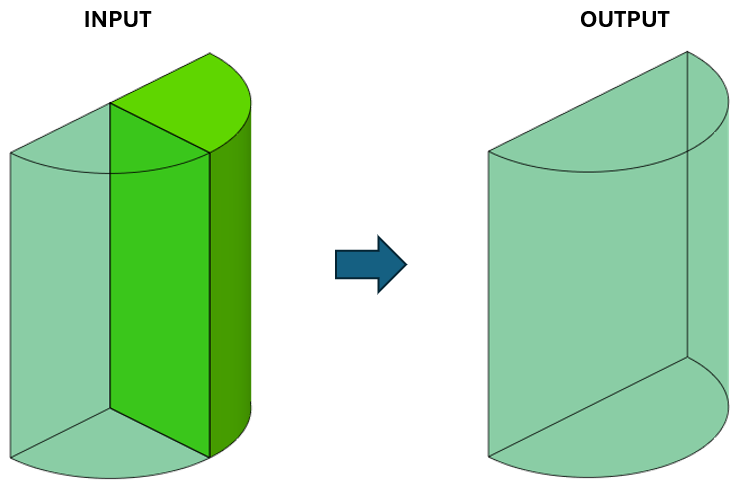
Note:For Parasolid models imported with the Save Geometry in Database option, the mesh controls, loads and boundary conditions, properties, and groups from the input bodies are transferred to the output bodies when the Create Connected Body toggle is enabled.
- Face- and edge-based mesh controls are transferred as it is, except for edge mesh controls with biased seeding, which are not transferred.
- Body mesh controls are automatically converted and applied as face-based mesh controls in the output bodies.
- Create Connected Body:
- Subtract
This is used to subtract the target bodies by tool body. The toggle Retain tools will keep the tool bodies in the output.
Input
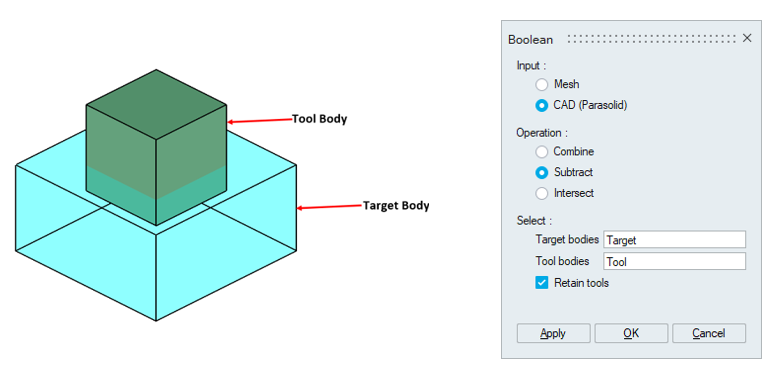
Output (Subtract)
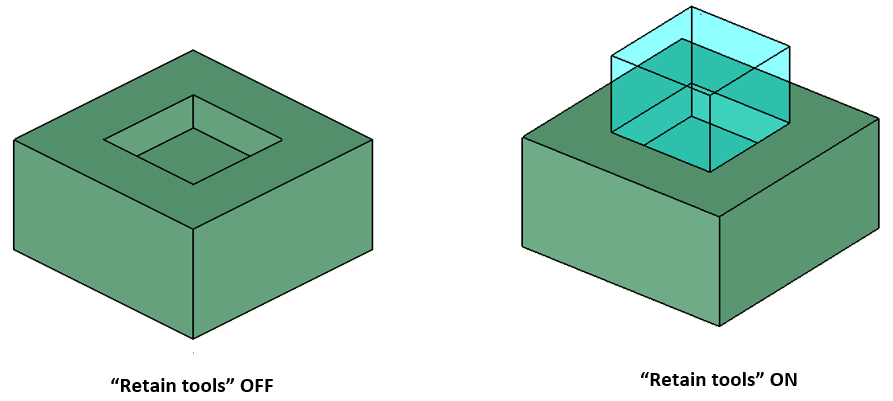
- Intersect
This is used to create a new body which is an intersection of target and tool bodies. The toggle Retain tools and target will keep the target and tool bodies in the output.
Input
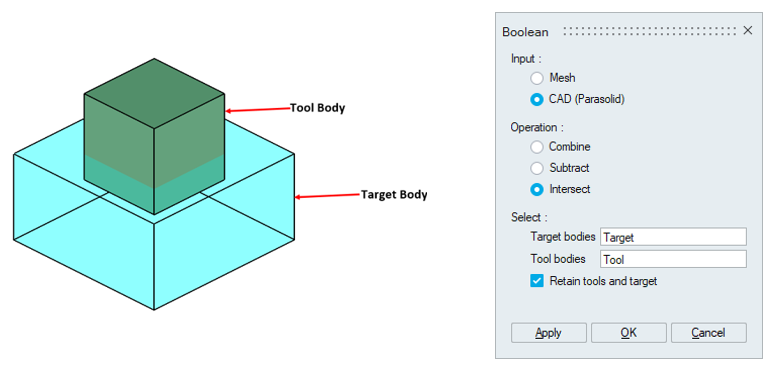
Output (Intersect)
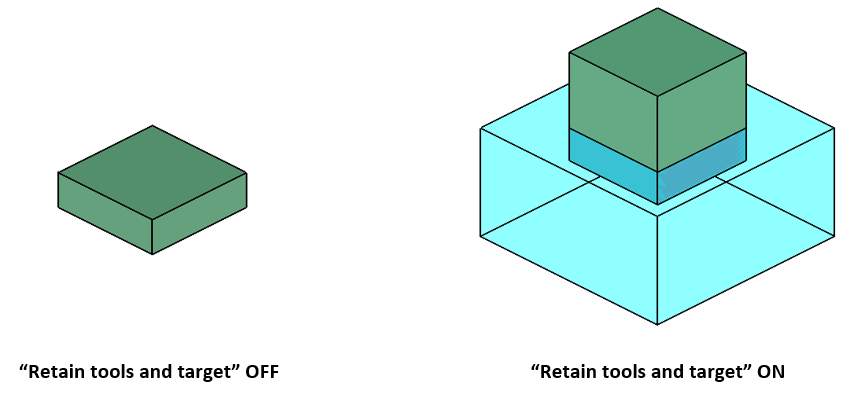
- Body name
User can specify the body name for a connected body. This option is enabled only when the “Create connected bodies” toggle in Combine operation is turned ON.
- Combine
- Mesh
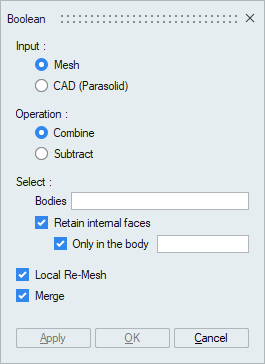
- Combine
This is used to combine the bodies. The intersection between the bodies will be resolved. It is supported for bodies containing Tri and/or Quad elements.
- Retain internal
faces
Enable this toggle to preserve internal faces in all bodies.
- Retain internal faces | Only in the
body
Enable this toggle to preserve internal faces only in the specific bodies.
- Retain internal
faces
- Subtract
This is used to drill the target body with tool bodies.
- Local Re-Mesh
Use this toggle to re-mesh the affected faces.
- Merge
Use this toggle to merge bodies.
Example: Combine(Retain internal faces | OFF)
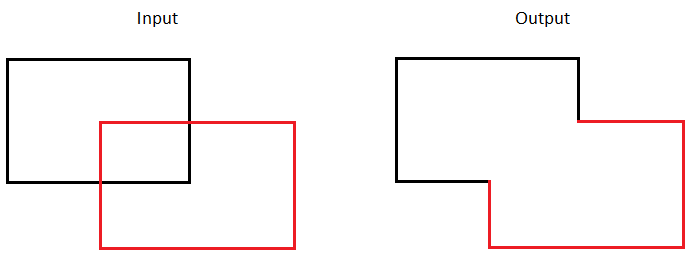
Example: Combine(Retain internal faces | ON)
Example: Combine(Retain internal faces | Only in the body)
Example: Subtract
- Combine