Template Selection
From the Part Catalog dialog box, select a template:
-
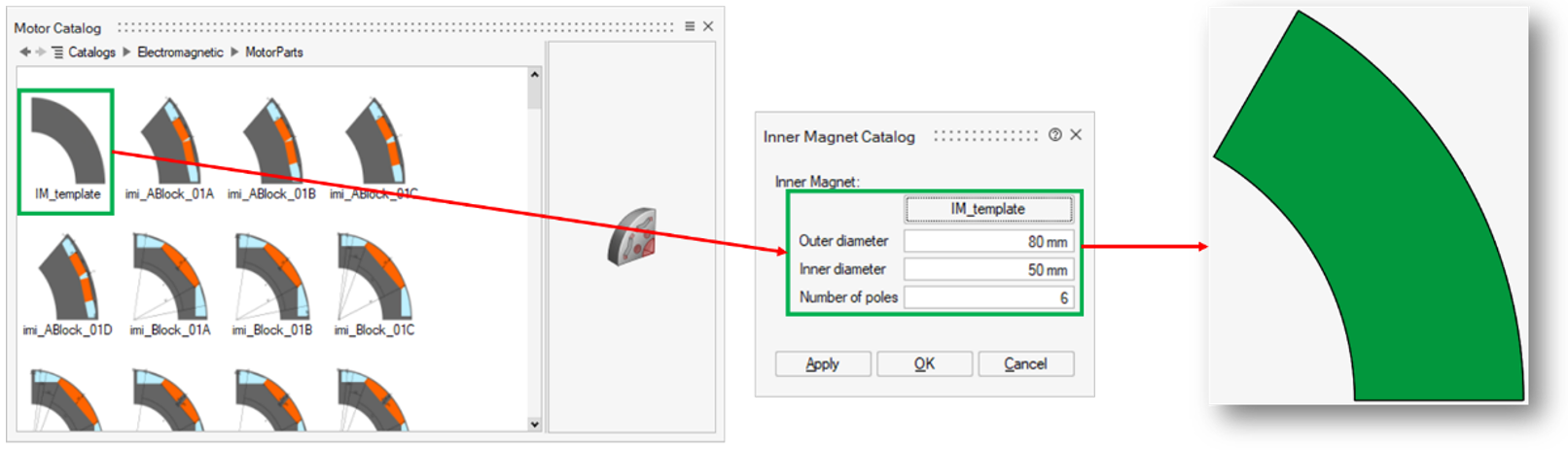
Blank Template (e.g., IM_Template): Provides a blank sector (a slice of an annular ring) for users to add their CAD model or create a custom sketch. It includes mandatory parameters:
- OD (Outer Diameter)
- ID (Inner Diameter)
- PN or SN (Number of Poles or Number of Slots)
For example, for the Inner Magnet Catalog:
-
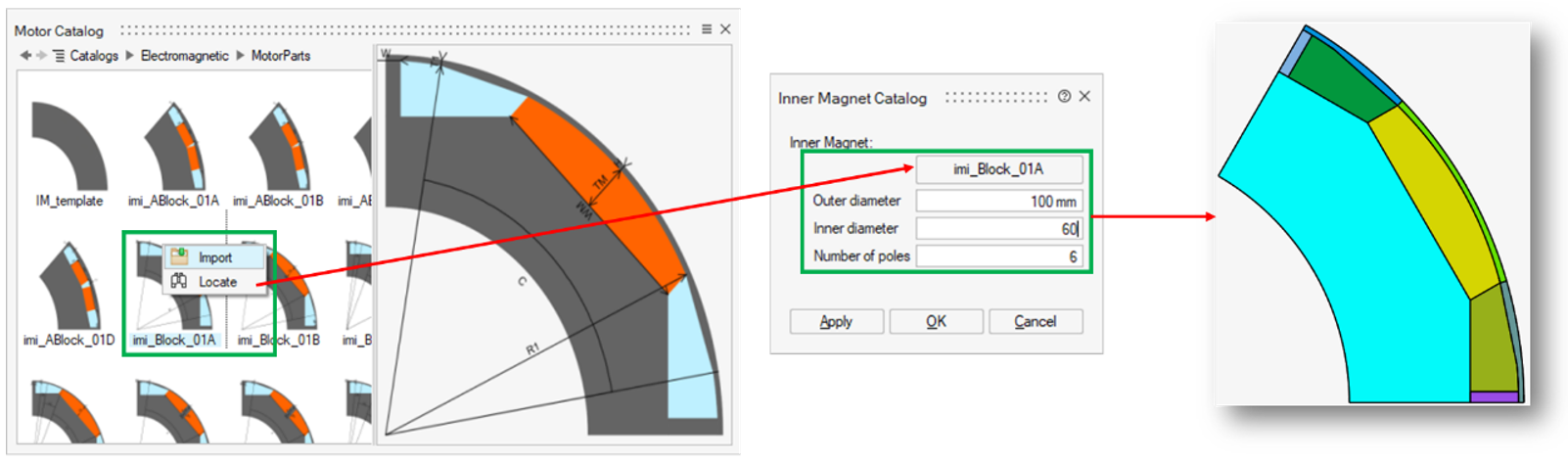
Other Templates: Correspond to standard designs, named according to FluxMotor conventions.
- Click the appropriate template button (e.g., IM_Template) to open the Part Catalog panel.
- Right-click the desired template and choose Import.
For example, for the Inner Magnet Catalog: