Since version 2026, Flux 3D and Flux PEEC are no longer available.
Please use SimLab to create a new 3D project or to import an existing Flux 3D project.
Please use SimLab to create a new PEEC project (not possible to import an existing Flux PEEC project).
/!\ Documentation updates are in progress – some mentions of 3D may still appear.
Assign a mesh generator: about
Mesh generator assignment
Choice of mesh generators on geometric entities (of face or volume type) is called assignment of mesh generators.
Operation mode
Two operation modes provided are as follows:
| Mode | is used to assign a mesh generator to … |
|---|---|
| completion | a group of faces / volumes |
| modification | some faces / volumes |
Completion mode: specific features
In completion mode the entities are made invisible in the graphic scene during the assignment, which allows a fast and effective assignment of the groups of faces and groups of volumes.
Updating
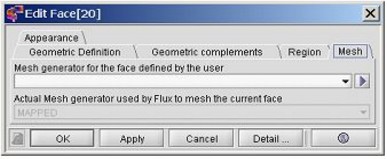
After a mesh generator is assigned to the face / volume, the Mesh tab of the face / volume dialog box is updated.