
Delete
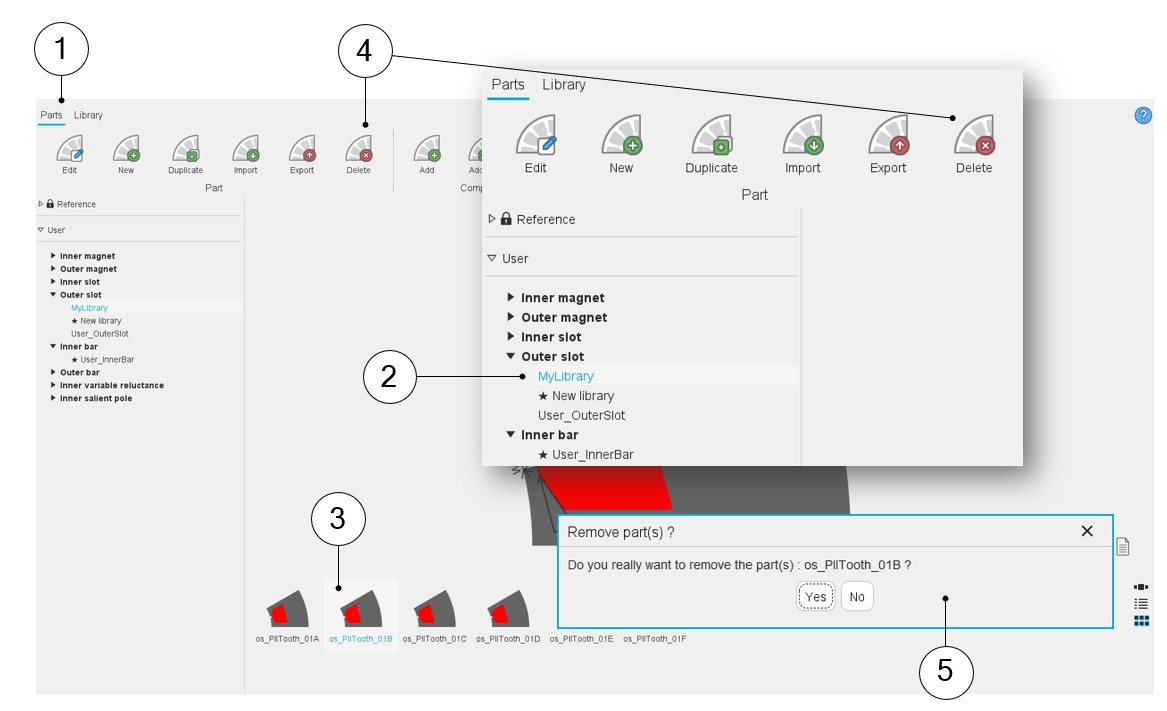
How to delete a part?
 |
|
|---|---|
| 1 | Selection of the parts area of the Part Library application. |
| 2 | Select the library where the parts to be deleted are stored. |
| 3 | Select the part to delete (several parts can be selected to be deleted). |
| 4 | Click on the icon “Delete”. |
| 5 | A dialog box is automatically opened to validate the removal of
the selected parts. Note: Delete a part means
that all the data of the part are destroyed and not
recoverable. |