Inner Salient Pole Catalog
The Inner Salient Pole Catalog is used for creating inner salient pole parts
for wound field synchronous machines with inner rotor.
- Templates follow naming conventions specific to inner salient poles.
- The number of poles is referred to as PN (Pole Number).
Regardless of the part type, users should follow these general steps when creating parts in FluxMotor:
Template Selection
From the Part Catalog dialog box, select a template:
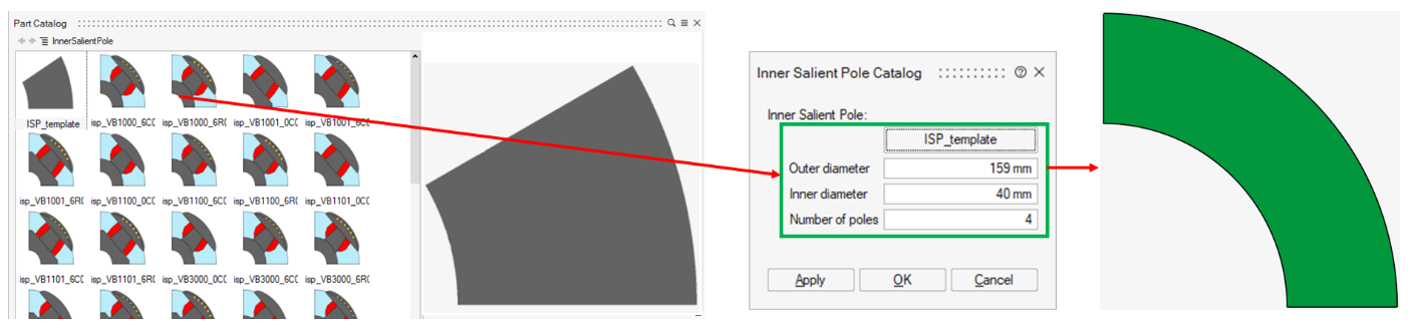
- Blank Template (ISP_template): Provides a blank
sector (a slice of an annular ring) for users to add their CAD model or
create a custom sketch. It includes mandatory parameters:
- OD (Outer Diameter)
- ID (Inner Diameter)
- PN (Number of Poles)
-
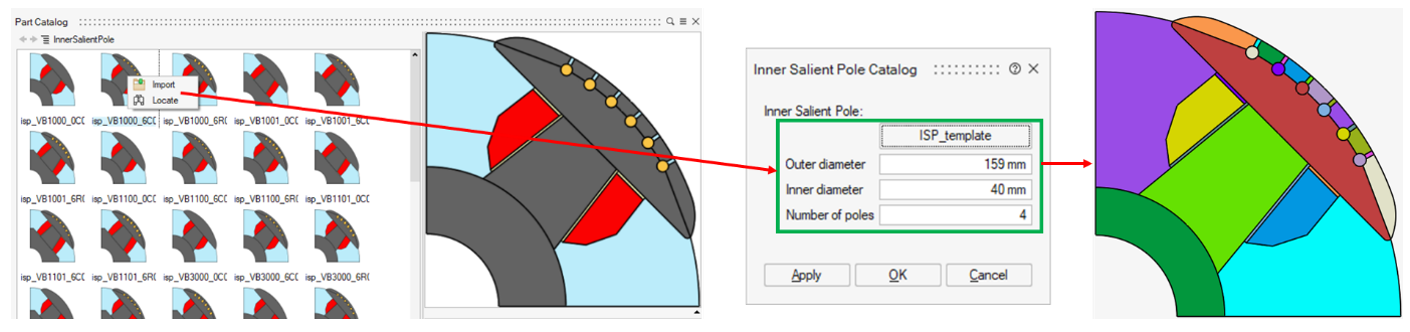
Other Templates: Correspond to standard designs, named according to FluxMotor conventions.
- Click the appropriate template button (ISP_template) to open the Part Catalog panel.
- Right-click the desired template and choose Import.
Adjust Structural Parameters
Modify the key design parameters:
- Outer Diameter (OD): Sets the outer diameter of the part.
- Inner Diameter (ID): Sets the inner diameter of the part.
- Number of Poles (PN): Defines the number of poles to construct the rotor.
Apply Changes
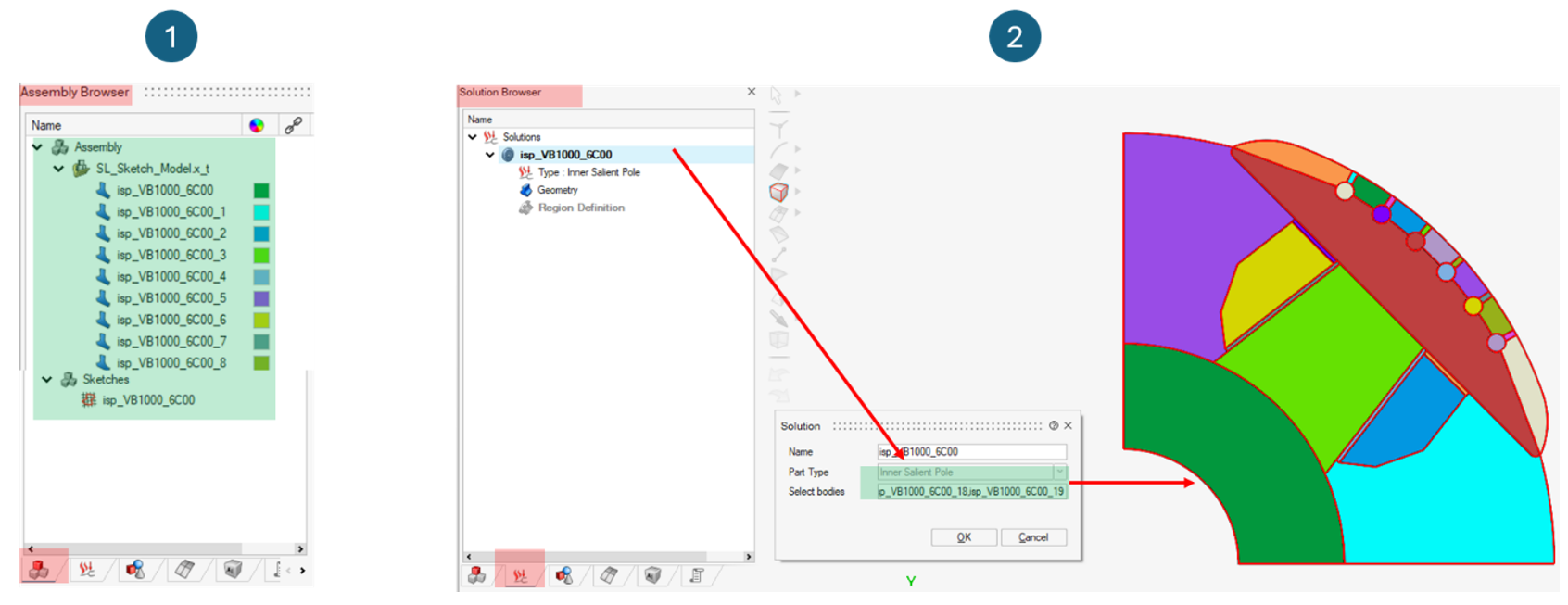
- The system generates sketches and bodies.
- In the Assembly Browser, an editable sketch appears in the Sketch environment.
- In the Solution Browser, all new bodies are automatically assigned to the FluxMotor solution.
Note: Users may bypass template selection by directly creating
a basic sector in the Sketch environment using the
required parameters (OD, ID,
PN). In this case, manual assignment of all bodies to
the FluxMotor solution is required. To edit or enhance a generated
sketch, simply modify it within the Sketch
environment.