On the Source/Load tab, in the
Sources on Ports group, click the Waveguide Source icon.
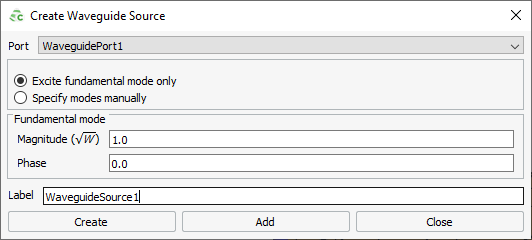
Figure 1. The Create Waveguide Source dialog.
In the Label field, add a unique label for the waveguide
source.
In the Port field, from the drop-down list, select any waveguide port.
Select one of the following regarding the mode(s) to excite:
To excite only the fundamental waveguide mode, select Excite
fundamental mode only. When this option is selected, the
mode type and its indices cannot be specified since they are determined
automatically.
To manually specify the modes using their mode indices, select
Specify modes manually.
In the Magnitude field, specify the magnitude of the
mode.
In the Phase field, specify the phase of the mode.
Click the Create button to create the waveguide
source and to close the dialog.
 Waveguide Source icon.