Protecting a model with a password allows a model to be shared as a component
and included in the construction of another model while concealing the restricted
design as well as the simulation quantities for anyone not knowing the password.
Only its representation geometry (if defined) and bounding box are visible when a
protected model is imported. The model structure (geometry and mesh parts) is
neither visible nor editable.
Model protection ensures that those without the password cannot open the model. Some
simulation results may not be calculated when running the solver for a protected
model. No mesh will be available in POSTFEKO for
post-processing after simulation, and no 3D view of the model will be
available.
Note: There are limitations on the requests that may be calculated for
a protected model
Tip: If the password
is known, unprotect your model before simulation to avoid any
limitations.
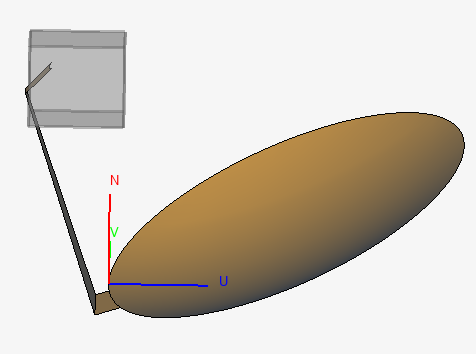
Figure 1. An offset reflector with an imported protected model of a horn (feed)
shown in grey in CADFEKO. Note that this
protected model does not have a representation defined, therefore only its
bounding box gets displayed.
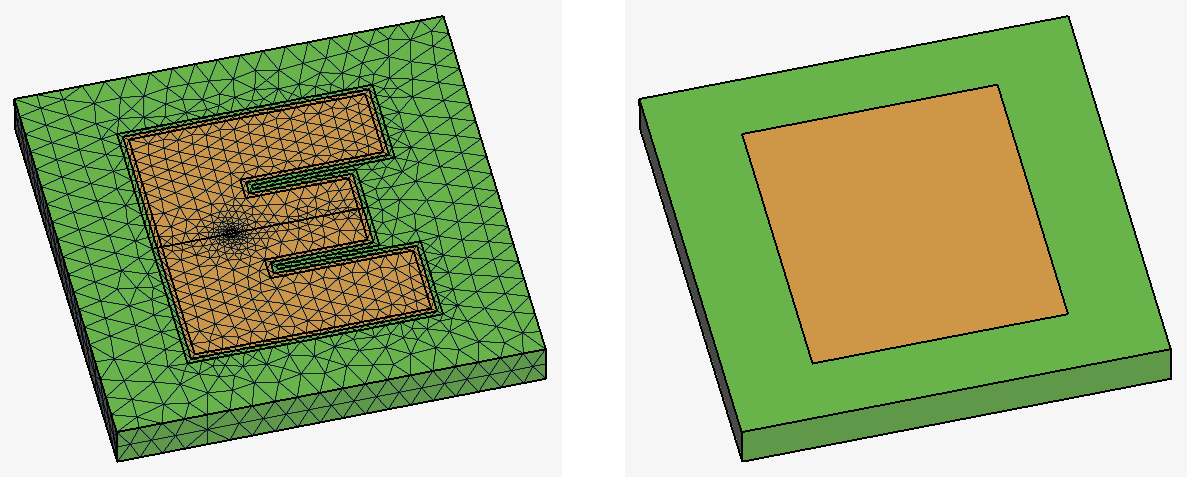
Figure 2. On the left, a model that a user wishes to protect. All the details of
the model is visible when it is opened with the password. On the right is
the representation geometry that the user defines to be visible to the
client. Note that representation geometry is for visualisation only and is
not meshed.