
Help files
FluxMotor command help files
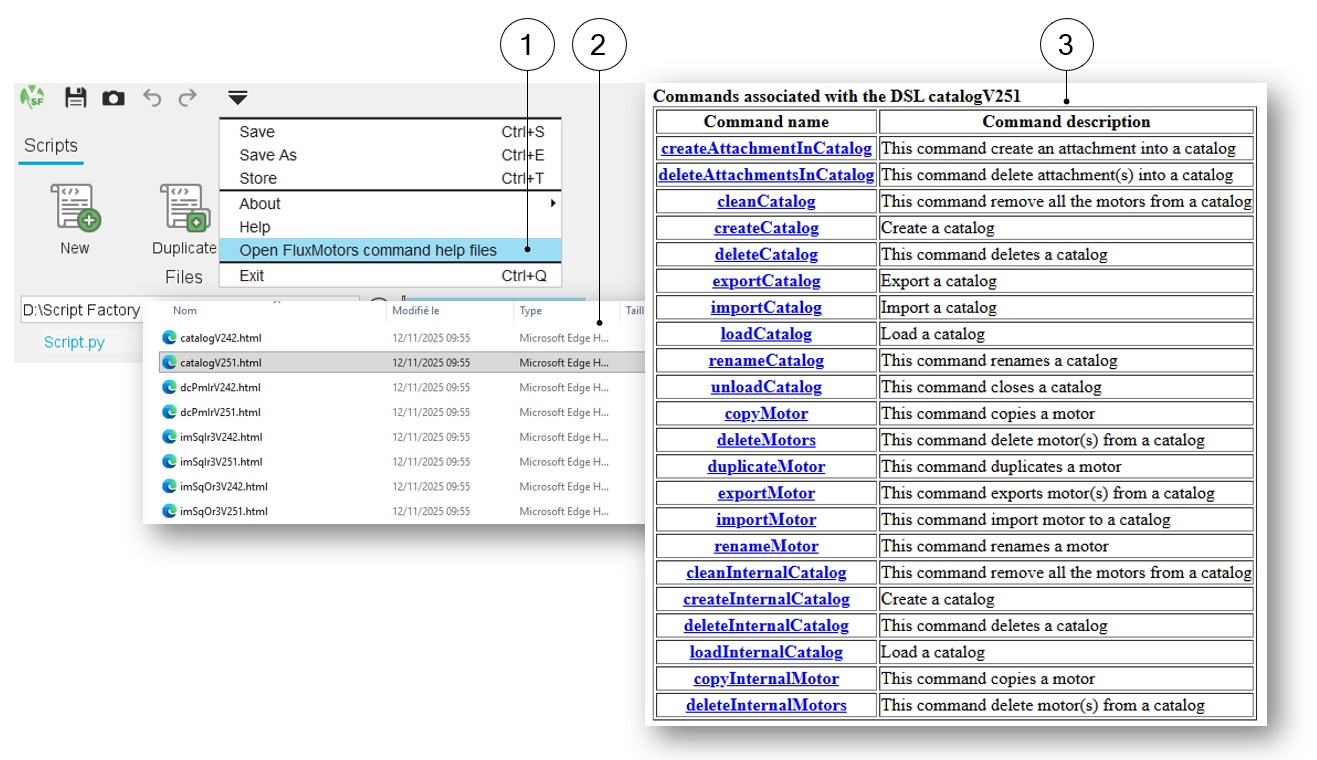
This section corresponds to the command “Open FluxMotor command help files” available in the expanding menu at the top part of Script Factory.
 |
|
|---|---|
| 1 | Select “Open FluxMotor command help files” option. |
| 2 |
List of available DSL (Domain Specific Language) commands dedicated to the main applications of FluxMotor. One must select the one in which the targeted commands are stored. |
| 3 | The command list is displayed. One must click on the command name to see the corresponding description. |
Log and error
 |
|
|---|---|
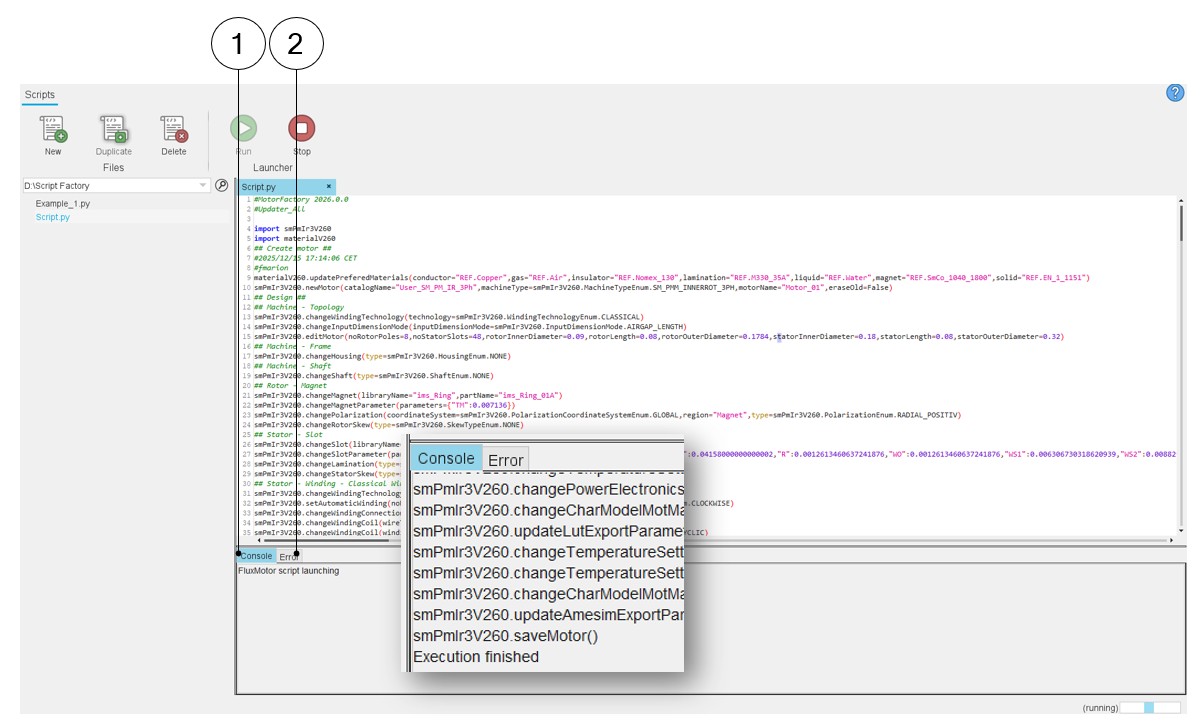
| 1 | LOG tab gives the information for each command executed in the software and to check whether the command has been executed correctly or not. |
| 2 | ERROR tabs give the error message (as a popup does in GUI environments). |