
Duplicate
How to duplicate a file?
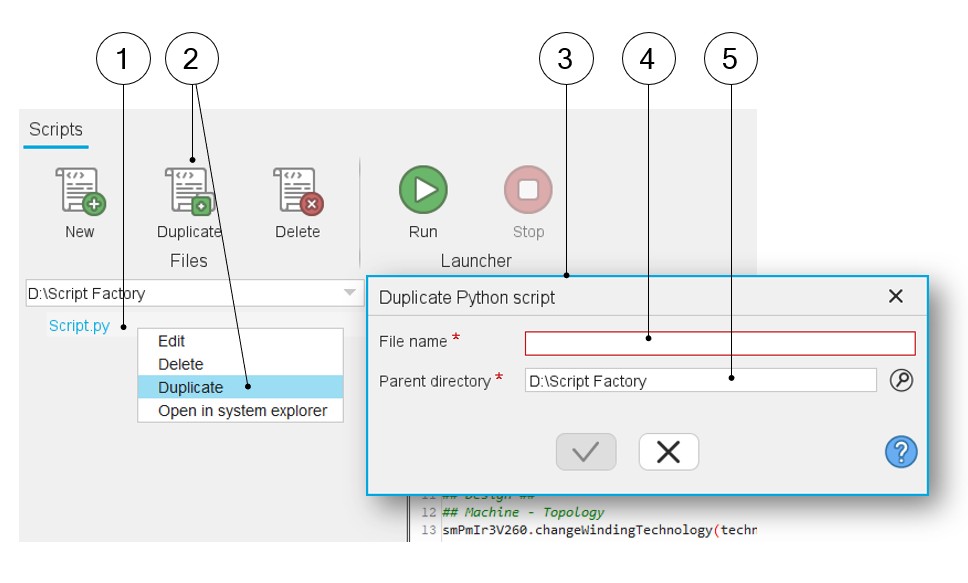
In Script Factory application, a selected python file from the workspace tree can be duplicated in a parent directory.
 |
|
|---|---|
| 1 | Select a python file in the workspace tree. |
| 2 | Click on the icon “Duplicate” in the Files menu or right click on the selected python file and then select the “Duplicate” option. |
| 3 | Dialog box to duplicate the python script. |
| 4 | Give a name to the python script. |
| 5 | Select a parent working directory (The default one is the current workspace). |