| 1 |
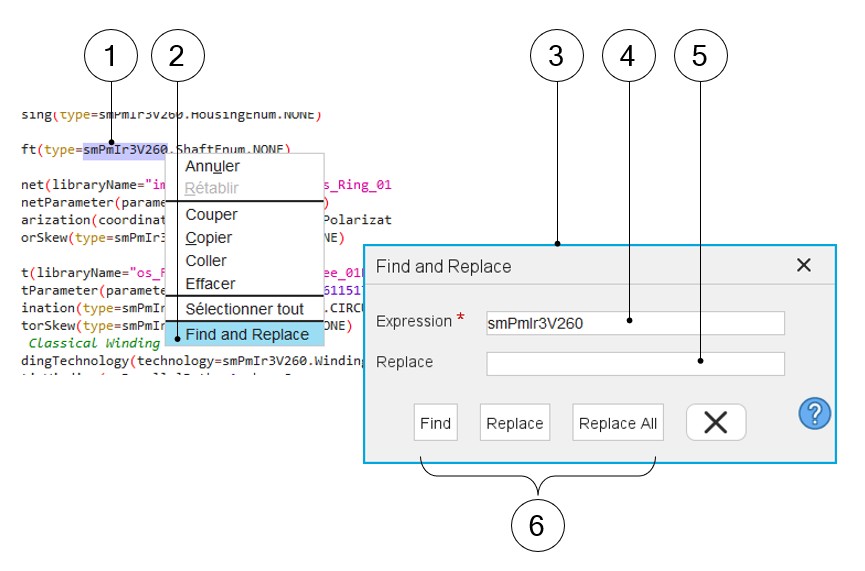
Selection of the expression to be considered. |
| 2 |
Right click on the selected text and select the “Find and
Replace” function |
| 3 |
Dialog box to manage the “Find and Replace” functions |
| 4 |
Write the expression to be considered |
| 5 |
Write the expression to replace the previous one |
| 6 |
Three buttons to apply the following actions:
- Find the selected expression in the edited script
- Replace one time the selected expression by the new one
- Replace the selected expression with the new one everywhere
in the edited file
|