
Since version 2026, Flux 3D and Flux PEEC are no longer available.
Please use SimLab to create a new 3D project or to import an existing Flux 3D project.
Please use SimLab to create a new PEEC project (not possible to import an existing Flux PEEC project).
/!\ Documentation updates are in progress – some mentions of 3D may still appear.
Refine a solution (continue / iterate)
Iterate on one step
The command Iterate on one step enable:
- to “reprocess” one step incorrectly solved (because of non-convergence of the process)
-
to “reprocess” one step correctly solved but its result appears incorrect
(first, it is necessary to improve the precision of the used iterative linear solver)
From the operation point of view, the command Iterate on one step enable to resume the iterative process, as presented in the table below.
| Analysis without parameters | |||
|---|---|---|---|
| Application | Scenario | Continue | |
| Non-transient |
Mono-step (a single step) |

|
= Iterate on the step |
| Transient |
Transient multi-step (many steps "connected to each other") |

|
= Iterate on the last step |
| Analysis with parameters | |||
|---|---|---|---|
| Application | Scenario | Continue | |
| Non-transient |
Parametric multi-step (many independent steps) |
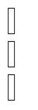
|
= Iterate on the steps which has not converged |
| Transient |
Transient and parametric multi-step (many steps "connected to each other" or independent) |
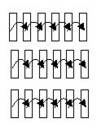
|
= Iterate on the last step which has not converged for one or several transient solving processes |