
Skew
Type of skew
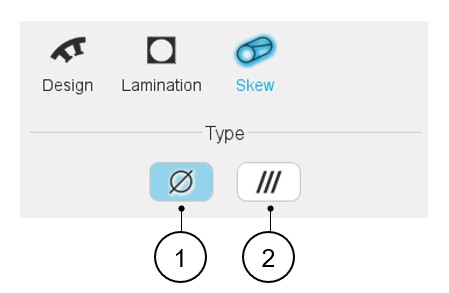
The design of the slot can be considered with or without skewing. Hence, two
solutions are proposed:
- None: The slot is not skewed.
- Continuous: The slot is designed with continuous skewing.
 |
|
|---|---|
| 1 | Default setting: skew type is « None ». The slot is not skewed. |
| 2 | Button to select a skewed type of slot. |
Continuous skew
 |
|
|---|---|
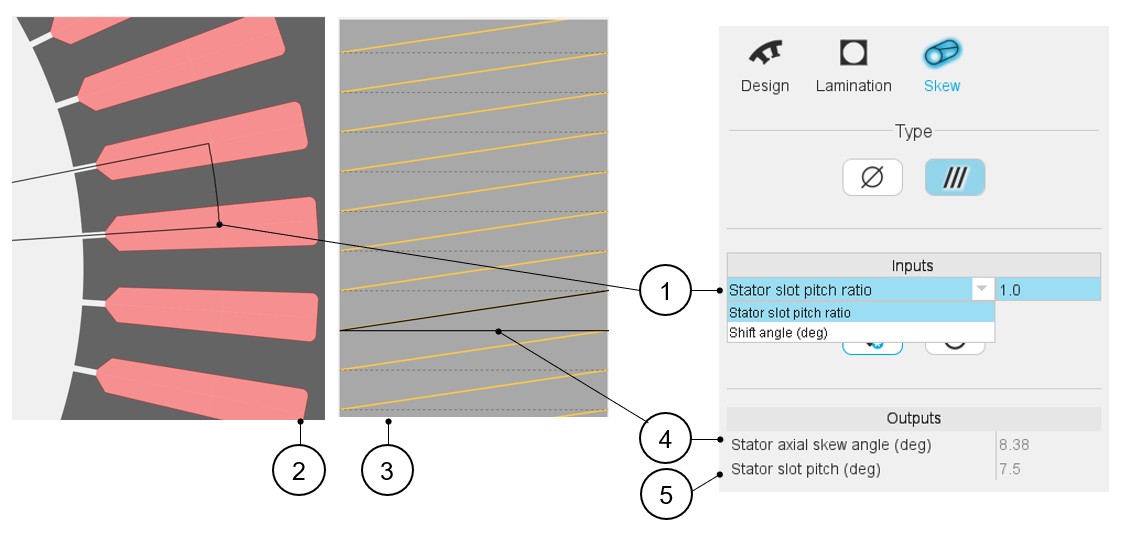
| 1 | Choose the definition mode of the skew. There are two possible
choices:
Note: whatever the definition mode is, the
resulting shift angle must be an element of [-180.0, 180.0]
(deg).
|
| 2 | Visualization of the chosen skew angle on the machine radial view. |
| 3 | Visualization of the equivalent stator axial skew angle on the developed view of the machine. |
| 4 | Equivalent axial stator slot angle (read only). |
| 5 | Equivalent stator slot pitch (read only). |
Note: The user can add a skew angle on the rotor or on the stator.
If a skew is already defined in the rotor when setting a skew on the stator, the
rotor skewing will be automatically reset to “None” and vice-versa.