
Design
Overview
 |
|
|---|---|
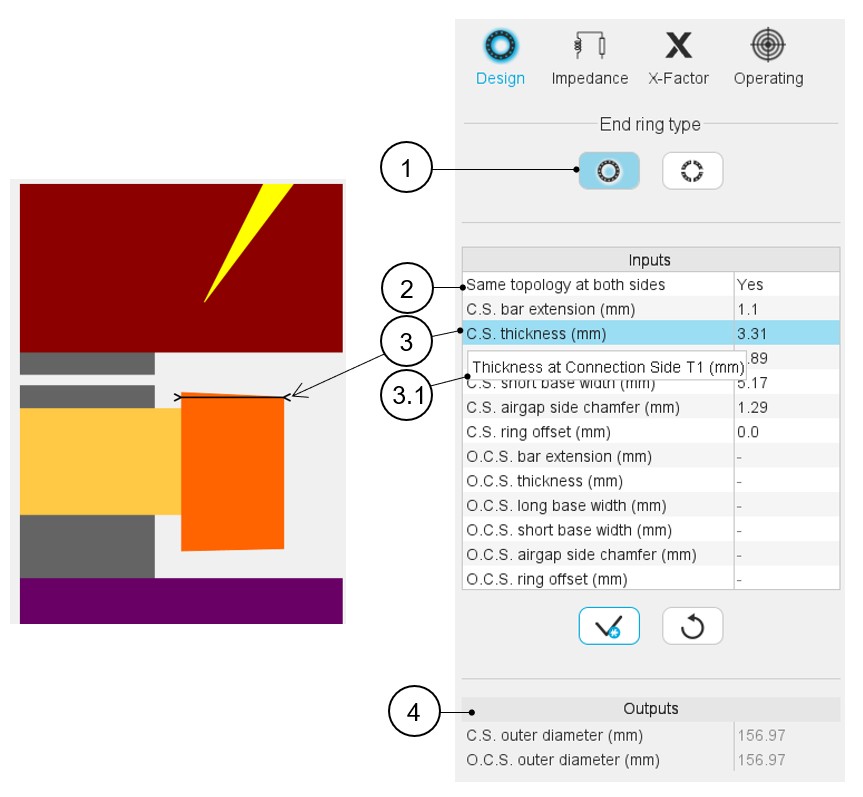
| 1 | Definition of the type of end-rings: either a full ring or end-ring sectors. Full ring in that case. |
| 2 | Selector to choose the same end-ring topologies on both sides (Yes or No). |
| 3 | Definition of each end-ring geometrical input, with the corresponding arrow on the axial view of the machine. |
| 3.1 | Selecting a parameter displays the corresponding tooltip, which completes information about the parameter. |
| 4 | Output parameters are in read only mode. These parameters are
computed from user inputs defined above. As for the user inputs, when clicking on the output parameter, the corresponding arrow is displayed on the view to better understand its meaning. |
 |
|
|---|---|
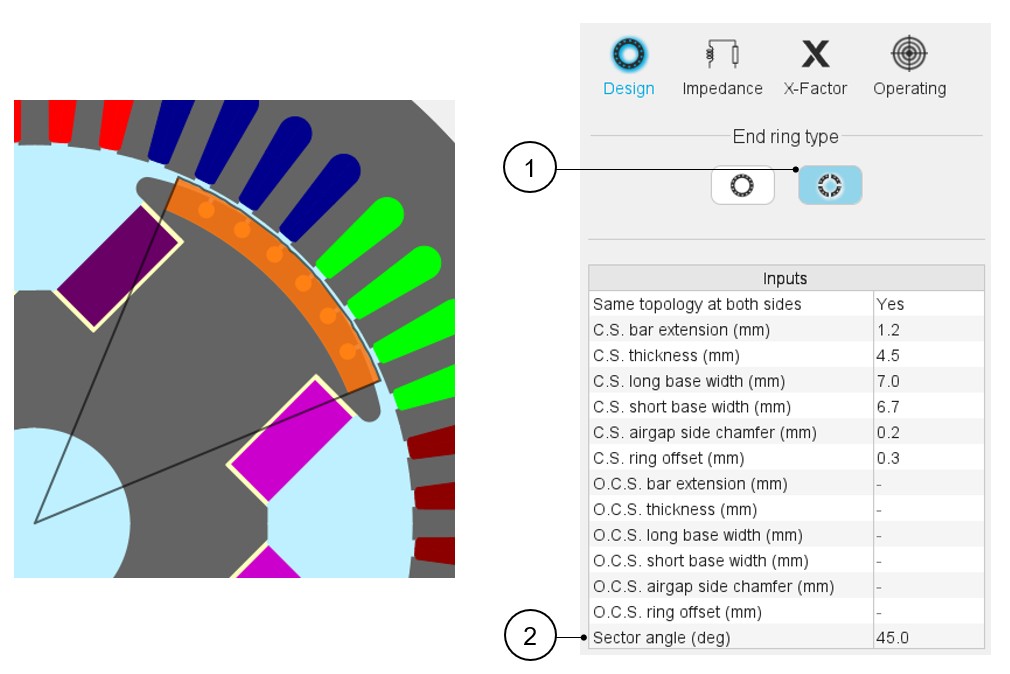
| 1 | Definition of the type of end-rings: either a full ring or end-ring sectors. End-ring sectors in that case. |
| 2 | The definition of the sector angle of end-ring sectors is the
only additional user input compared with the previous case. Note: The sector angle is the same for both
sides of the machine. That means only one value even if the
user input “Same topology at both sides” is
No. |