
Convert the Current Horizontal or Vertical Axis Unit of Measure in HyperGraph 2D
-
Right-click on the horizontal or vertical axis in HyperGraph.
The HyperGraph context sensitive menu is displayed.
-
From the HyperGraph context sensitive menu, select
Edit.
The Entity Editor is displayed. The unit of measure category for the axis you selected is automatically selected under Units. For instance, if you selected the horizontal axis and the unit of measure is milliseconds (ms), time will be selected for Type.
Figure 1. 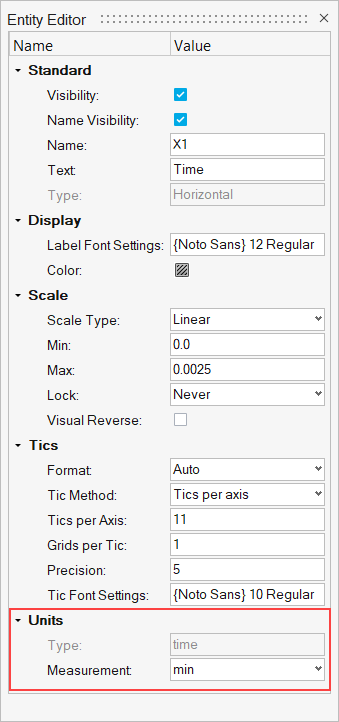
- From one of the drop-down menus, select the new unit of measure you want to convert the selected axis to.
-
Close the Entity Editor.
The axis unit of measure is updated accordingly.