
Since version 2026, Flux 3D and Flux PEEC are no longer available.
Please use SimLab to create a new 3D project or to import an existing Flux 3D project.
Please use SimLab to create a new PEEC project (not possible to import an existing Flux PEEC project).
/!\ Documentation updates are in progress – some mentions of 3D may still appear.
B(H) curve of a material: actions
Create a 2D curve (Material) B(H)
To create a 2D curve (Material) B(H):
| Step | Action |
|---|---|
| 1 |
Open a dialogue box New 2D curve (Material) B(H)
|
| 2 | Choose the material (if there is more than one material in the project) |
| 3 |
Define the desired interval of visualization of the B(H) curve:
|
| 4 | Choose one or more temperatures for which the B(H) curves are desired (if the model of the material depends on the temperature, else pass directly to step 5) |
| 5 | Validate by clicking on OK |
| → | The required 2D curve (Material) has been created and displayed |
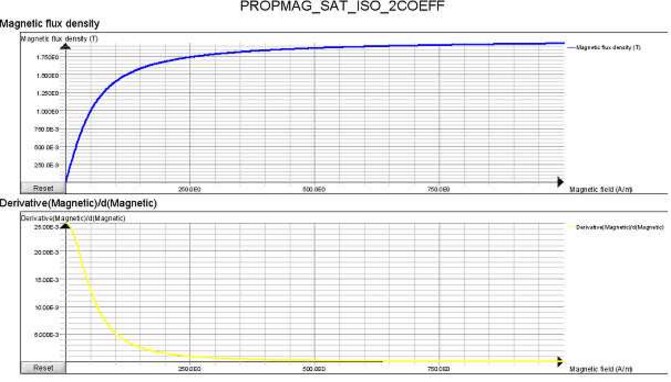
Display the dB/dH
The user can display the dB/dH by using the derivative.
The derivative function is available:
- In the menu Curve by pointing on the 2D curve (Material) or by passing from the contextual menu (by clicking in the data tree on the entity 2D curve (Material) or directly by clicking on the corresponding tab)
Other possible actions
As with all 2D curves, it is possible to perform the following actions:
- Export the data:
- command of export Excel, Txt, Python, Clipboard (contain all values)
- copy only the values of displayed curves (in the tab
Values click on
 )
)
- Print (on printer or in a file)
- Hide/Display
- Derive/Integrate
- Delete