
Rename
How to rename a catalog?
 |
|
|---|---|
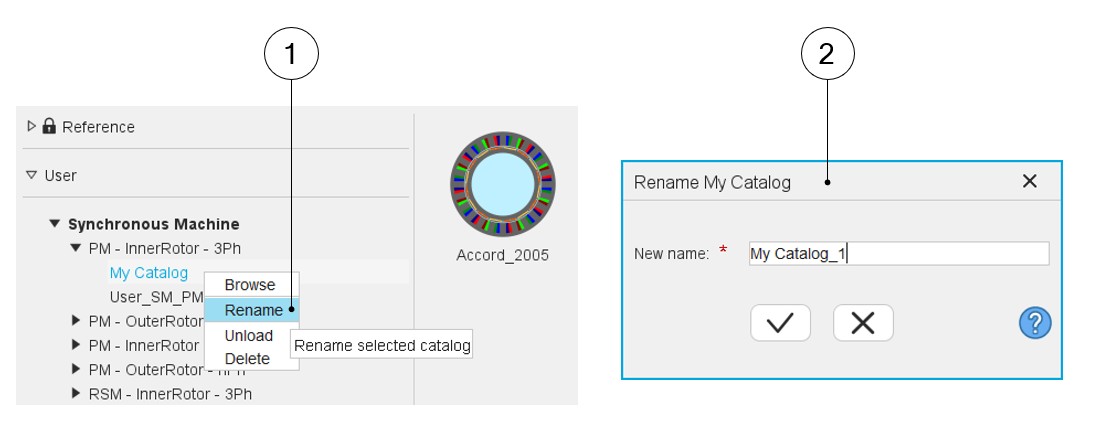
| 1 | Right Click on the catalog to be renamed. A drop-down menu appears with functions such as Browse, Rename, Unload and Delete. Select Rename |
| 2 | When Rename is selected, the dialog box is opened to allow
renaming of the selected catalog Give a new name to the selected
catalog. Note: A default new name is
proposed. One must choose a name that is not already used in
the Motor Catalog. |